Pay-Per-Use AI: How x402 Enables Instant, Anonymous API Access
What is x402?
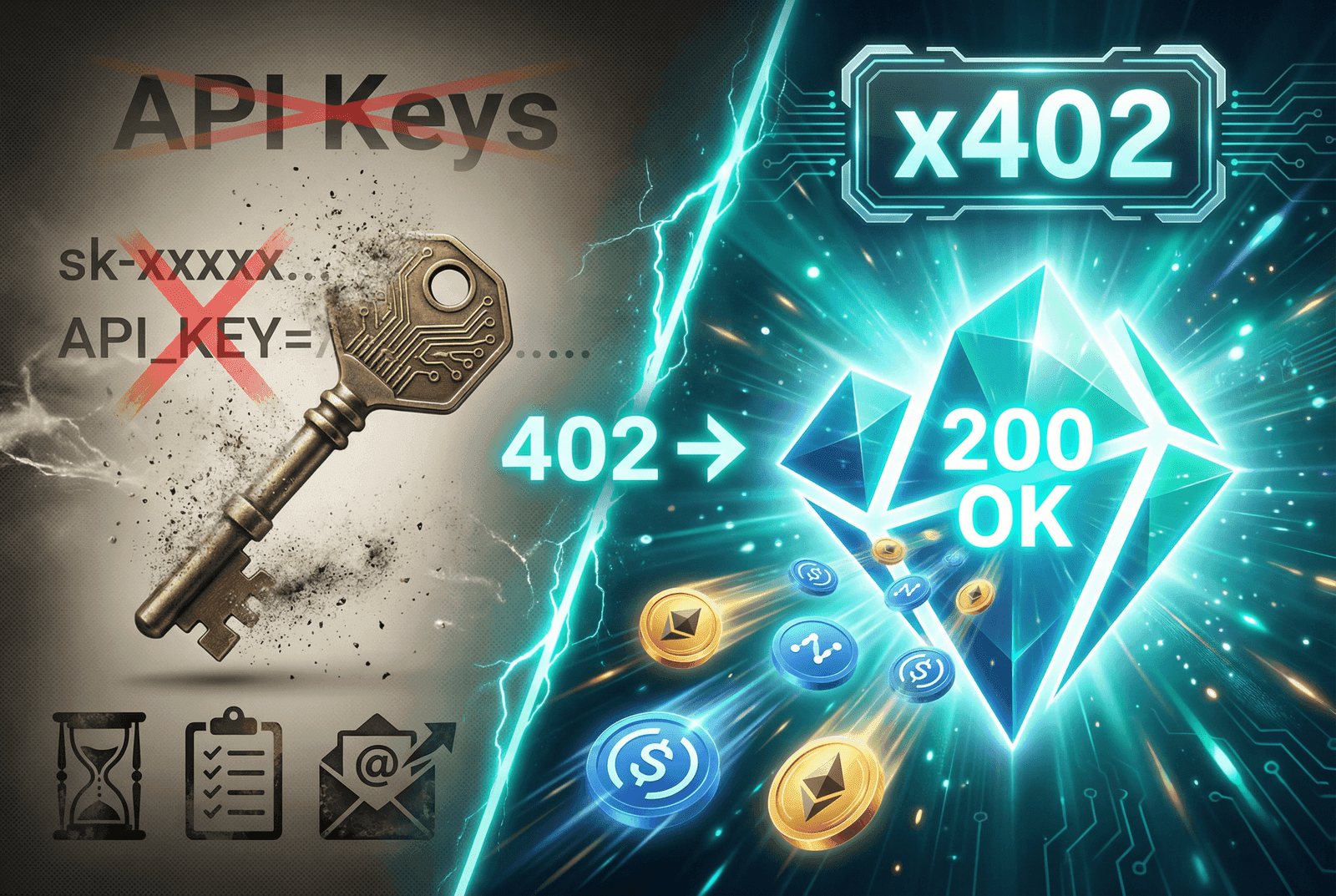
x402 is an HTTP-native payment protocol that revives the long-dormant HTTP 402 Payment Required status code. Originally reserved in the HTTP specification for "future use," this status code has finally found its purpose in the age of AI and micropayments.
The protocol, pioneered by Coinbase, enables a simple but powerful pattern:
- Request a resource - Make an API call as usual
- Receive payment requirements - If payment is needed, get a
402response with payment details - Pay on-chain - Send cryptocurrency to the provided address (or sign a payment authorization)
- Get your response - The API verifies payment and serves your request
No accounts. No API keys. No subscriptions. Just pay and use.
Why x402 Matters
For Developers
- Zero onboarding friction - Start using APIs immediately without signup flows
- Pay only for what you use - No monthly minimums or unused credits
- Perfect for prototyping - Test APIs without commitment
For AI Agents
- Machine-to-machine payments - AI agents can autonomously pay for services
- Programmable commerce - Build autonomous systems that manage their own budgets
- No credential management - Agents don't need API keys, just cryptocurrency
For Everyone
- Privacy-preserving - No personal data required
- Global access - Anyone with crypto can access services instantly
- Transparent pricing - See exactly what you'll pay before committing
How NanoGPT Supports x402
NanoGPT implements x402 with four payment options, giving you flexibility based on your preferred cryptocurrency and tooling:
| Scheme | Currency | Best For | Key Feature |
|---|---|---|---|
| Nano | XNO | Nano wallet users | Zero fees, sub-second settlement, ephemeral addresses |
| Nano Exact | XNO | x402-aware Nano clients, AI agents | Stateless - sign block & retry same endpoint |
| USDC Direct | USDC on Base | Any EVM wallet (MetaMask, Rainbow, etc.) | Send any amount ≥ required |
| x402 Standard | USDC on Base | x402-aware clients, AI agents | Gasless - sign & retry same endpoint |
All four methods support:
- Automatic overpayment refunds - Send more than required? Get the excess back automatically
- Billing reconciliation - For chat completions, if actual cost < quoted, you get a refund
- Underpayment handling - Sent too little? Send the remainder to complete payment
- 15-minute payment window - Payments expire after 15 minutes if not completed
- Settlement verification -
X-PAYMENT-RESPONSEheader with on-chain transaction hash - Text, image, video, and audio generation
Try It Out: Copy-Paste Examples
Prerequisites
For these examples, you'll need:
- For Nano: A Nano wallet with some XNO
- For USDC: Some USDC on Base network (bridge from other chains)
curlandjqinstalled (for command-line examples)
Example 1: Text Generation with Nano (Ephemeral Address)
Generate a response from GPT-4o-mini using Nano:
#!/bin/bash
# x402-nano-text.sh - Text generation with Nano payment

API_URL="https://nano-gpt.com"

# Step 1: Make the request (will return 402 with payment details)
echo "Requesting text generation..."
RESPONSE=$(curl -s -X POST "$API_URL/v1/chat/completions" \
  -H "Content-Type: application/json" \
  -d '{
    "model": "gpt-4o-mini",
    "messages": [{"role": "user", "content": "Explain quantum computing in one sentence."}],
    "max_tokens": 100
  }')

# Check if we got a 402 response
if echo "$RESPONSE" | jq -e '.x402Version' > /dev/null 2>&1; then
  # Extract Nano payment details
  NANO_SCHEME=$(echo "$RESPONSE" | jq -r '.accepts[] | select(.scheme == "nano")')
  PAY_TO=$(echo "$NANO_SCHEME" | jq -r '.payTo')
  AMOUNT=$(echo "$NANO_SCHEME" | jq -r '.maxAmountRequiredFormatted')
  AMOUNT_RAW=$(echo "$NANO_SCHEME" | jq -r '.maxAmountRequired')
  PAYMENT_ID=$(echo "$NANO_SCHEME" | jq -r '.paymentId')
  EXPIRES=$(echo "$NANO_SCHEME" | jq -r '.expiresAt')

  echo ""
  echo "=== Payment Required ==="
  echo "Amount: $AMOUNT"
  echo "Send to: $PAY_TO"
  echo "Payment ID: $PAYMENT_ID"
  echo "Expires: $(date -r $EXPIRES 2>/dev/null || date -d @$EXPIRES)"
  echo ""
  echo "Send Nano to the address above, then run:"
  echo "curl -X POST '$API_URL/api/x402/complete/$PAYMENT_ID'"
else
  # Already had balance or got direct response
  echo "$RESPONSE" | jq '.choices[0].message.content'
fi
After sending Nano to the displayed address, just complete the request - no polling needed:
# Complete the request (automatically detects payment on-chain)
curl -s -X POST "https://nano-gpt.com/api/x402/complete/YOUR_PAYMENT_ID" | jq '.choices[0].message.content'
Note: You can optionally poll/api/x402/status/YOUR_PAYMENT_IDto check payment status before completing, but it's not required - the/completeendpoint detects your on-chain payment automatically.
Example 2: Image Generation with Nano
Generate an image using Seedream v4:
#!/bin/bash
# x402-nano-image.sh - Image generation with Nano payment

API_URL="https://nano-gpt.com"

# Step 1: Request image generation
echo "Requesting image generation..."
RESPONSE=$(curl -s -X POST "$API_URL/v1/images/generations" \
  -H "Content-Type: application/json" \
  -d '{
    "model": "seedream-v4",
    "prompt": "A cyberpunk city at sunset, neon lights reflecting off rain-soaked streets",
    "size": "1024x1024",
    "n": 1
  }')

# Extract Nano payment details
NANO_SCHEME=$(echo "$RESPONSE" | jq -r '.accepts[] | select(.scheme == "nano")')
PAY_TO=$(echo "$NANO_SCHEME" | jq -r '.payTo')
AMOUNT=$(echo "$NANO_SCHEME" | jq -r '.maxAmountRequiredFormatted')
PAYMENT_ID=$(echo "$NANO_SCHEME" | jq -r '.paymentId')

echo ""
echo "=== Image Generation Payment ==="
echo "Amount: $AMOUNT"
echo "Send to: $PAY_TO"
echo "Payment ID: $PAYMENT_ID"
echo ""
echo "After sending Nano, complete with:"
echo "curl -X POST '$API_URL/api/x402/complete/$PAYMENT_ID' | jq '.data[0].url'"
Example 3: Nano Exact Scheme (Signed State Block) - For AI Agents
This is the truly stateless x402 flow for Nano. You sign a Nano send block off-chain, attach it to the X-PAYMENT header, and the server broadcasts it on-chain. No ephemeral address management, no balance monitoring - perfect for AI agents:
// x402-nano-exact.ts - Nano exact scheme with signed state blocks
import * as nanocurrency from 'nanocurrency';

const API_URL = 'https://nano-gpt.com';

async function makeNanoExactRequest(prompt: string) {
  // Your Nano wallet credentials (in production, use secure key management)
  const signingKey = process.env.NANO_SIGNING_KEY!;
  const publicKey = nanocurrency.derivePublicKey(signingKey);
  const address = nanocurrency.deriveAddress(publicKey, { useNanoPrefix: true });

  // Step 1: Make initial request
  const response = await fetch(`${API_URL}/v1/chat/completions`, {
    method: 'POST',
    headers: { 'Content-Type': 'application/json' },
    body: JSON.stringify({
      model: 'gpt-4o-mini',
      messages: [{ role: 'user', content: prompt }],
      max_tokens: 100,
    }),
  });

  // If 402, we need to pay
  if (response.status === 402) {
    const paymentInfo = await response.json();

    // Find the nano exact scheme (network: "nano:mainnet")
    const nanoExactScheme = paymentInfo.accepts.find(
      (a: any) => a.scheme === 'exact' && a.network === 'nano:mainnet'
    );

    if (!nanoExactScheme) {
      throw new Error('Nano exact scheme not available');
    }

    console.log(`Payment required: ${nanoExactScheme.maxAmountRequiredFormatted}`);

    // Step 2: Get your account info (balance, frontier)
    const accountInfo = await getAccountInfo(address);

    // Step 3: Create the send block
    const newBalance = (
      BigInt(accountInfo.balance) - BigInt(nanoExactScheme.maxAmountRequired)
    ).toString();

    const block = nanocurrency.createBlock(signingKey, {
      work: await generateWork(accountInfo.frontier),
      previous: accountInfo.frontier,
      representative: accountInfo.representative,
      balance: newBalance,
      link: nanoExactScheme.payTo, // Treasury address
    });

    // Step 4: Create X-PAYMENT header payload
    const paymentPayload = {
      x402Version: 1,
      scheme: 'exact',
      network: 'nano:mainnet',
      payload: {
        block: {
          type: 'state',
          account: address,
          previous: accountInfo.frontier,
          representative: accountInfo.representative,
          balance: newBalance,
          link: nanocurrency.derivePublicKey(nanoExactScheme.payTo),
          link_as_account: nanoExactScheme.payTo,
          signature: block.signature,
          work: block.work,
        },
        paymentId: nanoExactScheme.paymentId,
      },
    };

    // Step 5: Retry THE SAME ENDPOINT with X-PAYMENT header
    const paidResponse = await fetch(`${API_URL}/v1/chat/completions`, {
      method: 'POST',
      headers: {
        'Content-Type': 'application/json',
        'X-PAYMENT': Buffer.from(JSON.stringify(paymentPayload)).toString('base64'),
      },
      body: JSON.stringify({
        model: 'gpt-4o-mini',
        messages: [{ role: 'user', content: prompt }],
        max_tokens: 100,
      }),
    });

    // Check X-PAYMENT-RESPONSE header for settlement confirmation
    const paymentResponse = paidResponse.headers.get('X-PAYMENT-RESPONSE');
    if (paymentResponse) {
      const settlement = JSON.parse(Buffer.from(paymentResponse, 'base64').toString());
      console.log(`Settlement hash: ${settlement.hash}`);
      console.log(`Network: ${settlement.network}`);
    }

    return paidResponse.json();
  }

  return response.json();
}

// Helper functions (implement based on your Nano node/RPC)
async function getAccountInfo(address: string) {
  // Call Nano RPC account_info
}

async function generateWork(frontier: string) {
  // Generate PoW for the block
}
Example 4: USDC on Base (Direct Transfer)
For users with USDC on Base who want to pay with any wallet:
#!/bin/bash
# x402-usdc-direct.sh - USDC payment to ephemeral address

API_URL="https://nano-gpt.com"

# Step 1: Request the resource
RESPONSE=$(curl -s -X POST "$API_URL/v1/chat/completions" \
  -H "Content-Type: application/json" \
  -d '{
    "model": "gpt-4o-mini",
    "messages": [{"role": "user", "content": "What is USDC?"}],
    "max_tokens": 150
  }')

# Extract USDC-base scheme (direct transfer)
USDC_SCHEME=$(echo "$RESPONSE" | jq -r '.accepts[] | select(.scheme == "usdc-base")')
PAY_TO=$(echo "$USDC_SCHEME" | jq -r '.payTo')
AMOUNT=$(echo "$USDC_SCHEME" | jq -r '.maxAmountRequiredFormatted')
PAYMENT_ID=$(echo "$USDC_SCHEME" | jq -r '.paymentId')
CHAIN_ID=$(echo "$USDC_SCHEME" | jq -r '.extra.chainId')

echo ""
echo "=== USDC Payment (Base Network) ==="
echo "Amount: $AMOUNT"
echo "Send to: $PAY_TO"
echo "Chain ID: $CHAIN_ID (Base Mainnet)"
echo "Payment ID: $PAYMENT_ID"
echo ""
echo "Send USDC on Base to the address above."
echo "Any amount >= required will work (overpayment is automatically refunded)."
echo ""
echo "After sending, complete with (no polling needed - auto-detects payment):"
echo "curl -X POST '$API_URL/api/x402/complete/$PAYMENT_ID'"
Example 5: x402 Standard (EIP-3009) - For AI Agents
This is the canonical x402 flow using gasless EIP-3009 signatures. You sign an authorization off-chain, attach it to the X-PAYMENT header, and the server handles settlement. No gas fees, no on-chain transaction from your wallet. Perfect for AI agents and automated systems:
// x402-standard.ts - Full x402 implementation with EIP-3009
import { createWalletClient, http, parseUnits } from 'viem';
import { base } from 'viem/chains';
import { privateKeyToAccount } from 'viem/accounts';

const API_URL = 'https://nano-gpt.com';
const USDC_ADDRESS = '0x833589fCD6eDb6E08f4c7C32D4f71b54bdA02913';

// EIP-712 domain for USDC on Base
const USDC_DOMAIN = {
  name: 'USD Coin',
  version: '2',
  chainId: 8453,
  verifyingContract: USDC_ADDRESS,
};

// EIP-3009 TransferWithAuthorization types
const TRANSFER_WITH_AUTH_TYPES = {
  TransferWithAuthorization: [
    { name: 'from', type: 'address' },
    { name: 'to', type: 'address' },
    { name: 'value', type: 'uint256' },
    { name: 'validAfter', type: 'uint256' },
    { name: 'validBefore', type: 'uint256' },
    { name: 'nonce', type: 'bytes32' },
  ],
};

async function makeX402Request(prompt: string) {
  // Your wallet (in production, use secure key management)
  const signingKey = process.env.EVM_SIGNING_KEY as `0x${string}`;
  const account = privateKeyToAccount(signingKey);

  const walletClient = createWalletClient({
    account,
    chain: base,
    transport: http(),
  });

  // Step 1: Make initial request
  const response = await fetch(`${API_URL}/v1/chat/completions`, {
    method: 'POST',
    headers: { 'Content-Type': 'application/json' },
    body: JSON.stringify({
      model: 'gpt-4o-mini',
      messages: [{ role: 'user', content: prompt }],
      max_tokens: 100,
    }),
  });

  // If 402, we need to pay
  if (response.status === 402) {
    const paymentInfo = await response.json();

    // Find the "exact" scheme for Base (EIP-3009)
    const exactScheme = paymentInfo.accepts.find(
      (a: any) => a.scheme === 'exact' && a.network === 'base'
    );

    if (!exactScheme) {
      throw new Error('x402 exact scheme not available');
    }

    // Step 2: Sign EIP-3009 authorization
    const nonce = `0x${crypto.randomUUID().replace(/-/g, '')}` as `0x${string}`;
    const validAfter = 0n;
    const validBefore = BigInt(exactScheme.expiresAt);
    const value = BigInt(exactScheme.maxAmountRequired);

    const signature = await walletClient.signTypedData({
      domain: USDC_DOMAIN,
      types: TRANSFER_WITH_AUTH_TYPES,
      primaryType: 'TransferWithAuthorization',
      message: {
        from: account.address,
        to: exactScheme.payTo,
        value,
        validAfter,
        validBefore,
        nonce,
      },
    });

    // Step 3: Create X-PAYMENT header payload
    const paymentPayload = {
      x402Version: 1,
      scheme: 'exact',
      network: 'base',
      payload: {
        signature,
        authorization: {
          from: account.address,
          to: exactScheme.payTo,
          value: value.toString(),
          validAfter: validAfter.toString(),
          validBefore: validBefore.toString(),
          nonce,
        },
      },
    };

    // Step 4: Retry THE SAME ENDPOINT with X-PAYMENT header (standard x402 flow)
    const paidResponse = await fetch(`${API_URL}/v1/chat/completions`, {
      method: 'POST',
      headers: {
        'Content-Type': 'application/json',
        'X-PAYMENT': Buffer.from(JSON.stringify(paymentPayload)).toString('base64'),
      },
      body: JSON.stringify({
        model: 'gpt-4o-mini',
        messages: [{ role: 'user', content: prompt }],
        max_tokens: 100,
      }),
    });

    // Check X-PAYMENT-RESPONSE header for settlement confirmation
    const paymentResponse = paidResponse.headers.get('X-PAYMENT-RESPONSE');
    if (paymentResponse) {
      const settlement = JSON.parse(Buffer.from(paymentResponse, 'base64').toString());
      console.log(`Settlement hash: ${settlement.hash}`);
      console.log(`Network: ${settlement.network}`);
    }

    return paidResponse.json();
  }

  // Already had balance or no payment needed
  return response.json();
}

// Usage
const result = await makeX402Request('Explain x402 in one sentence.');
console.log(result.choices[0].message.content);
Python Example (Nano Flow)
#!/usr/bin/env python3
"""x402-nano.py - Simple x402 flow with Nano payment"""

import requests

API_URL = "https://nano-gpt.com"

def generate_text_with_x402(prompt: str, model: str = "gpt-4o-mini"):
    """Generate text using x402 payment flow."""

    # Step 1: Make the request
    response = requests.post(
        f"{API_URL}/v1/chat/completions",
        json={
            "model": model,
            "messages": [{"role": "user", "content": prompt}],
            "max_tokens": 100,
        },
    )

    # Check for 402 Payment Required
    if response.status_code == 402:
        payment_info = response.json()

        # Find Nano payment option (ephemeral address scheme)
        nano_scheme = next(
            (s for s in payment_info["accepts"] if s["scheme"] == "nano"),
            None
        )

        if not nano_scheme:
            raise Exception("Nano payment not available")

        print("\n=== Payment Required ===")
        print(f"Amount: {nano_scheme['maxAmountRequiredFormatted']}")
        print(f"Send to: {nano_scheme['payTo']}")
        print(f"Payment ID: {nano_scheme['paymentId']}")

        # Wait for user to send payment
        input("\nPress Enter after sending Nano...")

        # Step 2: Complete the request (auto-detects payment on-chain)
        payment_id = nano_scheme["paymentId"]
        result = requests.post(f"{API_URL}/api/x402/complete/{payment_id}")
        return result.json()

    # Direct response (had balance)
    return response.json()


if __name__ == "__main__":
    result = generate_text_with_x402("What makes Nano unique as a cryptocurrency?")
    print("\n=== Response ===")
    print(result["choices"][0]["message"]["content"])
Understanding the 402 Response
When you make a request without sufficient balance, you'll receive a response like this:
{
  "x402Version": 1,
  "accepts": [
    {
      "scheme": "nano",
      "network": "nano-mainnet",
      "maxAmountRequired": "1297490000000000000000000000",
      "maxAmountRequiredFormatted": "0.00129749 XNO",
      "maxAmountRequiredUSD": 0.001,
      "payTo": "nano_3abc...",
      "paymentId": "pay_abc123def456",
      "expiresAt": 1732800000,
      "callbackUrl": "/api/x402/status/pay_abc123def456",
      "completeUrl": "/api/x402/complete/pay_abc123def456"
    },
    {
      "scheme": "exact",
      "network": "nano:mainnet",
      "asset": "XNO",
      "maxAmountRequired": "1297490000000000000000000000",
      "maxAmountRequiredFormatted": "0.00129749 XNO",
      "maxAmountRequiredUSD": 0.001,
      "payTo": "nano_1treasury...",
      "paymentId": "pay_nano_xyz789",
      "expiresAt": 1732800000,
      "mimeType": "application/json",
      "extra": {
        "paymentId": "pay_nano_xyz789"
      }
    },
    {
      "scheme": "exact",
      "network": "base",
      "maxAmountRequired": "1000",
      "maxAmountRequiredFormatted": "0.001000 USDC",
      "payTo": "0x4F18...",
      "paymentId": "pay_xyz789",
      "extra": {
        "name": "USD Coin",
        "version": "2",
        "chainId": 8453,
        "tokenAddress": "0x833589fCD6eDb6E08f4c7C32D4f71b54bdA02913"
      }
    },
    {
      "scheme": "usdc-base",
      "network": "base",
      "maxAmountRequired": "1000",
      "maxAmountRequiredFormatted": "0.001000 USDC",
      "payTo": "0xf29C...",
      "paymentId": "pay_qrs456",
      "callbackUrl": "/api/x402/status/pay_qrs456",
      "completeUrl": "/api/x402/complete/pay_qrs456"
    }
  ],
  "error": "Payment required"
}
Each scheme in the accepts array represents a different payment method:
nano(ephemeral): Send XNO to the ephemeral address, then callcompleteUrlexact+nano:mainnet: Sign a Nano state block and retry the same endpoint withX-PAYMENTheader (stateless)exact+base: Sign an EIP-3009 authorization and retry the same endpoint withX-PAYMENTheader (gasless)usdc-base: Send USDC directly to an ephemeral address, then callcompleteUrl
Note: Theexactschemes follow the standard x402 protocol - nocompleteUrlis provided. Instead, you retry the original endpoint with your signed payment in theX-PAYMENTheader.
Settlement Verification: X-PAYMENT-RESPONSE Header
After successful settlement of exact scheme payments (Nano exact or USDC EIP-3009), responses include the X-PAYMENT-RESPONSE header containing a base64-encoded JSON with the on-chain settlement details:
{
  "success": true,
  "hash": "9BC1F7378D2440A9A32A3799EDED06D58C7016A8839774CA39B3179A26902148",
  "network": "nano:mainnet"
}
Or for USDC:
{
  "success": true,
  "hash": "0x1234567890abcdef...",
  "network": "base"
}
This allows clients to verify the on-chain settlement transaction independently.
Automatic Refunds
NanoGPT's x402 implementation includes automatic refunds for:
- Overpayments - Send more than required? The excess is refunded automatically.
- Billing reconciliation - For chat completions, if actual cost < quoted, you get a refund.
- Generation failures - If something goes wrong, full refund.
All refunds happen on-chain to the address you paid from. No action required on your part.
Pro tip: For chat completions, setmax_tokensin your request to reduce the quoted price. Without it, we quote based on the model's maximum output capacity (up to 64k tokens for some models). If you only need a short response, settingmax_tokens: 500dramatically lowers the upfront payment required.
FAQ
Q: How fast are payments detected? A: Nano payments are detected within a second. USDC payments typically within 1-2 block confirmations (~4 seconds on Base).
Q: What if I send the wrong amount? A: Overpayments are automatically refunded to the address you paid from. Underpayments will show status underpaid with the remaining amount needed - just send the difference to complete.
Q: Do I need to create an account? A: No. x402 is completely anonymous and account-free. Just pay and use.
Q: Can I use this for production applications? A: Yes! x402 is production-ready. It's particularly well-suited for AI agents and automated systems.
Q: Which models are available? A: All models available on NanoGPT support x402. Claude Opus 4.5, Gemini 3 Pro, GPT 5.1, and 100+ more.
Q: What's the difference between the four payment schemes? A:
nano: Send XNO to an ephemeral address, call/completeto finish. Simple but requires address polling.exact+nano:mainnet: Sign a Nano state block, retry same endpoint withX-PAYMENTheader. Truly stateless - no ephemeral addresses.exact+base: Sign an EIP-3009 authorization, retry same endpoint. Gasless - no transaction from your wallet.usdc-base: Send USDC to ephemeral address, call/complete. Works with any EVM wallet.
Q: How long do I have to complete payment? A: Payment windows expire after 15 minutes. If you don't complete payment in time, simply make a new request to get a fresh payment address/requirements.
Q: Why might the quoted price be higher than the actual cost? A: For chat completions, we can't know the output length in advance, so we quote the maximum possible cost (based on max_tokens or model limits). After generation, if the actual cost is lower, you automatically receive a refund for the difference.
Q: Do I need to poll the status endpoint? A: No! For Nano and USDC Direct (ephemeral address schemes), the /api/x402/complete/{paymentId} endpoint automatically detects your on-chain payment. Status polling is optional but useful if you want to show payment progress in a UI. For the exact schemes (Nano exact and EIP-3009), you simply retry the same original endpoint with your signed authorization in the X-PAYMENT header - no separate complete endpoint needed.
Q: How do I verify my payment settled on-chain? A: For exact scheme payments, check the X-PAYMENT-RESPONSE header in the response. It contains a base64-encoded JSON with {success: true, hash: "...", network: "..."} that you can use to verify the settlement transaction on a block explorer.
What's Next?
x402 represents a fundamental shift in how we think about API access. By embedding payment directly into HTTP, we're enabling a new generation of applications where:
- AI agents can autonomously purchase services
- Developers can monetize APIs without building billing systems
- Users can access services privately and instantly
Try it out today. No signup required - just send crypto and start building.
NanoGPT is the first AI platform to support x402 with multiple cryptocurrencies. Visit nano-gpt.com to learn more.