
Dependency Pinning Best Practices for AI Teams
Dependency pinning ensures your project uses specific, tested versions of libraries, avoiding the risks of unexpected updates. For AI teams, this practice is critical to maintaining consistent environments, securing dependencies, and reproducing results. Without pinning, you risk breaking workflows, introducing security vulnerabilities, and altering model behavior unpredictably.
Here’s what you need to know:
- Why it matters: Prevents breaking changes, supports reproducibility, and mitigates supply chain attacks.
- Key practices:
- Lock all dependency versions, including transitive ones, using tools like
Pipfile.lockorpoetry.lock. - Use semantic versioning to manage updates responsibly.
- Incorporate lockfiles into CI/CD pipelines to enforce consistency.
- Lock all dependency versions, including transitive ones, using tools like
- Security measures: Verify packages with cryptographic hashes and scan for vulnerabilities regularly.
- AI-specific considerations: Pin model versions, track dependencies in experiments, and address model drift with shadow deployments or compatibility matrices.
- Tools to use: Pipenv, Poetry, Docker, and MLflow for managing dependencies and ensuring stable environments.
Core Principles of Dependency Pinning
Version Locking Strategies
In AI projects, locking down exact versions of dependencies is essential for maintaining stability. Rather than using flexible version ranges like torch>=2.0.0, it's better to specify exact versions, such as torch==2.0.1. This ensures that everyone on the team and every deployment environment runs the same code without inconsistencies.
However, pinning only top-level packages isn’t enough. You need to secure the entire dependency tree, including transitive dependencies. This is where lockfiles come in - they capture every package in your environment, along with cryptographic hashes to verify file integrity. This approach ensures that all indirect dependencies remain consistent and predictable.
For teams working with platforms like Hugging Face, dependency pinning extends beyond Python libraries. For example, in May 2025, Philip Kiely demonstrated the importance of pinning infrastructure versions when using models like jina-embeddings-v2. He locked critical dependencies such as accelerate==0.22.0, sentencepiece==0.1.99, torch==2.0.1, and transformers==4.32.1, while also pinning the model itself to a specific revision hash (0f472a4cde0e6e50067b8259a3a74d1110f4f8d8). This approach prevents unexpected changes in model weights or code, offering a stable foundation for deployment.
A solid understanding of semantic versioning further strengthens your version control strategy, ensuring updates are predictable and non-disruptive.
Semantic Versioning and Compatibility
Semantic versioning (SemVer) follows the MAJOR.MINOR.PATCH format, providing clarity on the nature of changes. Here’s how it works:
- MAJOR versions introduce breaking changes.
- MINOR versions add new features while maintaining backward compatibility.
- PATCH versions fix bugs without altering functionality.
For production AI applications, using exact pinning (e.g., ==1.2.3) ensures complete reproducibility. On the other hand, if you're building a library for others, version ranges like >=1.2.0, <2.0.0 allow downstream users some flexibility. A middle-ground option is the compatible release specifier (~=1.2.0), which permits automatic updates for bug fixes (e.g., 1.2.1, 1.2.2) but blocks feature updates that could change behavior.
When dealing with version 0 (0.y.z), remember that it signals early development, where even minor updates can break functionality. Dependencies on 0.x libraries should be approached with caution, as every update might disrupt your project.
Security in Dependency Management
While pinning versions ensures reproducibility, it also freezes your application in time, potentially blocking automatic security patches. Dustin Ingram, a Senior Developer Advocate at Google, highlights this trade-off:
"Pinning versions for your dependencies has a side effect of freezing your application in time. While this is good practice for reproducibility, it has the downside of preventing you from receiving updates... for security fixes, bug fixes, or general improvements".
To address this, adopt a layered security approach. Start by using cryptographic hash verification to ensure downloaded packages haven’t been tampered with. Tools like uv lock and Poetry automatically generate lockfiles with SHA-256 hashes. Next, integrate vulnerability scanning into your CI/CD pipeline using tools like pip-audit, which checks pinned versions against known CVE databases.
The importance of these measures was underscored in December 2024, when the Ultralytics YOLO package - downloaded approximately 80 million times per month - was compromised. Attackers injected a cryptocurrency miner into four versions of the package after stealing a PyPI upload token. Bernát Gábor emphasizes the need for multiple layers of security:
"Hash pinning stops tampering but won't save you from a malicious package you installed on day one. Scanning finds known CVEs but misses zero-days. Attestations prove where code came from, not whether it's safe".
sbb-itb-903b5f2
Tools and Workflows for Managing Dependencies
Using Pipenv and Poetry for Dependency Locking
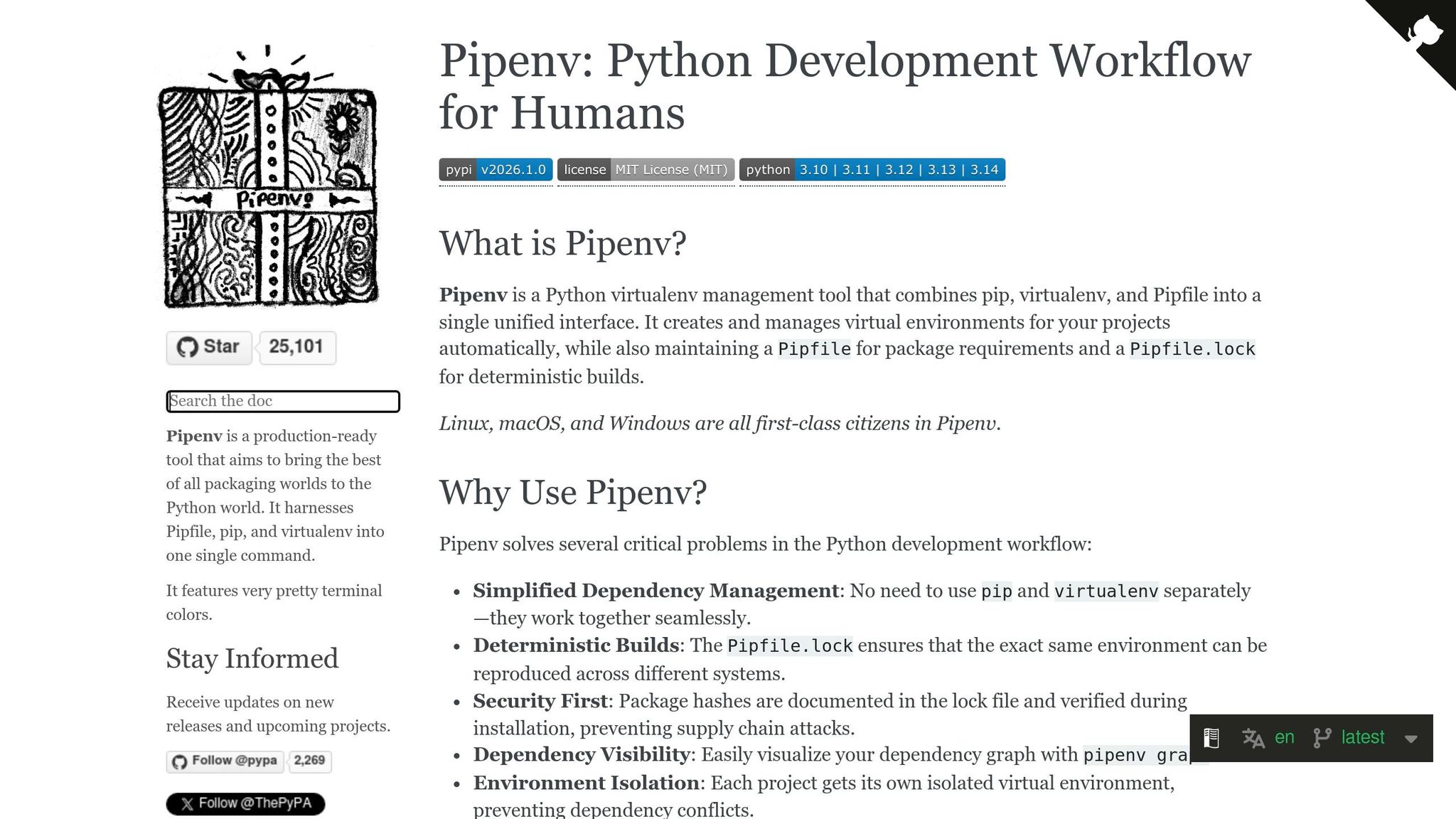
Modern Python dependency managers make dependency management smoother by creating lockfiles that capture all dependencies, including those indirectly required. This ensures consistency across different environments. Among the popular tools, Poetry and Pipenv stand out for their ability to handle both dependency resolution and virtual environments automatically.
Poetry relies on pyproject.toml for configuration and generates a poetry.lock file to pin exact versions of dependencies. As Emmanuel Nwokocha puts it:
"The poetry.lock file locks the exact version of those dependencies, ensuring that you are always working with the same versions across different environments".
For AI projects, this precision is particularly helpful. Manish Shivanandhan highlights:
"Poetry is also very helpful for AI projects. It locks exact dependency versions, which prevents sudden breaks when libraries like transformers, torch, or langchain release updates that can change model behaviour or API outputs".
Pipenv, on the other hand, uses Pipfile and its corresponding Pipfile.lock (in JSON format). It focuses on application development and adds an extra layer of security by including cryptographic hashes to verify dependencies during installation. For teams looking for a simpler solution, pip-tools can convert a requirements.in file into a pinned requirements.txt, while uv, a Rust-based tool, offers faster resolution for large libraries like PyTorch and TensorFlow.
To prevent environment drift - where your environment diverges from the lockfile - commands like poetry install --sync can remove packages not listed in the lockfile. To make the most of these tools, integrating lockfiles into CI/CD workflows is key.
Adding Lockfiles to CI/CD Pipelines
Once dependencies are locked, incorporating the lockfiles into CI/CD pipelines ensures consistent deployments. Treat lockfiles as the source of truth and configure workflows to fail builds if the lockfiles are out of sync with dependency declarations. Leodanis Pozo Ramos advises:
"Prefer workflows that fail if the lock file is out of date, so builds don't silently drift".
To enforce this, use strict installation commands like pipenv install --deploy or uv sync --frozen, which halt the build if the lockfile and dependency file don’t match. Adding verification steps, such as pipenv verify or poetry lock --check, early in the pipeline can catch inconsistencies before deployment.
When containerizing AI models, always include both the dependency declaration and its lockfile in the Docker image (e.g., COPY Pipfile Pipfile.lock ./). This ensures the container uses the exact versions pinned in the lockfile. Lockfiles should also be committed to version control, so every team member and pipeline is aligned. Avoid running commands like update, lock, or upgrade in CI/CD pipelines, as these could alter your dependencies without proper oversight.
Tracking Dependencies in AI Experiments
For AI experiments, tracking dependencies isn’t just about package versions - it also involves model dependencies and custom code. Tools like MLflow (v2.16.0+) simplify this process by automatically logging model dependencies in files like conda.yaml or requirements.txt. By setting the MLFLOW_LOCK_MODEL_DEPENDENCIES environment variable to true, MLflow captures the full dependency tree during model creation, ensuring reproducibility.
Using the input_example parameter when logging models in MLflow triggers a mock prediction, helping the tool infer required dependencies more accurately. Additionally, setting infer_code_paths=True ensures local .py files or wheel files are packaged with the model artifact, which is especially useful for projects with custom modules. As MLflow documentation emphasizes:
"Dependency locking ensures reproducibility by capturing the complete dependency tree at the time of model creation".
For teams working with tools like NanoGPT, keeping dependencies consistent across experiments is crucial. Since NanoGPT stores data locally, you can track lockfiles alongside experiment results without depending on external storage. Testing models in a sandbox environment using mlflow.models.predict() can also help identify issues like missing modules before deployment. These practices ensure AI experiments run in environments identical to those used during development.
when should I pin deps: never and always! (intermediate) anthony explains #514
Team Collaboration on Pinned Dependencies
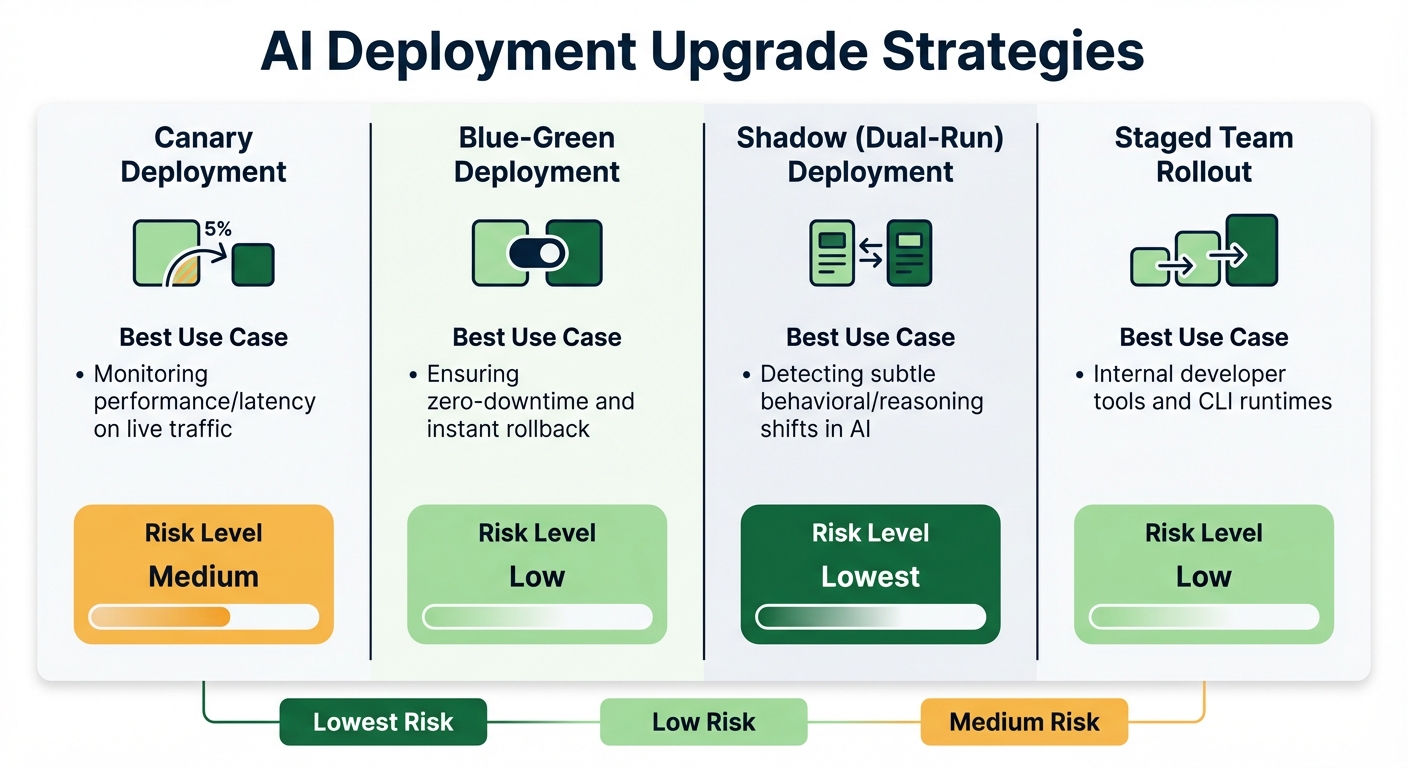
AI Deployment Upgrade Strategies: Risk Levels and Use Cases Comparison
Reviewing and Approving Dependency Updates
Dependency updates should never be treated lightly - especially when they involve lockfile changes. Every update to poetry.lock or Pipfile.lock represents a critical shift in your environment and demands careful scrutiny during code reviews. These changes aren't just routine - they can significantly alter how your system behaves.
To streamline this process, tools like Dependabot and Renovate are invaluable. Configure them to group related updates and assign them to security reviewers. This ensures that the right experts evaluate each change, keeping your workflow efficient and organized.
For AI teams, the stakes are even higher. Zylos Research highlights a key concern:
"Tool versioning causes 60% of production agent failures, and model drift accounts for another 40% - making version management the single largest reliability concern for production AI agent systems".
This means AI runtime updates require extra caution. Implementing a 14-day holding period for third-party updates helps mitigate risks, allowing time for upstream registries to detect and remove malicious packages before they impact your production environment.
Additionally, avoid upgrading both your AI runtime and core agent code simultaneously. Keeping these changes separate simplifies debugging if issues arise. For high-risk updates, use shadow deployments (dual-run setups) to compare the new version's behavior against the stable version without affecting users.
| Upgrade Strategy | Best Use Case | Risk Level |
|---|---|---|
| Canary | Monitoring performance/latency on live traffic | Medium |
| Blue-Green | Ensuring zero-downtime and instant rollback | Low |
| Shadow (Dual-Run) | Detecting subtle behavioral/reasoning shifts in AI | Lowest |
| Staged Team Rollout | Internal developer tools and CLI runtimes | Low |
With these strategies in place, the next step is ensuring consistency across environments through containerization.
Using Docker for Consistent Environments
Once you’ve established a solid review process, the focus shifts to maintaining consistency across environments. Docker containers are a powerful tool for this, especially when all versions are pinned. Use SHA-256 digests for base images instead of mutable tags. For instance, python:3.11-slim@sha256:... guarantees the same base image every time, unlike python:3.11, which could pull a different version tomorrow.
System-level packages also need explicit version pinning in your Dockerfile. For example:
apt-get install -y curl=7.81.0-1ubuntu1.16
This prevents unexpected OS updates from breaking your application. Nawaz Dhandala explains:
"Without version pinning, your builds depend on whatever version of a package happens to be 'latest' at build time. This leads to images that work today but break tomorrow".
For Python dependencies, generate cryptographic hashes using pip-compile --generate-hashes and enforce them during installation with pip install --require-hashes. Similarly, for JavaScript projects, use npm ci instead of npm install to ensure strict adherence to your package-lock.json.
To verify reproducibility, build your Docker image twice and compare their IDs. If they differ, you likely have unpinned dependencies or non-deterministic factors, such as embedded timestamps. Setting environment variables like TZ=UTC, LC_ALL=C.UTF-8, and PYTHONHASHSEED=0 in your Dockerfile can further ensure consistent behavior across different systems.
Scheduling Regular Dependency Audits
While automated CI/CD checks are useful, regular manual audits add an extra layer of safety. Vincent Driessen, creator of pip-tools, suggests:
"Set a fixed schedule for pip-review. For example, every Monday during a weekly standup meeting with your engineering team. Make it a point on the agenda".
Beyond manual reviews, incorporate weekly automated scans for vulnerabilities using tools like Dependabot. Combine these with continuous automated evaluations for every code commit to catch issues early.
For production environments, maintain a version-policy.yaml file. This file can differentiate between environments, allowing:
- Auto-upgrades in development
- A 48-hour soak period in staging
- Manual approval for production deployments
| Environment | Upgrade Policy | Update Channel | Validation Requirement |
|---|---|---|---|
| Development | Auto-upgrade | Early Access | Notify on update |
| Staging | Auto-upgrade | Default | 48h soak + automated tests |
| Production | Manual | Default | Team approval + staging validation |
For added security, disable auto-updaters in production by setting environment variables like DISABLE_AUTOUPDATER=1. This ensures your production environment remains locked to vetted versions.
AI projects, in particular, benefit from this multi-layered approach. A recent vulnerability (CVE-2025-59536) in Claude Code demonstrated how project hooks could be exploited for arbitrary code execution. Regular audits, combined with pinned dependencies, can prevent such issues. For tools like NanoGPT, you can track audit logs, lockfiles, and test results locally, simplifying management without relying on external systems.
Common Challenges and Solutions
Resolving Dependency Conflicts
Dependency conflicts come in various forms, and AI teams often face challenges that go beyond standard software development. Direct conflicts occur when two packages require different versions of the same library. Meanwhile, transitive conflicts are harder to identify, as they arise deep within the dependency tree when indirect dependencies clash.
AI projects introduce additional hurdles. One frequent issue is CUDA version mismatches - for instance, installing PyTorch built for the wrong CUDA version may seem fine during installation but fail at runtime. Similarly, version incompatibilities between PyTorch and Transformers can silently disrupt your entire workflow.
Another risk is behavioral regressions, where silent runtime updates alter outputs without triggering errors. These changes can degrade system performance without any immediate warnings.
To handle these issues:
- Use virtual environments or Conda to isolate dependencies and avoid system-wide conflicts. Tools like
pipdeptreeorpip checkcan help visualize and identify dependency clashes. - For CUDA mismatches, uninstall existing PyTorch components and reinstall them with the correct index URL:
pip install torch --index-url https://download.pytorch.org/whl/cu118. - Employ lockfiles (e.g.,
package-lock.json,Pipfile.lock,poetry.lock) to ensure consistent installations across environments. - When conflicts persist, consider containerization with Docker. This approach freezes the entire OS-level environment, including GPU drivers and system libraries.
These strategies help create stable environments, which is crucial for tackling the next challenge: dependency security.
Preventing Dependency Confusion Attacks
Dependency confusion attacks exploit a simple flaw: package managers often default to fetching the highest version number available, regardless of its source. Attackers take advantage of this by uploading malicious packages to public registries like PyPI, inflating version numbers to trick systems into downloading their malicious code instead of legitimate internal packages.
The numbers are alarming: 49% of organizations are vulnerable to these attacks, with 73% of their internal assets at risk. Worse, over 28% of organizations have at least 50 assets that could be exploited this way. A notable example occurred in December 2022 when PyTorch suffered a supply chain compromise. Attackers uploaded a malicious package named torchtriton to PyPI, which was automatically pulled due to its inflated version number.
"The problem of dependency confusion arises when there exists a public package with the same name as one of an organization's private packages, causing 'confusion' for the package manager in use on which of the packages to fetch, use and trust." - Liad Cohen, OX Security
To protect against these attacks:
- Publish internal packages under unique organization scopes (e.g.,
@my-org/package-name) to prevent confusion with public packages. - Register your internal package names or scopes on public registries as placeholders to prevent attackers from claiming them.
- For Python projects, use
--index-urlinrequirements.txtto specify a trusted registry. Avoid--extra-index-url, which searches multiple registries and increases the risk of confusion. - Configure registry precedence in
.npmrcorpip.confto prioritize private registries over public ones. - Disable auto-updaters in production environments using environment variables like
export DISABLE_AUTOUPDATER=1. - Verify package integrity by using lockfiles with cryptographic hashes to ensure the downloaded content matches the verified version.
Once your sources are secure, managing version drift becomes the next critical step.
Managing AI Model Version Drift
Securing package sources is only half the battle - AI teams also need to address model version drift. This happens when changes in dependencies or data cause AI model performance to degrade over time.
AI systems face a two-layer dependency challenge: your application depends on a runtime (like Claude Code), which, in turn, relies on a potentially non-deterministic LLM API. Without explicit version pinning, each layer can change independently, leading to unexpected issues.
Research shows that 91% of ML models experience some form of drift, and models left unmonitored for over six months can see error rates increase by 35% on new data.
"91% of ML models suffer from model drift" - Openlayer
Here’s how to tackle model version drift:
- Pin specific model revisions instead of using generic "latest" tags. For instance, use
claude-sonnet-4-20250514to avoid unexpected updates. - Implement shadow or champion-challenger deployments, where new models run alongside production models to compare performance on live data before full deployment.
- Lock sub-dependencies using the
overridesfield inpackage.jsonto prevent unverified or conflicting versions from being introduced. - Maintain a compatibility matrix that maps specific versions of your application to approved runtime and model API versions.
- For critical applications, store a private copy of model files on AWS S3 or a private Hugging Face repository to safeguard against source deletion or changes.
To detect drift proactively, use statistical tests like the Kolmogorov-Smirnov or Chi-square test to compare production data with the original training set. Algorithms like the Page-Hinkley Test, ADWIN, or the Drift Detection Method (DDM) can identify deviations in prediction patterns.
For teams using NanoGPT, local tracking of model versions and behavior offers a simple yet effective way to monitor drift while maintaining privacy.
Conclusion
Dependency pinning plays a crucial role in ensuring stable, secure, and predictable AI workflows. Without it, even a single unpinned dependency can cause production failures, introduce security risks, or subtly degrade model performance. In fact, research highlights version management as the top reliability concern for production AI agent systems.
AI projects bring an added layer of complexity because you're not just dealing with software dependencies - you’re also managing AI models. A runtime update might change how your system handles conversation states, while a model revision could unexpectedly affect output quality. As Zylos AI Research points out:
"In a production agent system, an unexpected runtime update can cause session state desync, behavioral regression, and heartbeat deadlocks".
The solution? Be proactive. Pin exact versions, commit lockfiles, use Docker digests, and lock model revisions. Treat every dependency update as a deliberate infrastructure change, not something that happens automatically in the background.
For privacy-conscious teams using tools like NanoGPT, dependency pinning adds an extra layer of protection. Since NanoGPT operates locally, an unvetted library update could jeopardize your privacy-first approach. Pinning ensures that only reviewed and approved code runs in your environment - no surprises, no silent changes, and no risk of data leaks. This careful strategy not only protects privacy but also strengthens the reliability of your entire AI development process.
FAQs
When should we pin exact versions vs use version ranges?
Pinning exact versions ensures consistency, reliability, and mitigates risks tied to supply chain issues. This approach is ideal for maintaining a stable environment by avoiding unforeseen changes. On the other hand, using version ranges is useful when you need flexibility, automatic updates, or quick fixes - particularly during active development or prototyping phases. While exact pinning locks down dependencies, version ranges enable more fluid adjustments in fast-moving projects.
How do we stay secure while using lockfiles?
To maintain security with lockfiles, it's important to automate vulnerability scans, enforce secure versioning policies, and integrate security testing into your CI/CD pipelines. Additionally, pinning dependencies to specific versions can prevent the risk of malicious or vulnerable updates sneaking into your project. By following these steps, you can create a more stable and secure development workflow.
What should AI teams pin besides Python packages?
AI teams need to lock down dependencies like open-source packages (e.g., PyPI packages such as transformers), ML model versions, Docker images, system packages, and runtime components. Doing so guarantees stability, reproducibility, and security at every stage of the project.