
How Real-Time Image Restoration Works with AI
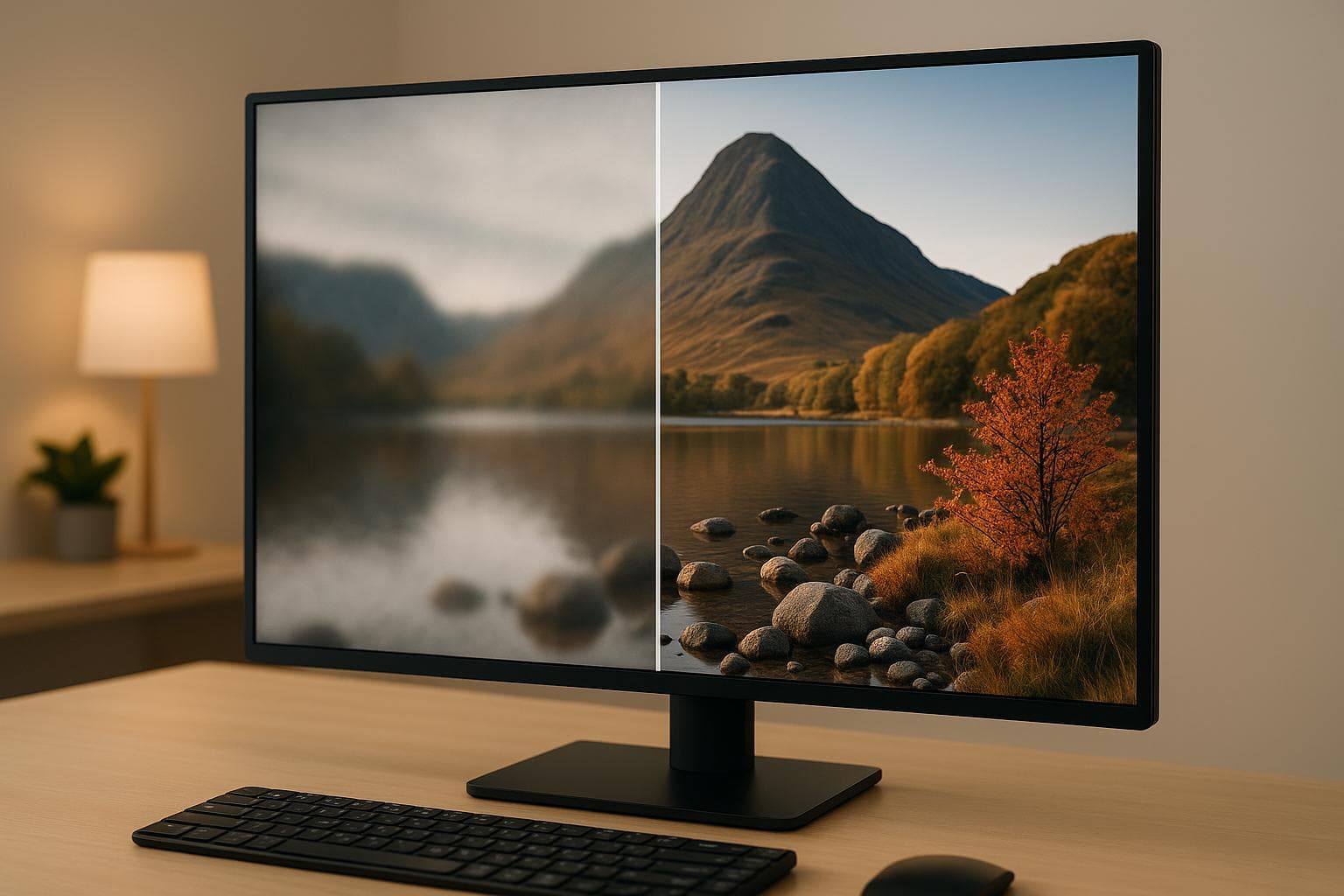
Real-time AI image restoration is transforming how we fix damaged visuals. By using advanced AI techniques like CNNs, GANs, and Autoencoders, it repairs scratches, reduces noise, sharpens details, and even reconstructs missing parts - all in milliseconds. This technology is fast enough for live video streams and photo editing, making complex restoration tasks easy for anyone.
Key Takeaways:
- What It Does: Fixes image flaws like scratches, blur, noise, and missing details instantly.
- How It Works: Uses AI models (CNNs, GANs) to analyze, detect, and correct image issues.
- Applications: Restores old photos, enhances smartphone photography, and improves visuals for industries like film and e-commerce.
- Tools: Platforms like NanoGPT offer user-friendly, privacy-focused solutions with flexible pricing.
AI image restoration is practical, accessible, and efficient, delivering high-quality results in seconds. Whether you're fixing family photos or managing professional projects, this technology simplifies the process while maintaining quality.
Can AI Really Fix Old Photos? The Best Tools of 2025 Revealed!
Main AI Techniques for Image Restoration
Real-time image restoration relies on three key AI technologies that work together to transform damaged visuals into clear, high-quality images. Each technique addresses specific types of image degradation with impressive accuracy and efficiency, forming the backbone of modern advancements in this field.
Convolutional Neural Networks (CNNs)
Convolutional Neural Networks (CNNs) are at the heart of many image restoration processes. They specialize in tasks like removing noise and improving resolution by learning to map low-quality images to their high-quality counterparts. CNNs excel at identifying patterns and reconstructing details that traditional methods often miss. This is achieved through steps like dense feature extraction, feature regulation, and image reconstruction.
For example, the SRCNN (Super-Resolution Convolutional Neural Network) demonstrated how CNNs can directly learn the mapping from low-resolution to high-resolution images. Recent developments have further enhanced CNN capabilities. The Deep Regulated Convolutional Network (RC-Net), for instance, delivers better results than many leading models while using fewer parameters - 1.8 million compared to the 2.4 million used by competing approaches. Similarly, Wider Inference Networks (WIN) improve noise removal by leveraging large receptive fields and dense channels, effectively capturing critical image features.
The combination of speed and precision makes CNNs a cornerstone for real-time image restoration.
Generative Adversarial Networks (GANs)
Generative Adversarial Networks (GANs) bring a unique approach to image restoration. They operate using a generator-discriminator setup: the generator creates restored images, while the discriminator evaluates their authenticity. This dynamic interaction allows GANs to continuously refine their outputs.
GANs shine in tasks like removing motion blur and filling in missing image areas (inpainting). For example, a GAN-based model tested on the GoPro dataset achieved a mean PSNR of 29.16 and an SSIM of 0.75, with a deblurring time of just 4.69 seconds. These capabilities make GANs a powerful complement to CNNs, addressing challenges that go beyond basic noise reduction.
Autoencoders and Texture Transformer Networks
Autoencoders focus on compressing and denoising images by learning compact representations and then reconstructing them with improved quality. This approach effectively reduces noise while retaining important details.
Texture Transformer Networks (TTSR) take a specialized route for super-resolution and texture preservation. These networks use reference images to guide the restoration process, turning the complex task of texture generation into a simpler texture search and transfer process. Developed by Microsoft researchers, TTSR demonstrated its effectiveness on datasets like CUFED5, Sun80, Urban100, and Manga109, outperforming methods such as RDN, CrossNet, RCAN, SRNTT, and RSRGAN. In user studies, over 90% of participants favored TTSR results for their superior visual quality.
Another noteworthy advancement is the SwinIR transformer-based approach, which excels at capturing long-range dependencies. This capability is particularly useful for recovering intricate textures and understanding the broader context of an image. However, processing high-resolution images with this method can be computationally intensive.
These advanced techniques collectively enable the fast and effective image restoration that defines modern real-time AI-powered solutions.
How Real-Time Image Restoration Works
Real-time image restoration builds on advanced AI techniques to deliver instant results. By leveraging computer vision and deep learning, this process repairs images through a structured workflow while preserving the original image's character.
Image Analysis and Problem Detection
The first step in restoration is analyzing the image, where convolutional neural networks (CNNs) identify patterns and detect anomalies like surface damage or color inconsistencies. Computer vision tools preprocess the image, highlighting key features to ensure accurate defect identification. Over time, these systems improve their accuracy and can even detect new, previously unseen issues.
For example, Maruti Techlabs developed a solution for a motor insurance company that could automatically assess vehicle damage. What once took days could now be completed in seconds. This detection phase sets the foundation for precise corrective actions.
Steps in the Restoration Process
The restoration process follows a structured workflow to achieve quick and effective results. It typically includes:
- Preprocessing: Adjusting contrast, normalizing lighting, and preparing the image for correction.
- Model Inference: Applying corrective actions such as fixing colors, restoring textures, and addressing defects.
- Postprocessing: Sharpening details and making final refinements to enhance the image.
Some systems also allow for manual fine-tuning, giving users more control over the final output. This method ensures minimal distortion while retaining the essential details of the original image.
Speed and Scalability
One of the standout aspects of real-time AI image restoration is its ability to process images in minutes rather than hours. Using techniques common in modern CNN and GAN applications - like hyperparameter tuning, regularization, pruning, and quantization - the system achieves both speed and scalability.
The automated workflow is designed to handle anything from a single image to thousands in batch operations, all while maintaining consistent quality. For optimal results, high-resolution scans are recommended, along with additional fine-tuning adjustments like color balancing and sharpening after the initial restoration.
"AI enables real-time defect detection, reducing manual efforts and speeding up issue resolution in software development."
- Gaurav Mittal, IT Manager
Tools and Platforms for AI Image Restoration
NanoGPT provides an advanced approach to real-time image restoration by combining a variety of AI models with a focus on user control, performance, and privacy. Let’s take a closer look at what NanoGPT offers.
NanoGPT's Image Restoration Features
NanoGPT takes image restoration to the next level by offering access to over 200 AI models, including well-known options like Dall-E and Stable Diffusion. This extensive library supports a range of restoration techniques, including image-to-image generation. With models labeled "IMG2IMG", users can upload damaged photos and outline their restoration needs. The platform also includes an easy-to-use interface with a gear icon that lets you adjust settings like resolution and aspect ratio, giving you control over output quality and file size.
One standout feature of NanoGPT is its strong emphasis on privacy. All data is stored locally on the user's device, ensuring that prompts, user account links, and IP addresses are never recorded. This privacy-first approach is complemented by an OpenAI-compatible API, which makes it easy to integrate NanoGPT into custom workflows.
NanoGPT’s pricing model is designed to be flexible and budget-friendly. Users only pay for what they use, with rates starting at $0.10 when paying with cryptocurrency or $1.00 when using a card. This makes it a practical option for individuals and businesses alike, offering both affordability and scalability.
Key Benefits at a Glance
- Access to 200+ AI models for versatile image restoration
- Simple image-to-image generation with adjustable settings
- Local data storage that safeguards user privacy
- OpenAI-compatible API for smooth integration into workflows
- Pay-as-you-go pricing for cost-effective use
With these features, NanoGPT sets itself apart as a robust tool for applying cutting-edge AI to image restoration tasks.
sbb-itb-903b5f2
Best Practices and Tips
Getting the most out of AI image restoration involves careful tool selection, safeguarding your data, and navigating technical hurdles with informed strategies.
How to Choose the Right Tool
Picking the right AI image restoration tool boils down to a few important considerations. First, look for a tool that matches your skill level - whether you're a beginner or an advanced user. A user-friendly interface is a big plus, and the tool should offer the features you need, from basic fixes like scratch removal to more advanced options like color correction or restoring heavily damaged photos.
Budget is another key factor. Some tools are free or offer limited free features, while others have flexible pricing plans that don't require long-term commitments. Also, think about the condition of your images. Minor issues can often be handled by basic software, but severely damaged photos may require professional-grade tools or even specialized services.
Finally, check compatibility. Make sure the software works with your operating system and hardware. Once you've narrowed down your options, prioritize tools that take your data privacy seriously.
Protecting Your Data Privacy
While functionality is crucial, data privacy should never be an afterthought - especially when dealing with personal or sensitive images. Concerns about data misuse in AI are widespread; in fact, 76% of people worry about how businesses handle AI-generated data. Choosing platforms that emphasize privacy protection is essential.
One way to keep your data safe is by storing it locally on your device instead of relying on cloud-based services. This minimizes the risks of external breaches and ensures you have full control over your images.
"The biggest threat we are aware of is the potential for human error when using generative AI tools to result in data breaches. Employees sharing sensitive business information while using services such as ChatGPT risk that data will be retrieved later, which could lead to leaks of confidential data and subsequent hacks."
– Sebastian Gierlinger, VP of Engineering at Storyblok
Avoid uploading sensitive images to platforms that lack local processing capabilities. Data leaks remain a significant risk, so it's wise to use tools with encrypted data transfers and secure storage. Regularly reviewing privacy settings and implementing strong security measures can further protect your information. Surprisingly, only 10% of organizations currently have a comprehensive policy for managing privacy in generative AI. Establishing such policies can help mitigate risks.
Common Challenges and Solutions
Even with the best tools and privacy measures, technical challenges can arise during restoration. Knowing what to expect can help you address these obstacles effectively.
One common issue is poor lighting in photos. Variations in brightness, shadows, or dark spots can confuse AI algorithms. Preprocessing your images by adjusting brightness and contrast can improve results. While advanced AI models can achieve over 90% accuracy in optimal conditions, more complex tasks often see success rates closer to 80–85%.
Severely damaged photos - those with large missing sections or heavy degradation - pose another challenge. AI tools excel at fixing scratches and fading but may struggle with extensive damage. Combining automated restoration with manual retouching often produces better results in such cases.
Issues like scale variation and unusual perspectives can also impact restoration quality. For example, photos with objects of varying sizes or taken from odd angles may require multi-scale processing or data augmentation to help the AI model interpret and restore them accurately.
Processing speed can be a bottleneck, particularly for high-resolution images or large batches. To improve performance, consider optimizing your hardware setup and applying preprocessing steps to streamline the process.
"There are security measures that can remove sensitive or personal data automatically from prompts before they are used by a generative AI model. These measures can help mitigate the risk of data leaks and breaches of legally protected information – especially since human error will likely still occur."
– Leanne Allen, head of AI at KPMG UK
Lastly, dataset bias is a hurdle to watch out for. AI models trained on limited or unbalanced datasets may not perform well on certain types of images. Opt for tools that use diverse, well-curated training datasets, and test different models to find the one that works best for your specific needs.
Summary and Main Points
Real-time AI image restoration has reshaped how we approach repairing damaged or faded images. By using advanced neural networks, this technology delivers instant, automated results, eliminating the need for time-consuming manual methods.
Modern image restoration techniques rely heavily on tools like Convolutional Neural Networks (CNNs), Generative Adversarial Networks (GANs), and Autoencoders to tackle various image imperfections. The most efficient solutions often blend traditional approaches with deep learning, creating hybrid systems that capitalize on the strengths of both methods. A great example is the SwinIR model, which combines these techniques to enhance image clarity, reduce noise, and restore fine details, resulting in improved PSNR and SSIM metrics.
What sets this technology apart is its ability to work in real-time. AI can analyze and correct image problems on the spot, replacing the tedious manual processes that used to take hours. These algorithms can automatically fix issues like color fading, scratches, and noise while handling multiple images at once. They also dynamically adjust color saturation, contrast, and fill in missing details, making restoration accessible even to those without technical skills.
When choosing an AI restoration tool, users should consider functionality, privacy, and cost. Platforms like NanoGPT offer a pay-as-you-go model and prioritize local data storage, ensuring user privacy by keeping data on personal devices rather than in the cloud. This approach addresses growing concerns about data security in AI applications while still delivering robust performance.
However, the technology isn’t without its challenges. Deep learning models require extensive training data and significant computational resources. Factors like poor lighting, heavily damaged images, or biased datasets can also impact outcomes. Still, in optimal conditions, advanced models achieve over 90% accuracy, with more complex tasks reaching success rates of 80–85%.
The accessibility and efficiency of AI-powered restoration tools have made professional-quality results attainable for everyone. Whether you're restoring cherished family photos or managing large-scale restoration projects, this technology offers a faster, more consistent solution than traditional methods ever could. As it continues to advance, it’s becoming an indispensable tool for anyone working with visual content.
FAQs
What’s the difference between Convolutional Neural Networks (CNNs) and Generative Adversarial Networks (GANs) in AI-powered real-time image restoration?
Convolutional Neural Networks (CNNs) vs. Generative Adversarial Networks (GANs) in Real-Time Image Restoration
When it comes to real-time image restoration, Convolutional Neural Networks (CNNs) and Generative Adversarial Networks (GANs) each bring unique strengths to the table.
CNNs are all about analyzing and improving images by focusing on feature extraction. They’re perfect for tasks like reducing noise, sharpening edges, or fixing distortions. Essentially, CNNs excel at identifying patterns and enhancing specific elements within an image.
On the other hand, GANs are designed for generating or reconstructing realistic image details. Their approach involves two networks - a generator and a discriminator - competing in an adversarial process. This dynamic allows GANs to produce incredibly lifelike results, making them ideal for restoring heavily damaged images or enhancing low-resolution visuals.
To put it simply: CNNs are your go-to for refining and improving image quality, while GANs are unmatched when it comes to recreating missing details or adding realistic enhancements.
What should I consider when selecting an AI tool for real-time image restoration, especially regarding privacy and cost?
When choosing an AI tool for real-time image restoration, it's important to weigh privacy and cost carefully.
For privacy, opt for tools that either store data locally or use secure algorithms to keep your images confidential. This becomes especially crucial when dealing with personal or sensitive photos, as you want to make sure your data isn't shared or accessed externally.
On the cost side, tools with flexible pricing models, such as pay-as-you-go options, can help you manage expenses more effectively. These are often more budget-friendly than subscription plans, especially if your usage varies. Additionally, scalable solutions are a smart choice for processing large datasets without racking up high costs.
By focusing on these factors, you can find an AI tool that offers a good mix of security, affordability, and efficiency for your image restoration needs.
How does AI restore heavily damaged images in real time, even with missing sections or severe degradation?
AI brings damaged images back to life through inpainting and generative upscaling. Inpainting works by analyzing the surrounding areas of an image to intelligently fill in missing or damaged parts, creating content that seamlessly matches the rest of the picture. On the other hand, generative upscaling improves image quality by sharpening details and reducing noise, ensuring the final output stays faithful to the original.
By combining these techniques, AI can tackle even the most heavily damaged images, delivering visually polished and natural-looking restorations almost instantly.