
Checklist for Neural Style Transfer Projects
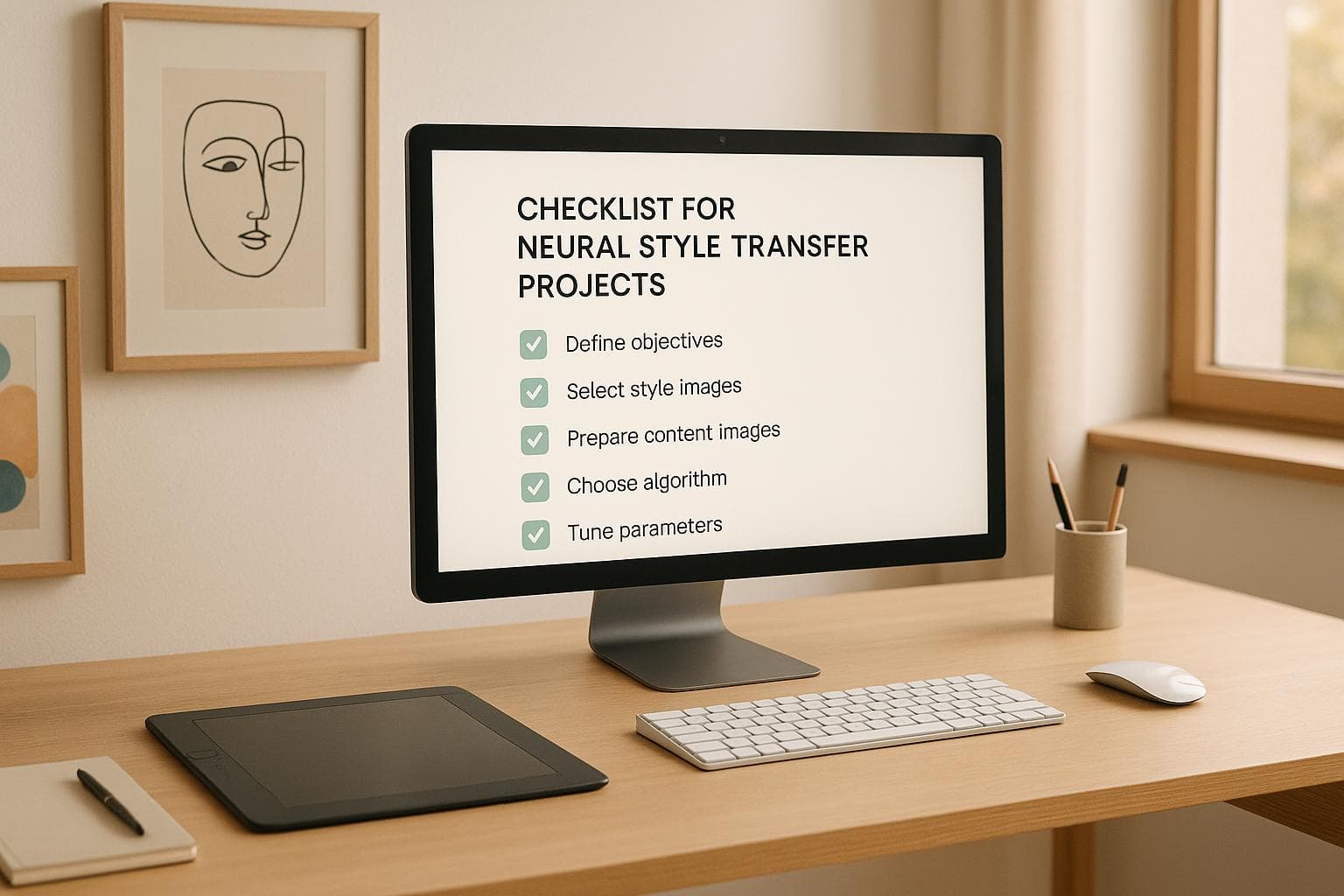
Neural style transfer combines the structure of one image with the artistic flair of another using deep learning models like VGG-16 or VGG-19. This technique has applications in art, advertising, and even medical imaging. Here's a quick breakdown of how to approach your project:
- Define Goals: Be specific. For example, decide whether you're creating high-resolution artwork or applying styles to videos.
- Choose a Method: Options include Classic Neural Style Transfer (high quality but slow), Fast Neural Style Transfer (real-time but moderate quality), or CycleGAN (unpaired data, domain-specific tasks).
- Check Hardware: Use a GPU with at least 4–8 GB of VRAM for faster processing. Cloud platforms like NanoGPT can help if resources are limited.
- Prepare Data: Use high-resolution images, preprocess them (e.g., crop, resize, normalize), and ensure proper licensing.
- Set Up Tools: Use environments like Jupyter, Google Colab, or local IDEs. Platforms like NanoGPT offer pre-trained models and privacy-focused storage.
- Train and Adjust Models: Fine-tune parameters like learning rate, content/style weights, and optimizer settings. Monitor outputs to balance style and content.
- Test and Document: Evaluate results visually and with metrics like SSIM. Keep detailed records of parameters and outputs for reproducibility.
This guide ensures a structured approach, from planning to final testing, making neural style transfer projects manageable and effective.
Neural Style Transfer : From Theory to Pytorch Implementation
Project Planning and Goals
Laying out a clear plan from the start saves time, minimizes mistakes, and ensures you hit your targets. This phase boils down to three essential steps: setting clear goals, choosing the right method, and confirming your hardware can handle the workload.
Setting Your Project Goal
Success starts with a well-defined, measurable goal. Neural style transfer can serve many purposes, each requiring its own approach and resources. Common objectives include creating artistic images for personal or gallery displays, enhancing visuals for marketing campaigns, or applying style transfer to specialized fields like medical imaging or video processing.
The key is specificity. Instead of a vague goal like "I want to create art", aim for something concrete, such as: "I want to produce high-resolution, stylized portraits fit for 16x20 inch prints", or "I want to apply artistic styles to MRI scans for research visualization." These specifics will guide decisions about hardware, resolution, and quality.
Also, think about the scale of your project. Processing hundreds of high-resolution images with different styles will require far more resources than working on a single low-resolution image. Defining your scope early avoids overextending your resources and keeps the project manageable.
Neural style transfer has diverse applications across industries. Digital artists craft unique works, advertisers merge photography with artistic styles to create eye-catching campaigns, educators use these tools to showcase AI-driven creativity, and researchers enhance medical images for better visualization while preserving diagnostic accuracy.
Once your goals are clear, the next step is selecting the right style transfer method.
Picking Style Transfer Methods
There are three main neural style transfer approaches, each with its own strengths and trade-offs.
- Classic Neural Style Transfer: This method, introduced by Gatys et al., uses optimization techniques to produce high-quality results. While slower, it’s ideal for projects where image quality is the top priority.
- Fast Neural Style Transfer: Utilizing feed-forward networks, this method delivers real-time results. Though the quality may not match the classic approach, its speed makes it perfect for video, mobile apps, or live streaming.
- CycleGAN: Designed for unpaired image-to-image translation tasks, CycleGAN works well when you don’t have perfectly matched content and style images. It’s particularly useful in domain adaptation projects.
Your choice should align with your project’s needs for speed, quality, and data availability. For instance, a museum exhibit requiring print-quality artwork might lean toward classic neural style transfer despite its slower processing. On the other hand, a social media app offering real-time filters would benefit from Fast Neural Style Transfer. If paired datasets are unavailable, CycleGAN is the go-to option.
| Method | Processing Speed | Output Quality | Data Requirements | Best Use Cases |
|---|---|---|---|---|
| Classic NST | Slow (minutes/image) | High | Paired images | Artistic projects, research |
| Fast Neural Style | Fast (seconds/image) | Moderate | Paired images | Real-time apps, video |
| CycleGAN | Fast | Moderate | Unpaired images | Domain adaptation |
Checking Hardware Requirements
Neural style transfer can be resource-intensive, especially when working with high-resolution images or real-time tasks. A GPU is essential to speed up processing, cutting down times from minutes per image (on a CPU) to mere seconds.
A typical setup includes a modern NVIDIA GPU with 4–8 GB of VRAM, 16 GB of system RAM, and enough storage for datasets and models. While this setup covers most standard projects, larger or more complex tasks may demand more powerful hardware.
Make sure your hardware supports CUDA if you’re using TensorFlow or PyTorch.
For high-resource projects or initial experiments, cloud-based platforms are a great alternative. Services like NanoGPT offer access to advanced models like DALL-E and Stable Diffusion on a pay-as-you-go basis. These platforms eliminate hardware limitations while allowing you to store data locally for privacy.
Before diving into larger projects, test your setup with smaller tasks. This early testing helps you identify potential compatibility or performance issues. Additionally, running sample images can give you a realistic sense of processing times and output quality based on your hardware.
Setting Up Tools and Platforms
Getting the right tools and platforms in place can make a huge difference in your neural style transfer project. A well-organized setup helps you move smoothly from concept to completion, avoiding unnecessary hiccups along the way.
Picking a Development Environment
The development environment you choose can significantly impact your project's workflow and efficiency. Here are three popular options, each catering to different needs:
- Jupyter Notebooks: This is a great choice if you're looking for an interactive coding experience. Jupyter allows you to experiment, visualize your results in real-time, and document your process within the same interface. It's especially useful for prototyping and testing ideas quickly.
- Google Colab: If you don't have access to high-end hardware, Colab is a lifesaver. It combines the interactivity of Jupyter with free access to powerful GPUs and TPUs. Being cloud-based, it eliminates the need for a complex local setup, making it ideal for beginners or anyone experimenting with smaller projects.
- Local IDEs (like PyCharm or VS Code): These are better suited for advanced users working on production-level projects. They offer more control, flexibility, and the ability to handle custom configurations or complex project structures. Local setups are often preferred for projects requiring tight integration with other tools or when working with sensitive data.
Whichever environment you choose, make sure it supports your project's dependencies. Setting up a virtual environment can help you avoid conflicts between different projects. For smaller, experimental tasks, Colab is a convenient option. However, if you're dealing with large or sensitive datasets, a local setup may be the better choice for security and performance.
Using NanoGPT for Image Models
NanoGPT is a versatile platform that offers access to over 400 AI models, including well-known tools like DALL-E and Stable Diffusion, which are perfect for neural style transfer tasks. It operates on a pay-as-you-go model and emphasizes privacy by storing data locally.
While you can start using NanoGPT without an account, creating one allows you to save your balance and generate an API key for seamless integration into your workflow. One standout feature is its "Auto Model" function, which selects the most suitable model for your task automatically. Additionally, the platform provides a side-by-side comparison tool, enabling you to evaluate different models and fine-tune your results.
Setting Up Version Control and Storage
To keep your project organized and collaborative, you'll need version control and storage solutions. These tools are essential for tracking changes, managing experiments, and ensuring data security.
- Version Control: Git is the go-to tool for managing code changes. Start by initializing a Git repository in your project folder and commit updates regularly with clear, descriptive messages. If you're testing different approaches, create separate branches for each experiment. This way, you can safely try out new ideas without affecting your main codebase.
For projects involving large files like high-resolution images or trained models, Git LFS (Large File Storage) is a helpful extension. It handles large binary files efficiently. Additionally, use a .gitignore file to exclude unnecessary items like temporary data or cached files from version tracking.
- Storage Solutions: Choosing the right storage method depends on your project's needs. Here's a quick comparison:
| Storage Type | Cost | Access Speed | Accessibility | Best For |
|---|---|---|---|---|
| Local drives | Low | Fast | Limited | Active development |
| Cloud storage | Variable | Moderate | High | Backups, collaboration |
| Network drives | Low-Medium | Fast | Medium | Team projects |
Local drives are great for active development due to their speed and low cost. Cloud storage, on the other hand, offers scalability and remote access, making it ideal for backups and collaborative work. Network drives strike a balance, providing fast access for team-based projects while being more affordable than cloud options.
Data Preparation and Processing
The success of your neural style transfer heavily hinges on how well you prepare your input data. Even the most advanced models can deliver underwhelming results if the input images are poorly chosen or inadequately processed.
Selecting Content and Style Images
Choosing the right images is essential. For content images, prioritize those with clear structural elements - like landscapes, portraits, or architectural designs - that can maintain their integrity after the style transfer process. Avoid images with excessive noise or compression artifacts, as these can degrade the final output.
When it comes to style images, opt for visually rich pieces. Artworks or photographs with bold textures, vibrant colors, and distinctive patterns work best. Think of timeless examples like Van Gogh's Starry Night or Monet's Water Lilies, which offer intricate details that translate beautifully during style transfer.
Resolution is another critical factor. Aim for high-resolution images - at least 1,024×1,024 pixels - to capture finer details. Keep in mind, though, that higher resolutions can increase computational demands, so balance quality with your hardware capabilities.
Don’t forget the legal side of things. Always ensure you have the right to use both content and style images. Creative Commons or public domain images are excellent options to avoid copyright complications.
Lastly, pay attention to lighting and contrast. Balanced lighting ensures your images are less likely to suffer distortions from harsh shadows or highlights. Also, avoid images with heavy compression artifacts, as these can become more pronounced during processing.
Once you've selected the perfect images, the next step is to prepare them for your model.
Processing Images
Proper preprocessing is vital for ensuring your images are compatible with your neural style transfer model. Many models, such as those based on the VGG-16 or VGG-19 architectures, require specific input dimensions and formats.
Start by cropping and resizing your images to fit the model's input requirements (e.g., 224×224 or 256×256 pixels). Maintain the original aspect ratio to avoid distorting the image. If your model requires square inputs but your image is rectangular, use padding or carefully crop the image instead of stretching it. Normalize pixel values by dividing them by 255 (or follow your model’s specific requirements).
Here’s a breakdown of typical preprocessing steps:
| Processing Step | Purpose | Common Values |
|---|---|---|
| Cropping | Focus on the main subject | Remove unnecessary background |
| Resizing | Match model input dimensions | 224×224, 256×256, or 512×512 pixels |
| Normalization | Stabilize training | Scale pixel values to 0–1 range |
| Aspect Ratio | Avoid distortion | Maintain original ratio or pad to square |
You might also experiment with color space adjustments. For example, converting from RGB to LAB color space separates luminance from chrominance, which can help achieve more precise style matching. Tools like OpenCV and PIL can simplify much of this preprocessing, ensuring consistency across your dataset.
Establishing a standardized preprocessing pipeline from the start will save time and ensure uniformity in your project.
Handling Specialized Project Requirements
Some projects call for unique preprocessing techniques. For instance, medical imaging projects require special care. Medical images often come in formats like DICOM, which may need conversion to more standard formats like PNG or JPEG for compatibility with neural style transfer models. Additionally, ensure that data privacy is maintained - secure storage and anonymization are essential. Using local storage solutions, such as NanoGPT, can help keep sensitive data secure by avoiding external servers.
Video style transfer presents its own challenges. Each frame must be processed individually, and consistent style application is crucial to avoid flickering. Efficient batch processing pipelines and temporal smoothing techniques can help achieve smoother transitions between frames.
For domain-specific applications, custom preprocessing steps might be necessary. For example, medical images may benefit from additional adjustments like histogram equalization or noise reduction. Grayscale images also require special handling, as most models are designed for RGB inputs. When working on specialized projects, always validate your preprocessing steps with domain experts to ensure accuracy.
Finally, document every custom preprocessing step thoroughly. This is especially important for collaborative projects or when you need to replicate results in the future.
sbb-itb-903b5f2
Training and Model Setup
Set up and train your neural style transfer model by building on your project plan and prepared data. The goal is to configure your model architecture to align with your creative vision.
Choosing Model Architecture
When it comes to neural style transfer, selecting the right model architecture is crucial. Here are some popular options:
- VGG19: Known for its deep convolutional layers, VGG19 is a go-to choice for capturing both content and style features effectively. Its five convolutional blocks provide the depth needed for high-quality style transfer.
- VGG16: A slightly faster option with similar capabilities but less depth. While it processes images more quickly, it may not deliver the same level of expressive detail as VGG19. This makes it ideal for projects that prioritize speed over maximum quality.
- ResNet50: With its residual connections, ResNet50 improves gradient flow during training. Though less commonly used for style transfer, it can handle challenging style combinations effectively.
- U-Net (GAN-based approaches): U-Net architectures excel at reconstructing images with high fidelity, making them a strong choice for real-time applications and video style transfer where maintaining temporal consistency is key.
| Architecture | Best For | Key Advantage | Trade-off |
|---|---|---|---|
| VGG19 | Standard image style transfer | High-quality feature extraction | Computationally intensive |
| VGG16 | Faster processing needs | Quicker training and inference | Potentially less expressive |
| ResNet50 | Complex style combinations | Better gradient flow | More complex implementation |
| U-Net (GANs) | Real-time and video transfer | Fast reconstruction | Requires more parameter tuning |
Once you've selected an architecture, fine-tune its parameters for optimal style transfer.
Adjusting Model Parameters
Begin with baseline values, then tweak them based on your project's needs.
- Learning Rate: Start with 0.001, a common choice for VGG19-based projects. If training feels slow, increase the rate; if convergence issues arise, lower it.
- Content and Style Loss Weights: These control the balance between preserving the original image and applying the artistic style. Typical values are alpha = 50 (content weight) and beta = 0.001 (style weight). If the output looks overly stylized, raise the content weight. If the artistic effect feels too subtle, increase the style weight.
- Optimizer: Adam is a popular choice for its stability and speed, while SGD with momentum offers more precise control.
- Batch Size: Stick to 1 for neural style transfer since you're often working with one content image and one style image at a time. This approach ensures precise control over the transfer process.
- Training Iterations: Aim for 2,000–6,000 epochs, depending on the complexity of your images and the desired quality.
If you're using pre-trained models, ensure the weights load correctly and set the model to evaluation mode to prevent unintended updates during style transfer. Also, preprocess your input images with the same normalization steps used during the model's original training.
Tracking Training Progress
Once your model is configured, keep an eye on its progress to ensure you're on the right track. Success in neural style transfer is judged more by visual quality than by numerical metrics, so intermediate output visualization is essential.
- Save Intermediate Outputs: Capture outputs every 100 to 500 iterations. This allows you to observe how the style application evolves and whether the content remains intact.
- Monitor Loss Values: Keep an eye on both content and style loss. These should generally decrease over time. If they plateau or increase, it might be time to adjust the learning rate or other parameters.
- Visual Quality Indicators: Look for smooth color transitions, proper style application, and minimal artifacts like noise or blurriness. If the output appears noisy, reduce the style weight. If it looks too much like the original content image, increase the style weight.
- Document Your Progress: Record parameter changes, their effects, and any insights gained. This documentation will be invaluable for troubleshooting or reproducing results later.
If you're experimenting with tools like NanoGPT, take advantage of its local storage to keep training outputs and model checkpoints secure on your device.
Proper monitoring also simplifies troubleshooting. If training stalls, adjust the learning rate or switch optimizers. Unsatisfactory results? Experiment with different content and style weight ratios or consider switching to Adam for faster, more stable convergence.
Testing Results and Best Practices
Testing and documentation are crucial steps to wrap up your neural style transfer project, ensuring your results are both high-quality and reproducible.
Testing Output Quality
Assessing image quality requires a mix of technical metrics and human judgment. Metrics like SSIM (values close to 1 indicate strong similarity to the original content) and PSNR (above 30 dB suggests good quality with minimal noise) provide a solid starting point for evaluation.
That said, numbers alone don’t tell the full story. Human evaluations are essential to gauge aesthetic success. Gather feedback from a diverse group of reviewers, asking them to score images on factors like style fidelity, content preservation, and overall visual appeal using a 1–5 scale. For instance, a generated image might receive a 4/5 for style fidelity and a 5/5 for content preservation. If your model achieves high SSIM scores but underwhelms in human evaluations, it’s time to tweak your parameters or modify your evaluation approach. Testing your model with a wide range of content and style images can also help avoid overfitting. Once you're satisfied with the results, document all settings and outputs to ensure they can be consistently replicated.
Recording and Reproducing Results
Once you've confirmed quality, meticulous documentation becomes the backbone of reproducibility. Keep track of all software versions, model architecture details, and key hyperparameters like learning rate, number of epochs, and content/style weights.
YAML configuration files are a great way to systematically log these details. Be specific about which VGG layers are used for feature extraction, and use Git for version control to track code changes. Organize your project files into clearly labeled directories for raw data, processed data, models, and results. For added security and collaboration, back everything up using cloud storage services.
If you're working with NanoGPT, take advantage of its local storage feature to securely save training outputs and model checkpoints for documentation purposes.
Following Style Transfer Best Practices
When experimenting, tweak one parameter at a time - for instance, if you’re testing learning rates, keep other variables like epochs and content/style weights constant. This approach isolates the effects of each change.
Go beyond technical details in your documentation. Write a README file that outlines your project’s goals, methodology, and key findings. Include explanations for your parameter choices and image selections, and update this file as your project progresses.
Before running evaluations, double-check that the correct model weights are loaded and set your model to evaluation mode. Train for a sufficient number of iterations - at least 2,000 epochs - to allow the model to effectively learn the style. Finally, use proper de-processing techniques to visualize the generated images. Following these steps will help ensure your neural style transfer project produces consistent, high-quality results that others can replicate and build upon.
Summary and Key Points
Creating successful neural style transfer projects requires a careful blend of technical expertise and artistic vision. It all begins with setting clear goals and ensuring you have the right hardware to handle the computational load effectively.
Once the groundwork is laid, choosing the right tools can save significant time and effort. For instance, platforms like NanoGPT offer access to models such as Stable Diffusion and DALL-E on a pay-as-you-go basis, while also supporting local data storage to maintain privacy during development.
The quality of your content and style images plays a crucial role. These images need to be properly formatted and consistently preprocessed to ensure smooth transfers. Attention to detail in this phase, coupled with fine-tuning hyperparameters, sets the stage for accurate documentation and reproducibility. Using YAML configuration files to log hyperparameters and employing Git for version control can help avoid unnecessary resource use and maintain consistent results. The VGG-19 architecture continues to be the preferred choice for feature extraction, thanks to its five convolutional blocks that strike a solid balance between computational efficiency and the ability to capture features effectively.
Thorough testing is essential to achieve both technical precision and aesthetic quality. This involves a mix of objective evaluations and human judgment. To optimize results, test one parameter at a time and document all configurations carefully to ensure your work is reproducible.
FAQs
What are the main differences between Classic Neural Style Transfer, Fast Neural Style Transfer, and CycleGAN, and how do I choose the right one for my project?
Classic Neural Style Transfer relies on optimization techniques to merge a style image with a content image. This method delivers highly detailed results but demands a lot of processing time. In contrast, Fast Neural Style Transfer uses pre-trained neural networks to produce similar effects at a much quicker pace, making it an excellent choice for real-time applications or projects with tight deadlines. Meanwhile, CycleGAN specializes in translating images between different domains (like converting photos into paintings) without needing paired datasets, which makes it ideal for tasks such as artistic transformations or domain adaptation.
When deciding which method to use, think about the specific needs of your project. If achieving the highest quality is your priority and you can afford the extra processing time, Classic Neural Style Transfer is a solid choice. For projects where speed and efficiency are key, Fast Neural Style Transfer is more practical. And if your work involves domain transformation or requires handling unpaired datasets, CycleGAN is likely your best bet.
What steps should I take to ensure my images are properly licensed and prepared for neural style transfer projects?
To make sure your images are legally safe to use, stick to options that are royalty-free, in the public domain, or covered under licenses that allow modifications and redistribution. Platforms like Unsplash and Pixabay are excellent for finding such images. Always double-check the licensing terms to steer clear of any legal complications.
When it comes to preprocessing, prioritize using high-quality images in standard formats like JPEG or PNG. Resize the images to meet the input dimensions required by your neural style transfer model - this can make a big difference in both processing speed and the quality of the output. You might also want to normalize the colors or reduce noise in the images to elevate the final results.
What are the common challenges in neural style transfer projects, and how can you overcome them to achieve better results?
Neural style transfer projects often come with their fair share of hurdles, such as inconsistent results, slow processing speeds, and the challenge of balancing style with content. To tackle these problems effectively, consider the following strategies:
- Work with optimized input images: Start with high-resolution images for both your content and style references. However, make sure to resize them appropriately to keep processing times manageable. Striking this balance is key to maintaining both quality and efficiency.
- Adjust parameters thoughtfully: Fine-tune variables like style weight, content weight, and the number of iterations. Testing different combinations will help you achieve the perfect harmony between retaining the original content and applying the desired artistic style.
- Choose the right tools: Platforms such as NanoGPT offer access to advanced models like DALL-E and Stable Diffusion. These tools can simplify the process, making image generation and style transfer more efficient.
By focusing on these practical steps, you can improve both the output quality and the overall workflow of your neural style transfer projects.