
ONNX Compression Tools: A Complete Roundup

ONNX model compression makes neural networks smaller, faster, and cheaper to deploy. By applying methods like quantization, pruning, graph simplification, and knowledge distillation, you can reduce model size and computational demands while keeping performance intact. For example, quantization alone can shrink models by 2x–4x with minimal accuracy loss.
Key tools and techniques include:
- ONNX Runtime (ORT): Offers built-in quantization and pruning for efficient deployment.
- Intel NNCF: Focused on OpenVINO integration with post-training and training-time compression.
- ONNX Simplifier & OnnxSlim: Clean up computation graphs for better performance.
- NVIDIA Model-Optimizer: Tailored for TensorRT with INT4/INT8 support.
- Fujitsu OneCompression: Automates mixed-precision quantization for large models.
Why Compress Models?
- Smaller Size: Models can be reduced to 30% of their original size using weight-only quantization.
- Faster Inference: Speed improvements of 2–4x are achievable, especially on optimized hardware.
- Lower Costs: Reduced hardware requirements and bandwidth usage lead to cost savings.
Techniques Overview:
- Quantization: Converts FP32 weights to INT8 or INT4 for size and speed gains.
- Pruning: Removes unnecessary parameters to reduce memory and computation.
- Knowledge Distillation: Trains smaller models to mimic larger ones, retaining accuracy.
Choosing the Right Tool:
- Intel Hardware: Use NNCF or Intel Neural Compressor.
- NVIDIA GPUs: NVIDIA Model-Optimizer is ideal for TensorRT pipelines.
- Web/Edge Deployment: ONNX Shrink Ray minimizes file sizes.
This guide covers the tools, workflows, and hardware optimizations needed to implement ONNX model compression effectively.
Quanty - ONNX Model Quantization and Benchmarking Tools
sbb-itb-903b5f2
ONNX Runtime: Built-In Compression Capabilities
ONNX Runtime (ORT) integrates widely-used compression methods like quantization and pruning directly into its workflow. These built-in tools simplify the process of compressing and optimizing models for deployment, making ORT a go-to solution for ONNX compression tasks.
Built-In Quantization Toolkit
ORT's quantization toolkit is centered around 8-bit linear quantization, which converts 32-bit floating-point values into an 8-bit range using the formula: val_fp32 = scale * (val_quantized - zero_point). This approach can reduce model size by up to 4x and boost inference speed by 2–4x on CPUs.
The toolkit offers two key modes via Python APIs - quantize_dynamic() and quantize_static():
- Dynamic quantization: Calculates activation parameters during runtime, making it ideal for Transformer and RNN models that don't need calibration data.
- Static quantization: Precomputes activation parameters using a small calibration dataset (about 100 samples is sufficient). This mode generally yields better results for CNN models. For instance, on Intel 3rd Gen Xeon Scalable Processors, static quantization can achieve up to a 4x theoretical performance speedup.
"S8S8 with QDQ is the default setting and balances performance and accuracy. It should be the first choice." - ONNX Runtime Documentation
For large language models, ORT supports block-wise weight-only quantization to INT4/UINT4 for operations like MatMul and Gather. The ORT ecosystem also includes a GenAI Model Builder tool designed to create optimized INT4 models for architectures such as Llama, Mistral, and Phi.
Tip: Always run quant_pre_process() before quantizing. This step performs symbolic shape inference and operator fusion, which significantly enhances the quality of the quantized model. If you're using older x86/x64 CPUs without VNNI support, set reduce_range=True to quantize weights to 7-bit and avoid integer overflow issues.
Typical Compression Workflow
Here's a typical workflow for compressing models with ORT:
- Start with
quant_pre_process()to fuse nodes and eliminate redundancies. - Choose dynamic quantization for NLP/Transformer models or static quantization for vision models.
- Verify the model's accuracy after quantization.
- Serialize the optimized graph for deployment.
Saving the optimized graph in offline mode can dramatically reduce startup latency in production. If accuracy drops, the qdq_loss_debug module allows you to compare weights and activations between the original FP32 model and the quantized version, layer by layer.
Important Notes:
- Models larger than 2GB cannot be saved after the optimization step.
- Models must be at least Opset 10 for quantization, while 4-bit quantization requires Opset 21.
Hardware Optimizations
ORT's graph optimization pipeline operates at three levels - Basic, Extended, and Layout - each offering progressively more advanced optimizations.
| Optimization Level | Features | Supported Hardware |
|---|---|---|
| Basic | Constant folding, redundant node removal, Conv+Add fusion | All execution providers |
| Extended | Fusions for GELU, LayerNorm, and Attention | CPU, CUDA, ROCm |
| Layout | Converts data layout from NCHW to NCHWc | CPU only |
Extended optimizations are especially useful for Transformer models. For instance, applying GELU and Attention approximations to BERT results in a minimal accuracy drop - 87.05 vs. 87.03 F1 score on SQuAD v1.1 - while delivering meaningful performance improvements.
For GPU deployments, ORT uses the TensorRT Execution Provider, which requires GPUs with Tensor Core INT8 support, such as NVIDIA T4 or A100. On ARM-based devices, using signed Int8 for activations and weights is recommended, as ARM NEON and SVE instruction sets handle signed arithmetic more efficiently.
Popular ONNX Model Compression Tools
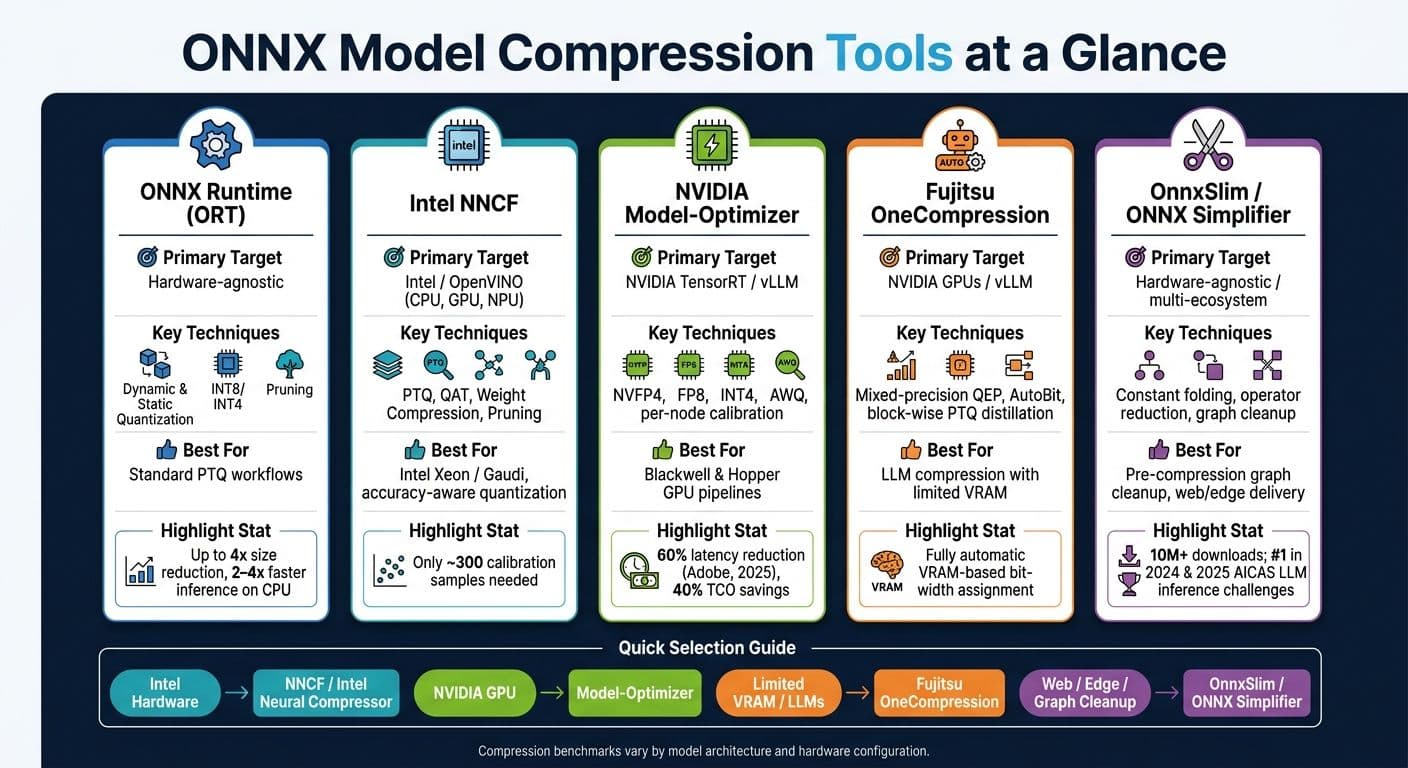
ONNX Model Compression Tools Compared: Features, Hardware & Use Cases
Beyond what ONNX Runtime offers, several specialized tools focus on advanced compression techniques, catering to various deployment needs. From simplifying computation graphs to applying hardware-specific quantization formats, these tools tackle tasks that extend beyond ORT's capabilities.
Neural Network Compression Framework (NNCF)
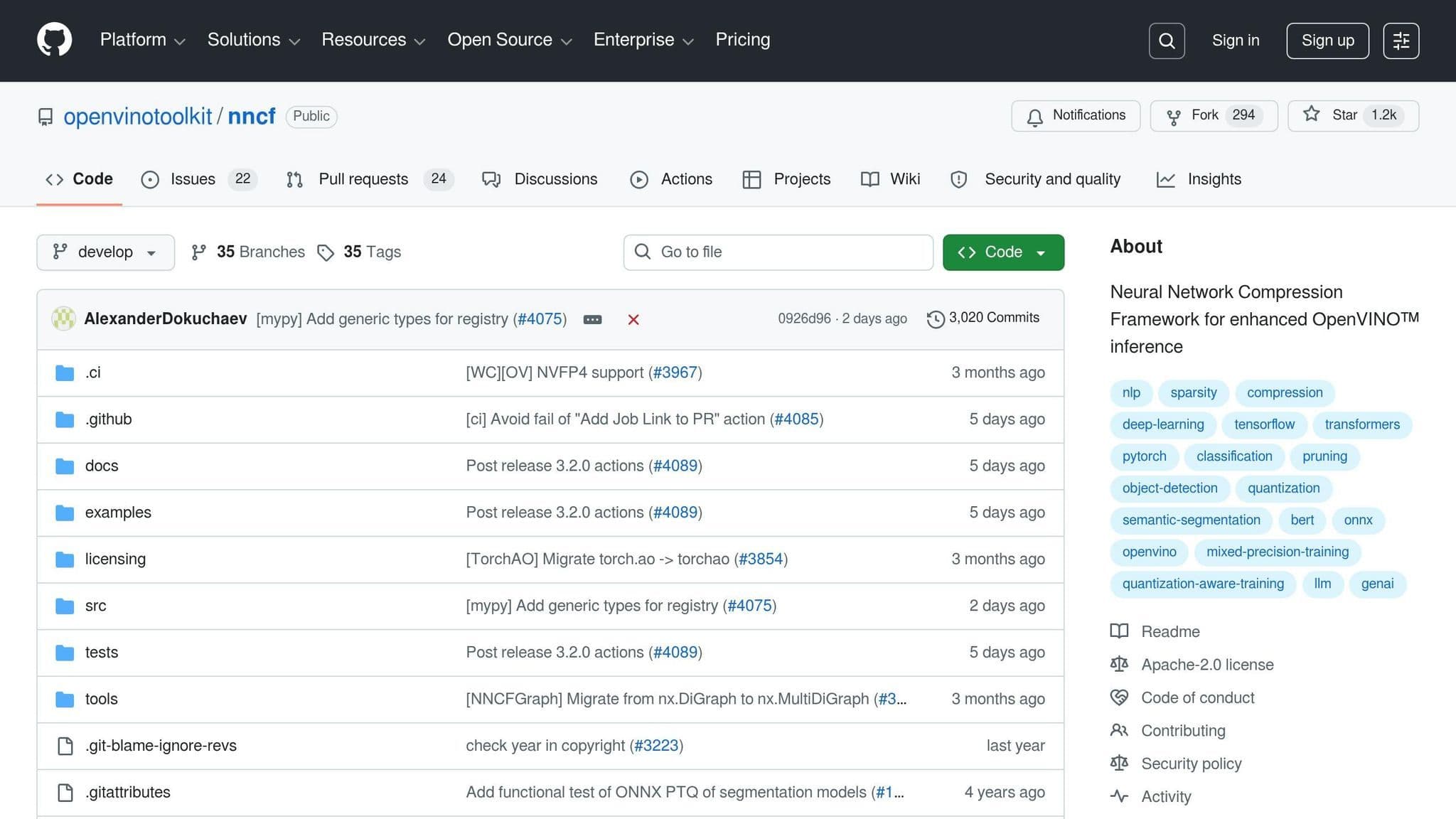
NNCF, an open-source library from Intel, is designed to work seamlessly with OpenVINO. It supports techniques like post-training quantization (PTQ), quantization-aware training (QAT), weight compression, and pruning for models built with PyTorch, ONNX, and OpenVINO.
"NNCF provides a suite of post‐training and training‐time algorithms for optimizing inference of neural networks in OpenVINO™ with a minimal accuracy drop." - Neural Network Compression Framework
One standout feature of NNCF is its PTQ, which requires only about 300 calibration samples, making it accessible even when labeled data is scarce. It integrates smoothly into Intel-based pipelines, whether you're working with CPUs, GPUs, or NPUs. NNCF also shines in computer vision tasks, particularly YOLO-based object detection.
ONNX Simplifier and Graph Optimizers
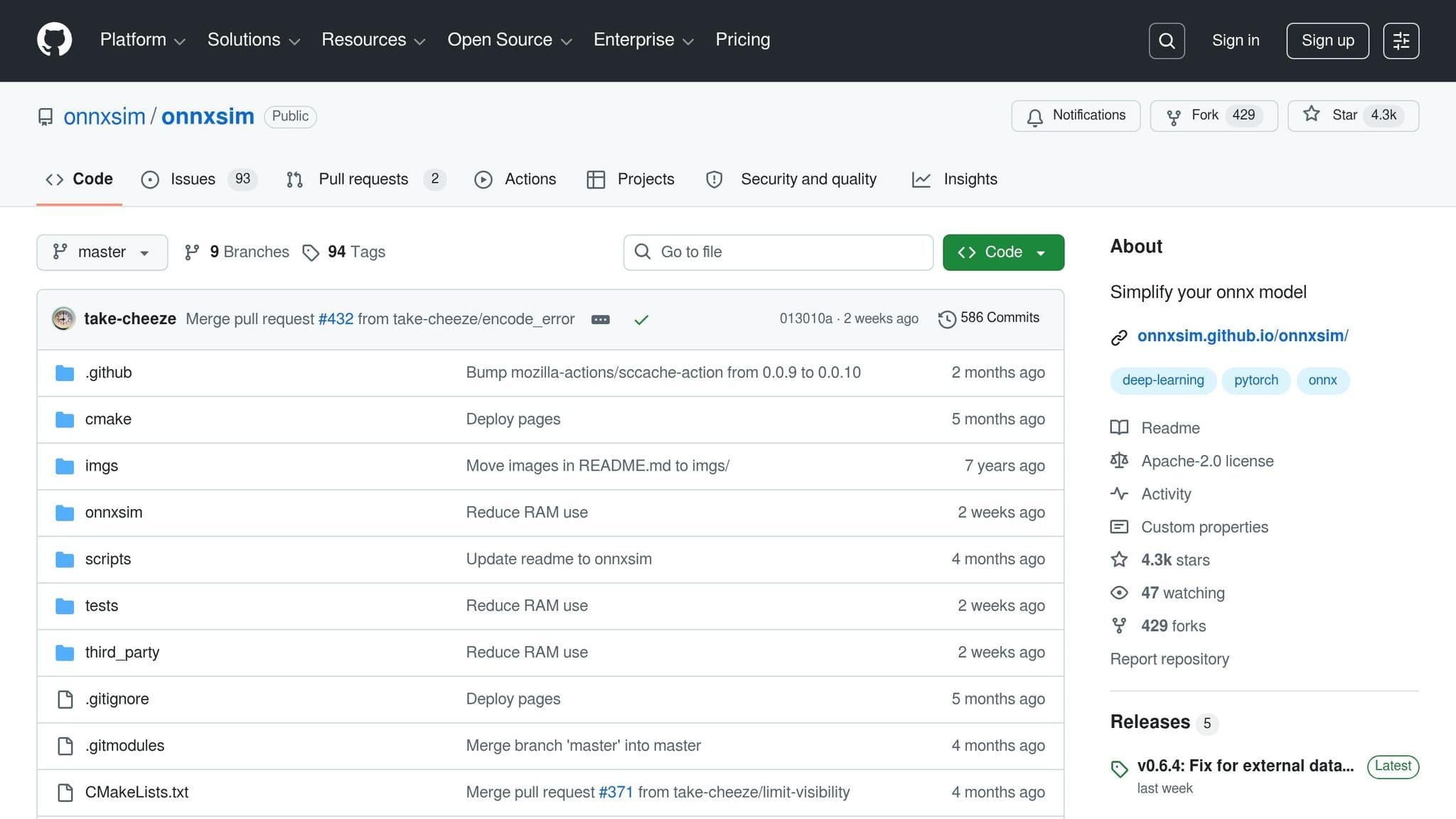
Cleaning up a model's computation graph is often a crucial first step before applying precision-based compression. Tools like ONNX Simplifier (onnxsim) automate this process by inferring the graph and replacing redundant operators with constants - a technique known as constant folding.
"ONNX is great, but sometimes too complicated." - onnxsim
Another option, OnnxSlim, focuses on reducing the number of operators while maintaining accuracy. By June 2026, OnnxSlim had surpassed 10 million downloads and was integrated into popular tools like NVIDIA TensorRT-Model-Optimizer, Hugging Face Optimum, and Ultralytics. It gained recognition by ranking first in both the 2024 and 2025 AICAS LLM inference optimization challenges. A common approach involves running onnxsim after exporting a model from frameworks like PyTorch or TensorFlow to clean up unnecessary elements. The streamlined graph can then be passed to hardware-specific compression tools for further optimization.
Hardware-Specific Compression Toolchains
For hardware-targeted deployments, generic tools may not fully optimize performance. NVIDIA Model-Optimizer is specifically designed for TensorRT deployment, supporting formats like NVFP4, FP8, and INT4. It also includes advanced features such as Activation-aware Weight Quantization (AWQ). In April 2026, NVIDIA expanded its capabilities by adding SwinTransformer support, enabling ViT-based models to be compressed to FP8 or INT8 for TensorRT deployment. Its per-node calibration feature is particularly helpful for large models, as it processes them sequentially to prevent Out-of-Memory errors during calibration.
Fujitsu OneCompression, on the other hand, automatically detects the available GPU VRAM and assigns optimal bit-widths per layer using its Quantization Error Propagation (QEP) algorithm.
"OneComp detects your GPU VRAM, picks the best bit-width per layer, quantizes with error propagation, evaluates, and saves - fully automatic." - Fujitsu Research
Here’s a quick overview of where each tool fits best:
| Tool | Primary Target | Key Strength |
|---|---|---|
| NNCF | Intel / OpenVINO | Unified PTQ, QAT, and pruning |
| ONNX Simplifier | Hardware-agnostic | Constant folding and graph cleanup |
| OnnxSlim | Multi-ecosystem | Operator reduction; widely integrated |
| NVIDIA Model-Optimizer | NVIDIA TensorRT | NVFP4, FP8, INT4, AWQ, per-node calibration |
| OneCompression | NVIDIA / vLLM | Automatic VRAM-based mixed-precision |
Key ONNX Compression Techniques Explained
Quantization and Mixed Precision
Quantization plays a crucial role in compressing ONNX models by reducing the precision of weights. Instead of relying on 32-bit floats (FP32), it uses formats like INT8 or INT4, which lead to smaller models and faster inference speeds. As NVIDIA Model Optimizer explains:
"Quantization with Model Optimizer can compress model size by 2x-4x, speeding up inference while preserving model quality." - NVIDIA Model Optimizer
With INT8 quantization, model sizes shrink by 2x–4x, while INT4 - introduced in ONNX Opset 21 - can achieve up to an 8x reduction compared to FP32. ONNX supports two quantization formats:
- QDQ Format: Inserts
QuantizeLinearandDequantizeLinearoperators around existing operations. - QOperator Format: Replaces standard operations with quantized equivalents, such as
QLinearConv.
Static and dynamic quantization methods address different needs. Static quantization uses a calibration dataset to pre-compute activation ranges, making it ideal for CNNs by avoiding runtime overhead. In contrast, dynamic quantization calculates activation ranges during runtime, which works better for Transformers and RNNs. For calibration, TensorRT suggests using at least 500 samples for CNNs and Vision Transformers (ViTs).
Mixed precision further optimizes models by assigning different bit-widths to different layers. Tools like Fujitsu OneCompression leverage algorithms such as "AutoBit" to determine the optimal bit-width for each layer based on GPU memory constraints. Similarly, Intel Neural Compressor supports various formats - INT8, FP8, MXFP8, INT4, and NVFP4 - with built-in auto-tuning.
While quantization and mixed precision focus on reducing precision, other methods streamline model architectures even further.
Pruning and Sparsity
Pruning simplifies models by removing weights or neurons that contribute minimally to the output, resulting in a sparser and more efficient structure. For ONNX and OpenVINO backends, NNCF supports pruning during training and even includes experimental activation sparsity techniques. Intel Neural Compressor also offers validated sparsity methods for ONNX Runtime. For memory-intensive tasks, tools like onnx-tool use activation memory compression, achieving notable results - for example, reducing ResNet50's activation memory by 54% (from 21.4 MB to 10.7 MB) and cutting Stable Diffusion's UNet activation memory from 36,135 MB to just 2,232 MB.
Pruning usually requires access to the training framework and is applied during training before exporting the model to ONNX. While less flexible than post-training quantization, pruning significantly reduces FLOPs and memory usage, making it highly effective for resource-constrained environments like mobile or edge devices.
In addition to pruning and quantization, another technique - knowledge distillation - helps create smaller yet accurate models.
Knowledge Distillation for ONNX Exports
Knowledge distillation involves training a smaller "student" model to replicate the behavior of a larger "teacher" model. This approach allows the student model to retain much of the teacher's accuracy while being more compact. The distilled student model is exported as a standard ONNX file without requiring any special graph modifications. Fujitsu OneCompression, for instance, uses block-wise PTQ distillation to minimize mean squared error between the compressed model and an FP16 teacher at each Transformer block. Intel Neural Compressor also integrates knowledge distillation into its multi-technique compression workflows. Like pruning, this process occurs during training, prior to exporting the ONNX model.
| Technique | When Applied | Typical Size Reduction | Key Tools |
|---|---|---|---|
| Quantization | Post-training or during training | 2x–4x for INT8; up to 8x for INT4 | ONNX Runtime, NNCF, Model Optimizer |
| Pruning / Sparsity | Training-time | Variable based on sparsity level | NNCF, Intel Neural Compressor, onnx-tool |
| Knowledge Distillation | Training-time (pre-export) | Variable based on student model size | Fujitsu OneCompression, Intel Neural Compressor |
Using Compressed ONNX Models in Production
End-to-End Compression Workflow
To deploy a compressed ONNX model effectively, you need a dependable, repeatable pipeline. The typical process involves training your model, applying compression techniques like quantization, pruning, or distillation, exporting the model to ONNX format, and finally deploying it to your infrastructure. This could mean a cloud VM, an on-premises server, or an edge device.
Before quantization, pre-processing steps like symbolic shape inference and operator fusion are crucial. These steps help merge redundant nodes and enhance the quality of quantization. However, large models may require special handling during this stage.
For edge deployments, NVIDIA suggests a four-step pipeline: Quantize (on a GPU host), Export to ONNX, Build (compile to a TensorRT engine on the edge), and Infer. This approach ensures that the resource-intensive compilation happens only once, avoiding runtime delays.
Matching the quantization format to the target hardware's instruction sets is vital for achieving optimal performance. For example, INT8 quantization only delivers meaningful speed improvements when the hardware supports the required instruction sets.
Once your compressed model is ready for production, the next step is to thoroughly verify its accuracy and performance.
Verification and Benchmarking
After completing the compression workflow, it's critical to confirm that the model maintains accuracy while minimizing latency. These two factors - accuracy and latency - often influence each other in unexpected ways, making proper measurement essential.
To check accuracy, compare the compressed model with the original using the standard metric for your task (e.g., Top-1/Top-5 accuracy for image classification or Word Error Rate for speech recognition). Tools like ONNX Runtime's qdq_loss_debug enable detailed layer-by-layer comparisons of weight and activation tensors between the float32 and quantized versions. This makes it easier to identify specific layers causing accuracy drops, saving time compared to trial-and-error approaches.
"Standard ONNX quantization is focused on converting all calculations to eight bit... This approach can also cause accuracy problems however, and often requires some manual work to achieve the best results." - Pete Warden, Useful Sensors
For latency benchmarking, always test on the actual target hardware rather than a development machine. Latency is typically measured in milliseconds (ms) for standard models and tokens per second (tokens/s) for language models. Tools like onnx-tool can help you measure peak activation memory, MACs (Multiply-Accumulate Operations), and parameter counts. These metrics are invaluable for identifying memory bottlenecks before deployment.
Inference Cost Reduction with NanoGPT

Once verified, compressed models lead to lower inference costs, with significant savings at scale. For example, Adobe's April 2025 deployment using NVIDIA Model-Optimizer and TensorRT achieved a 60% reduction in diffusion model latency and a 40% reduction in total cost of ownership (TCO) for their AI services. These savings translate into tangible financial benefits with every inference request.
For GPT-style architectures, such as those used by NanoGPT, INT4 weight-only quantization (AWQ) is particularly effective in low-batch inference scenarios. In these cases, latency is often dominated by weight loading rather than computation. Smaller model weights reduce the amount of data that needs to move from memory to compute units, leading to faster responses and lower costs per query. These optimizations are essential for scaling inference workloads efficiently. NanoGPT's pay-as-you-go model benefits directly from these gains, allowing more queries to be served per dollar while maintaining its privacy-first approach with local data storage.
Another optimization for GPT-style models is weight sharing between embedding layers and the language modeling head. This technique reduces model size further without impacting accuracy, making it a valuable step before exporting to ONNX.
Conclusion and Key Takeaways
Summary of Tools and Techniques
The ONNX compression ecosystem provides a variety of tools, each tailored for specific tasks. For example, ONNX Runtime supports standard Post-Training Quantization (PTQ) workflows, while NNCF specializes in accuracy-aware quantization for OpenVINO environments. NVIDIA Model-Optimizer is designed for TensorRT and vLLM pipelines on NVIDIA GPUs, and ONNX Shrink Ray focuses on reducing file sizes for web and edge applications. Meanwhile, Fujitsu OneCompression automates large language model (LLM) compression with its AutoBit feature. Choosing the right tool depends entirely on your deployment needs and priorities, such as hardware compatibility or latency requirements.
Choosing the Right Compression Tool
As discussed earlier, hardware specifications and latency goals play a crucial role in selecting the right compression tool. For Intel Xeon processors or Gaudi accelerators, Intel Neural Compressor and NNCF are excellent options. On the other hand, NVIDIA Model-Optimizer is the go-to tool for GPUs built on Blackwell and Hopper architectures. If your primary goal is minimizing download sizes for mobile or edge applications, ONNX Shrink Ray stands out. Here's a quick reference table to guide your choice:
| Goal | Recommended Tool |
|---|---|
| Latency reduction on Intel hardware | Intel Neural Compressor / NNCF |
| TensorRT / vLLM deployment on NVIDIA GPUs | NVIDIA Model-Optimizer |
| LLM compression with limited VRAM | Fujitsu OneCompression (AutoBit) |
| Smaller file size for web / edge delivery | ONNX Shrink Ray |
| Hugging Face models on ARM64 / AVX CPUs | Optimum-ONNX |
For LLMs, starting with weight-only quantization methods like INT4 or AWQ is generally a safer bet. These approaches are simpler to implement, reduce the risk of accuracy loss, and still offer meaningful improvements in size and latency.
Next Steps for Implementation
To integrate compression into your deployment pipeline, follow these practical steps:
- Begin with pre-quantization tasks, such as static PTQ, to quickly reduce model size.
- Use a calibration dataset of at least 500 representative samples to ensure effective quantization.
- If accuracy suffers significantly, consider moving to Quantization-Aware Training (QAT) or adding a distillation step.
"Quantization with Model Optimizer can compress model size by 2x–4x, speeding up inference while preserving model quality." - NVIDIA Model-Optimizer
Finally, always benchmark your compressed model on the actual target hardware. Performance can vary between development and production environments, so tools like trtexec for TensorRT are invaluable for validating real-world improvements.
FAQs
How do I choose between dynamic and static quantization?
Dynamic quantization determines activation parameters - like scale and zero point - on the fly during inference. This approach may slightly increase computation costs, but it often maintains better accuracy. It's particularly useful for models with variable input lengths, such as those used in natural language processing.
On the other hand, static quantization precomputes these parameters ahead of time using a calibration dataset. By relying on fixed constants, it delivers improved performance and is typically the preferred choice for most applications due to its efficiency.
What opset do I need for INT8 vs. INT4 quantization?
To use quantization effectively, the minimum opset version required is 13 for INT8 and 21 for INT4. If you aim to achieve genuine on-disk compression with native INT4 storage (rather than expanding to INT8), opset 21 is essential. For models built with older opset versions, most current optimization tools can automatically update them to meet these standards.
How can I debug accuracy drops after quantizing an ONNX model?
To troubleshoot accuracy issues in a quantized ONNX model, start by comparing the weight and activation tensors of the original float32 model with those of the quantized version. You can use Python APIs from onnxruntime.quantization.qdq_loss_debug to align the tensors and gather activations for side-by-side evaluation.
Another option is to leverage Intel Neural Compressor’s diagnosis mode. This tool can detect nodes with high Mean Squared Error (MSE), making it easier to identify areas contributing to accuracy loss. It can also recommend selective higher-precision fallbacks to address the problem effectively.