
Real-Time Text Generation for Dynamic Websites

Real-time text generation creates content instantly using AI, making websites more interactive and personalized. Unlike static text, this approach dynamically adjusts based on user inputs or data, delivering updates progressively for a smoother experience. Here's a quick breakdown:
- How It Works: AI models generate text in real-time using streaming protocols like Server-Sent Events (SSE). This method enables websites to display content as it's created, similar to live typing in chatbots.
- Benefits: Faster content delivery, improved user engagement, and tailored experiences for each visitor.
- Tools Needed: Node.js or Python for server-side environments, API libraries for HTTP requests, and platforms like NanoGPT for AI integration.
- Key Features of NanoGPT: Pay-as-you-go pricing, privacy-focused data storage, and compatibility with OpenAI endpoints.
- Setup Essentials: Install required packages, configure API keys securely, and enable streaming for dynamic updates.
06 - Building Text Generation Applications
sbb-itb-903b5f2
Prerequisites and Setup
This section dives into the tools and setup you'll need to bring real-time text generation to life, building on the earlier discussion about its benefits.
Technical Requirements and Tools
To implement real-time text generation, you’ll need a server-side environment capable of handling asynchronous HTTP requests. Popular choices include Node.js (version 20 or higher) and Python (3.10+). Additionally, ensure you have tools for API authentication (like OAuth2 or API keys passed via HTTP headers) and libraries for JSON parsing.
For Node.js, recommended packages include:
Python developers should consider:
You’ll also need a code editor like VS Code and Git for version control. Importantly, your setup must support Server-Sent Events (SSE) to enable progressive text delivery.
Once your tools are ready, you’ll need to choose an AI platform that aligns with these technical needs.
Choosing an AI Platform for Text Generation
The right AI platform depends on factors like reliability, streaming capabilities, model options, and data privacy. One option is NanoGPT, which offers access to 583 text models (as of early 2026), including ChatGPT, Deepseek, and Gemini. Its OpenAI-compatible endpoints (e.g., /v1/chat/completions) make integration seamless - just update the base URL and API key in your existing client libraries.
NanoGPT operates on a pay-as-you-go model, meaning you’re charged only for what you use, with no monthly fees. It also prioritizes privacy by storing data locally on your device, making it a solid choice for websites handling sensitive information.
After selecting your platform, the next step is configuring your development environment.
Setting Up Your Development Environment
For Node.js:
- Download and install Node.js from nodejs.org.
- Create a project directory:
mkdir ai-text-gen && cd ai-text-gen && npm init -y- Install the required dependencies:
npm install express axios dotenvFor Python:
- Set up a virtual environment:
python -m venv env && source env/bin/activate- Install the necessary packages:
pip install fastapi uvicorn python-dotenv aiohttpNext, obtain your NanoGPT API credentials (you’re allowed up to 20 keys per account). Securely store your key in a .env file using this format:
NANO_API_KEY=your_key_hereIn your main server file, set the base URL to https://nano-gpt.com/api/v1 and include the following header for authentication:
Authorization: Bearer ${process.env.API_KEY}To enable streaming, add stream: true to your request payload and set the Accept: text/event-stream header. Test your setup by running:
- Node.js:
node server.js- (default port: 3,000)
- Python:
uvicorn main:app --reloadOnce everything connects successfully, you’re ready to start building a real-time content generation workflow.
Building a Real-Time Content Generation Workflow
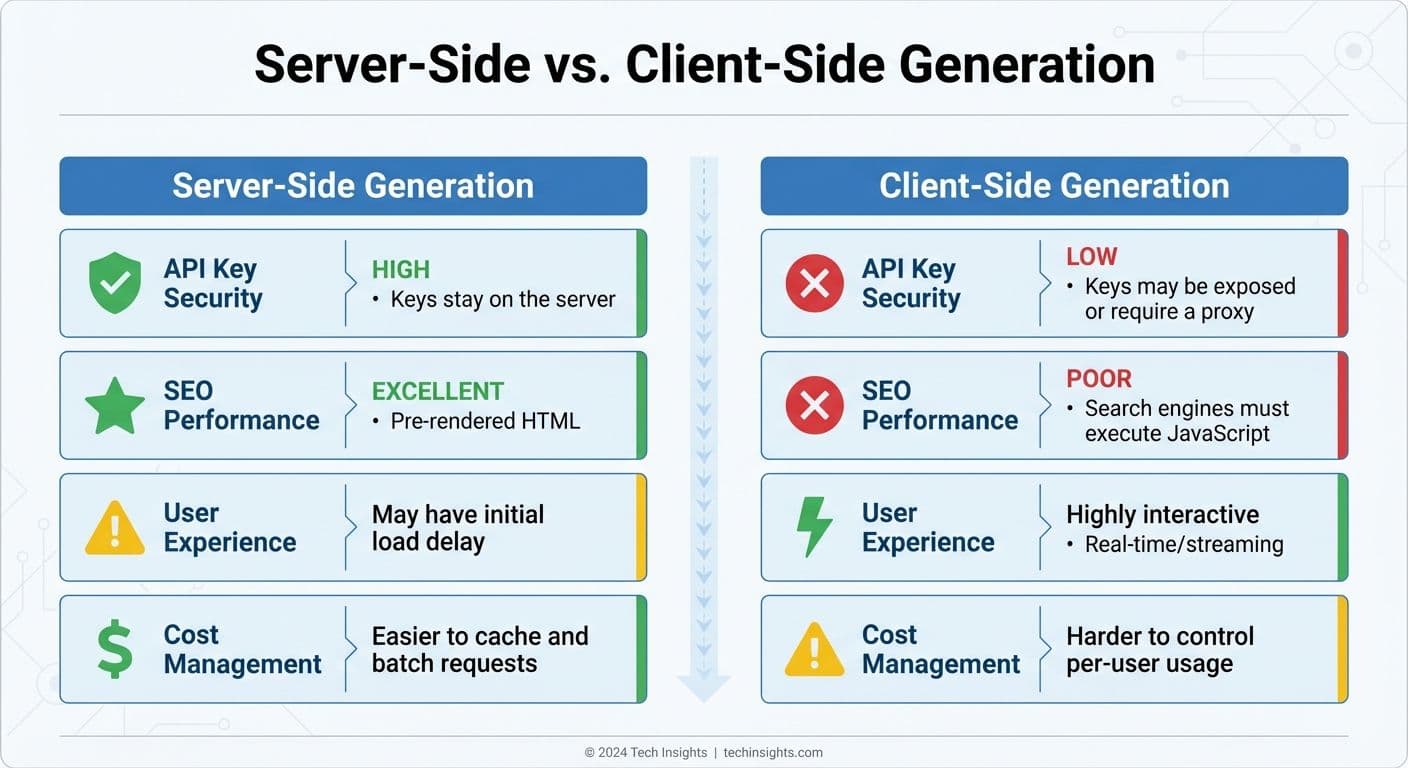
Server-Side vs Client-Side Real-Time Text Generation Comparison
With your development environment set up, let's dive into how to structure API requests for real-time content streaming, handle responses effectively, and deliver content to users without delays.
Structuring API Requests and Handling Responses
At the core of real-time content generation is Server-Sent Events (SSE). This allows text tokens to be delivered as they're generated, rather than waiting for the entire response to finish. To enable this, set stream: true in your API payload and include the necessary authentication and content-type headers.
For Node.js, use the fetch API with a ReadableStream instead of EventSource, as POST requests are required to maintain conversation history. In Python, the aiohttp library is a solid choice for managing streaming responses. When processing the stream, pay attention to specific event types:
response.output_text.deltaprovides incremental text chunks.response.output_text.donesignals the end of a block.response.completedconfirms the entire response is finished.
Interestingly, users perceive a two-second streaming response as faster than a one-second buffered response. Continuous feedback reduces the anxiety of waiting. If you're using res.write() and it returns false, pause until a drain event occurs to keep things running smoothly.
For those leveraging prompt caching to save costs on repetitive content (like system instructions), set stickyProvider: true. This prevents automatic failover to other backend services, which would invalidate cached prompts. Instead, it prioritizes cost predictability by returning a 503 error during downtime, avoiding a full-price rebuild.
Server-Side vs. Client-Side Generation
Choosing between server-side and client-side content generation boils down to factors like security, SEO needs, and user experience goals. Here’s a comparison to help make that decision:
| Feature | Server-Side Generation | Client-Side Generation |
|---|---|---|
| API Key Security | High (Keys stay on the server) | Low (Keys may be exposed or require a proxy) |
| SEO Performance | Excellent (Pre-rendered HTML) | Poor (Search engines must execute JavaScript) |
| User Experience | May have an initial load delay | Highly interactive (Real-time/streaming) |
| Cost Management | Easier to cache and batch requests | Harder to control per-user usage |
For static content, like daily news summaries, a hybrid approach works best. Use server-side cron jobs to generate content at regular intervals (e.g., once a day), store it in a database or S3 bucket, and serve it to users without the latency of real-time generation. On the other hand, generating web pages on the fly involves API calls and database lookups, which can slow things down.
Regardless of the method, efficient caching is key to improving delivery speed and managing costs.
Using Caching to Improve Content Delivery
Once you've handled API responses, caching becomes a powerful tool to optimize performance and reduce costs. Prompt caching is especially effective for repetitive content blocks. For some models, cached prefixes require a minimum token count. Add cache_control markers at the end of static blocks, allowing up to four breakpoints to cache different layers like system prompts, tool definitions, and reference documents.
Caching operates on prefix matching, meaning the entire segment before the cache breakpoint must match a previous request. To maximize efficiency, organize prompts by how often they change:
- Start with static system instructions.
- Follow with semi-static tools and documentation.
- End with dynamic user queries.
Cached tokens are billed at about 10% of the standard input cost, offering around 90% savings. The default cache time-to-live (TTL) is 5 minutes, resetting each time the cache is accessed. For low-traffic apps, send periodic "warm-up" requests to prevent cache expiration. Keep an eye on usage.prompt_tokens_details.cached_tokens in your logs to track savings and identify prompts that miss the cache due to small variations.
In addition to prompt caching, response storage (via store: true) allows you to save generated outputs for later retrieval using a response ID. This is especially useful for multi-turn conversations, as it avoids resending the entire history. To protect sensitive data, include the x-encryption-key header to ensure stored content is encrypted at rest.
Advanced Techniques for Dynamic Content Updates
Taking real-time content generation to the next level involves integrating advanced methods that improve both functionality and user experience.
Connecting AI With Live Data Sources
Dynamic websites thrive when AI-generated content connects directly to live data sources. Instead of relying on static prompts, you can pull real-time information from APIs, databases, or websites. This ensures your content remains up-to-date and accurate without requiring constant manual updates.
To access live data, append :online to your model name. This feature enables real-time updates at a minimal cost. For instance, using gemini-3-flash-preview:online can boost factual accuracy by 10x compared to models without web access. Costs for these updates vary: standard web searches are priced at $0.006 per request, while deep research mode (:online/linkup-deep) costs $0.06 per request for more thorough results.
AI models can also use tools and function calls to fetch external data during content generation. Supported tools include Web Search, File Search for vector databases, Code Interpreters, and Model Context Protocol (MCP) tools. If you need data from specific URLs, the web scraping endpoint extracts clean Markdown or HTML at $0.001 per successful URL. To save on resources, batch up to five URLs in a single request.
For ongoing conversations or threaded updates, use previous_response_id to maintain context without resending the entire history. This capability lays the groundwork for efficient real-time update strategies.
Managing Real-Time Updates and Refresh Schedules
Effectively managing content updates involves finding the right balance between performance and accuracy. A hybrid strategy often works best: use real-time webhooks for immediate updates while incorporating periodic polling to catch missed events caused by API outages or delivery delays. High-frequency polling every 30 seconds can serve as a fallback when real-time updates are too resource-intensive.
To optimize resources, focus updates on content visible to users. The Intersection Observer API can pause updates for off-screen elements, reducing network traffic and CPU usage. When handling multiple update sources, implement merging strategies with modification tracking to avoid race conditions. Using an "ignore_if_modified_after" approach ensures older data doesn’t overwrite more recent updates from webhooks.
To prevent performance issues during high-traffic periods, throttle rapid updates and implement a polling fallback. Standard API rate limits for web scraping allow up to 30 requests per minute per API key, with a 100KB content extraction cap per URL to maintain efficiency. Once updates are streamlined, focus on ensuring consistent formatting across your platform.
Maintaining Consistent Formatting Across Pages
When AI dynamically generates content, maintaining a uniform look across your site is crucial. You can enforce consistency by using JSON Schema with the json_schema parameter. This ensures the AI outputs content in a structured format - such as predefined fields for headers, body text, and metadata - that integrates seamlessly with your CSS-styled UI components.
Set clear verbosity levels (low, medium, high) to control text length and visual balance. For example, use low for tooltips, medium for card descriptions, and high for detailed blog posts.
Global formatting rules can be defined in the system or instructions parameter to align AI-generated content with your brand's voice and design standards. For more complex formatting, use cache_control markers to store these instructions, ensuring consistency while reducing latency. Additionally, handle AI-generated annotations like url_citation or file_citation programmatically to maintain a uniform style for links and references. Always sanitize data from external sources before rendering to prevent security risks like XSS attacks.
Performance, Scalability, and Security
When deploying AI-generated content in production, it's crucial to focus on performance, scalability, and security. These elements work together to ensure a fast, reliable, and secure experience for users while handling real-time content generation.
Reducing Latency and Improving Performance
One way to boost perceived speed is through streaming responses. By enabling Server-Sent Events (SSE) with the stream parameter set to True and using the Accept: text/event-stream header, your website can display text chunks as they are generated instead of waiting for the entire response to load. This approach provides immediate feedback to users, enhancing their experience.
Caching also plays a pivotal role in performance. Use cache_control markers to store static content blocks, and monitor their effectiveness by checking the usage.prompt_tokens_details.cached_tokens field in API responses. The cache time-to-live (TTL) should align with how often your content changes. For example, a TTL of 5 minutes works for frequently updated sites, while 1 hour is better suited for more stable environments. These optimizations help maintain a responsive and dependable user experience.
Scaling for High-Traffic Websites
Handling high traffic requires smart workload distribution. Implementing automatic failover ensures your site remains operational by redirecting requests to backup providers if the primary service becomes unavailable. However, this must be carefully managed to maintain cache consistency.
NanoGPT enforces a global throughput limit of 25 requests per second to keep its service stable. To handle traffic spikes without exceeding this limit, use request queuing. Additionally, API rate limit counters reset daily at midnight UTC, so plan your content generation schedules to fit within these constraints.
To prevent unexpected charges or misuse, set daily API key limits, such as requests per day (RPD) or spending caps in USD. If these limits are breached, the system will return a 429 error code. Your application should be prepared to handle this gracefully by providing fallback content.
Security and Content Quality Controls
A secure setup is just as important as performance and scalability. Protect your API credentials by storing them in environment variables, not directly in your code. This precaution minimizes the risk of unauthorized access in case of a code leak. Additionally, setting per-key spending limits - such as a daily USD cap - can help prevent excessive charges caused by automated abuse.
To ensure content quality and compliance, use content filtering at two levels. Built-in filters block content that violates terms, while AI-driven validation loops check the quality of generated content before publication. For critical or high-value content, human oversight remains essential to catch any issues automated systems might miss.
Finally, structured prompts are key to producing consistent and reliable AI-generated content. By carefully designing these prompts, you can guide the AI to deliver predictable and high-quality outputs, reducing the risk of unexpected results. Together, these measures ensure your website delivers secure, reliable, and scalable content.
Conclusion
Real-time text generation is changing the way dynamic website content is delivered. By using Server-Sent Events (SSE), websites can display streaming responses as text is generated, creating a seamless user experience. At the same time, caching plays a crucial role in reducing costs and improving speed. To make it all work, a solid technical foundation paired with a clear content strategy is key. This includes essential security practices, like storing API credentials securely in environment variables.
Adding web search capabilities to this setup takes content relevance to the next level. Tools like Gemini 3 Flash Preview, combined with web search, can boost factual accuracy significantly - by as much as 10x, according to recent insights. For websites that rely on up-to-date information, such as breaking news, product updates, or market trends, this feature ensures your content stays accurate and aligned with current data.
NanoGPT simplifies the process with its OpenAI-compatible endpoints and unified API design. Through a single API key and base URL, you can access multiple AI models and even enable web search by tagging model names with :online. Its flexible pay-as-you-go pricing makes it easy to experiment and scale, starting at just $1.00 for fiat payments or $0.10 for cryptocurrency.
For scenarios where consistent results matter more than failover, the stickyProvider: true setting ensures reliability. Additionally, the prompt_caching helper lets you mark reusable content blocks to cut costs further. For more in-depth research, the :online/linkup-deep suffix enables iterative searches at $0.06 per request, while standard web search requests cost only $0.006 each.
Start small by implementing these features on a single webpage. As you refine your prompts and caching strategies, you can expand your setup to fully embrace real-time content generation for your website. This approach ensures a balance of efficiency, accuracy, and scalability.
FAQs
When should I use SSE streaming instead of returning a full response?
SSE (Server-Sent Events) streaming is perfect for scenarios where real-time, incremental updates are needed. For example, it’s great for streaming AI-generated text word-by-word or token-by-token. This approach enhances the user experience by reducing perceived wait times and creating a dynamic "typing" effect.
Here are some common use cases for SSE streaming:
- Live updates: Delivering real-time data, such as stock prices or sports scores.
- Notifications: Pushing alerts or messages as they happen.
- Progress indicators: Showing ongoing progress, like file uploads or AI processing.
On the other hand, if real-time updates aren’t necessary, it’s better to send a complete response once all the data is ready. This ensures the entire result is delivered at once, which can be more suitable for certain applications.
How can I prevent API keys from being exposed on a real-time website?
To safeguard your API keys, it's crucial to store them in environment variables and manage API requests on the server side rather than in client-side code. This prevents exposing sensitive keys in browser scripts where they could be easily accessed. Additionally, implementing secure sign-in methods like OAuth or email verification adds another layer of protection. These steps help shield your keys from unauthorized access and maintain the security of your data.
How can I reduce latency and cost with prompt caching without affecting results?
If you're looking to cut down on latency and token costs without compromising results, prompt caching can be a game-changer. Here are some effective strategies:
- Place static content at the beginning of prompts: By positioning unchanging elements, like instructions, at the start of your prompts, you can significantly improve cache efficiency.
- Enable caching for longer prompts: For prompts exceeding 1,024 tokens, enabling caching can reduce latency by up to 80% and token costs by as much as 90%.
- Leverage the
prompt_cache_keyparameter: This handy tool helps fine-tune routing and increases the chances of cache hits, further optimizing performance.
By using these techniques, you can streamline operations and save both time and resources.