
Real-Time Upscaling: Algorithm Benchmarks
If you need low delay, image quality alone is not enough. In this benchmark wrap-up, I’d boil it down like this: SRCNN, FSRCNN, and ESPCN are the fastest, CARN, RFDN, and RLFN are the best fit for tight speed/quality tradeoffs, and EDSR, SwinIR, and Real-ESRGAN give higher visual output at a much higher time and VRAM cost.
If I were choosing fast, I’d look at three things first:
- Scale factor: 2×, 3×, and 4× behave very differently
- Latency: a model that takes 2.3 to 12.3 seconds per image is not live-use friendly
- Hardware load: some models fit on common GPUs, while others need 6–24 GB VRAM
A few numbers make the tradeoff clear:
- SRCNN: 33.62 dB PSNR at 0.000371 s for 2×
- FSRCNN: 33.66 dB PSNR at 0.000487 s for 2×
- EDSR: 34.13 dB PSNR but 5.92 s for 2×
- Real-ESRGAN: about 2.3 s per frame at 4×, with SSIM 0.89
- SwinIR: about 12 s for 4×, with about 9–12 GB VRAM
What I take from the article is simple:
- Use lightweight CNNs when delay matters most
- Use RFDN/RLFN/CARN-type models when you want a middle ground
- Use SwinIR or Real-ESRGAN for offline jobs where output matters more than wait time
- Keep tests matched by dataset, scale, input size, precision, and backend
- TensorRT can cut runtime by 2× to 4×, which can change whether a model fits your pipeline
Quick Comparison
| Model group | Main goal | Typical tradeoff | Best use |
|---|---|---|---|
| SRCNN / FSRCNN / ESPCN | Low delay | Lower detail ceiling | Live or near-live use |
| CARN / RFDN / RLFN | Balanced speed and quality | Mid-level cost | 720p/1080p to 4K pipelines |
| EDSR / SwinIR / Real-ESRGAN | Output quality | High delay, more VRAM | Offline image work |
So if you’re benchmarking upscalers, I’d start with the latency budget first, then check scale factor, then compare PSNR, SSIM, and LPIPS on matched test settings.
sbb-itb-903b5f2
Benchmark Scope and Test Setup
To compare models fairly, keep the datasets, scale factors, and runtime settings the same across every test. That way, speed-versus-quality tradeoffs mean something instead of turning into apples-to-oranges comparisons.
Datasets, Scale Factors, and Evaluation Protocol
Common benchmark datasets include Set5, Set14, BSD100, Urban100, and Manga109. One rule matters a lot here: compare only models trained on the same dataset. For example, models trained on DF2K usually post higher scores than those trained on DIV2K.
Scale also changes the story. Report 2x, 3x, and 4x results separately, because both model ranking and latency can shift from one scale to another.
For evaluation, report PSNR and SSIM on the Y channel. If you're testing generative or diffusion models, include LPIPS too, since pixel-based metrics often miss what people actually see in perceived image quality.
Hardware, Inference Settings, and Fairness Controls
Runtime numbers can move a lot based on setup, so report the full stack: GPU, VRAM, CPU, precision, and backend. Settings like FP16, BF16, FP32, channels-last, and TensorRT can change inference time in a big way.
Keep input resolution fixed as well, such as 512×512 or 480×640, and use the same cropping method across tests. Small setup changes can skew timing before you even notice.
For timing, use 5 warm-up passes and then average 5 to 10 timed runs. Also disclose whether tiling is enabled, because tiling adds overhead and can affect the final numbers.
With those controls locked in, model comparisons become much easier to trust.
Algorithms Included in the Comparison
The nine models in this comparison fall into three benchmark roles: fast baselines, deployment-focused midrange models, and quality-first reference models. The baselines set the floor. The efficiency group lines up with actual deployment needs. And the quality leaders show what the top end looks like.
Lightweight CNN Baselines: SRCNN, FSRCNN, and ESPCN
SRCNN, FSRCNN, and ESPCN are standard baselines in super-resolution benchmarks. They use small CNN architectures built for speed. ESPCN performs upsampling at the end of the network with sub-pixel convolution, so most of the work happens at low resolution. FSRCNN also keeps most computation before upscaling.
These models mark the low-cost starting point. On CPU, SRCNN (2x) reaches a PSNR of 33.62 dB with a latency of 0.000371 seconds, while FSRCNN comes in slightly higher at 33.66 dB with 0.000487 seconds.
Efficiency-Focused Models: CARN, RFDN, and RLFN
CARN, RFDN, and RLFN target the best tradeoff when latency and memory are tight. They were built with mobile and real-time use in mind, leaning on residual learning and feature distillation to keep parameter counts low without losing too much image quality.
This is the group that best fits current real-time deployment targets for 4K upscaling from 720p or 1080p input.
Higher-Cost Quality Leaders: EDSR, SwinIR, and Real-ESRGAN
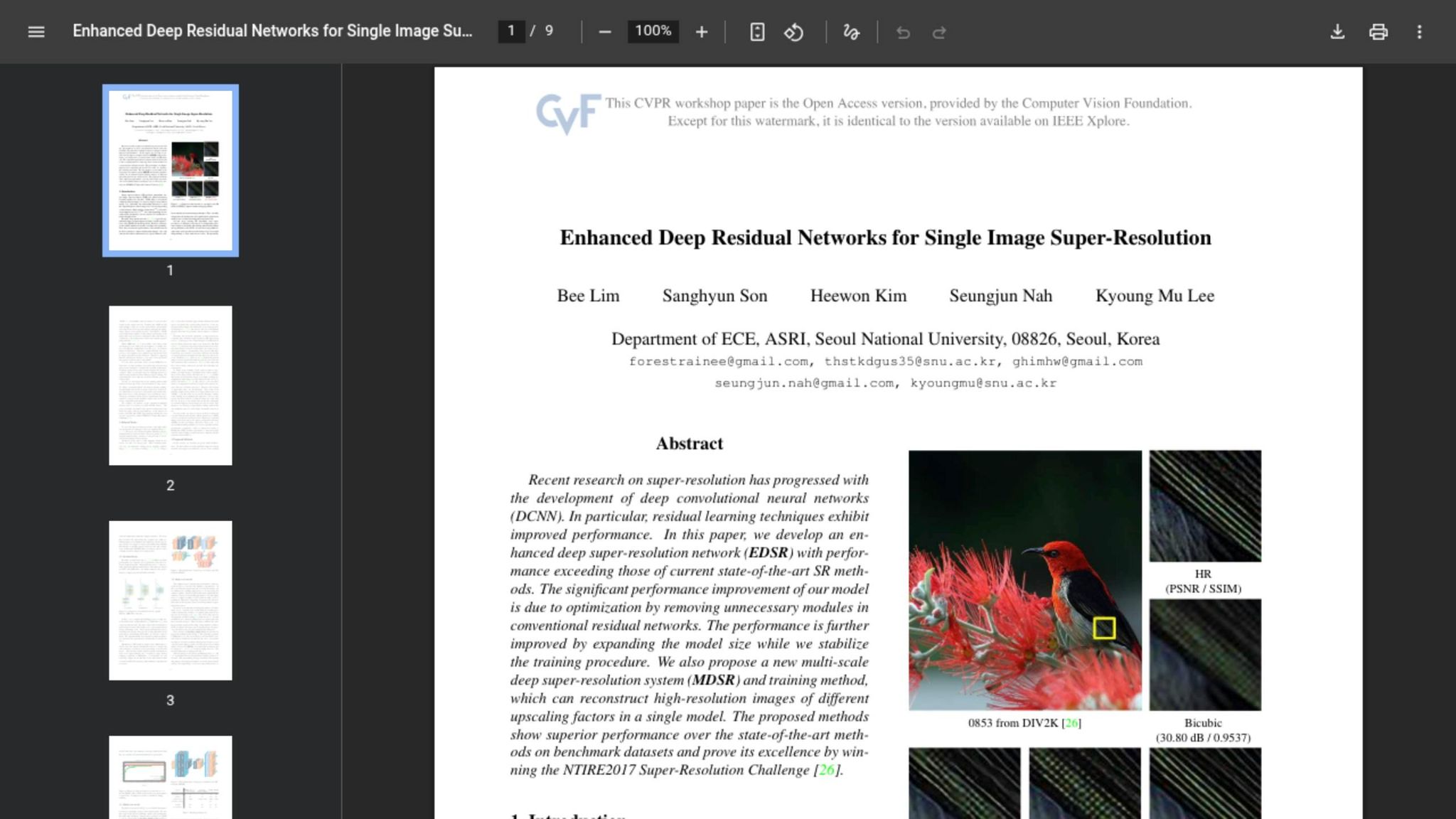
These models act as quality-first reference points, but they solve reconstruction in very different ways. EDSR is a PSNR-driven CNN that removes batch normalization to improve fidelity. In CPU benchmarks, it reaches 34.13 dB PSNR at 2x, but latency jumps to 5.92 seconds, compared with ESPCN’s 0.008 seconds. In a real-time setting, that gap is hard to ignore.
SwinIR uses hierarchical attention in a transformer-based architecture to model long-range structure in textures such as fabric or text. Real-ESRGAN takes a GAN-based path and tries to synthesize fine detail instead of rebuilding it strictly pixel by pixel.
That distinction matters. GAN- and transformer-based models should be read a bit differently from plain PSNR rankings. Real-ESRGAN, for example, can look sharper to a person even when it scores lower on pixel-accuracy metrics. That’s why LPIPS for this group should not be judged by PSNR alone.
The next section compares these models on PSNR, SSIM, latency, FPS, parameters, and compute.
Metrics and Comparative Results
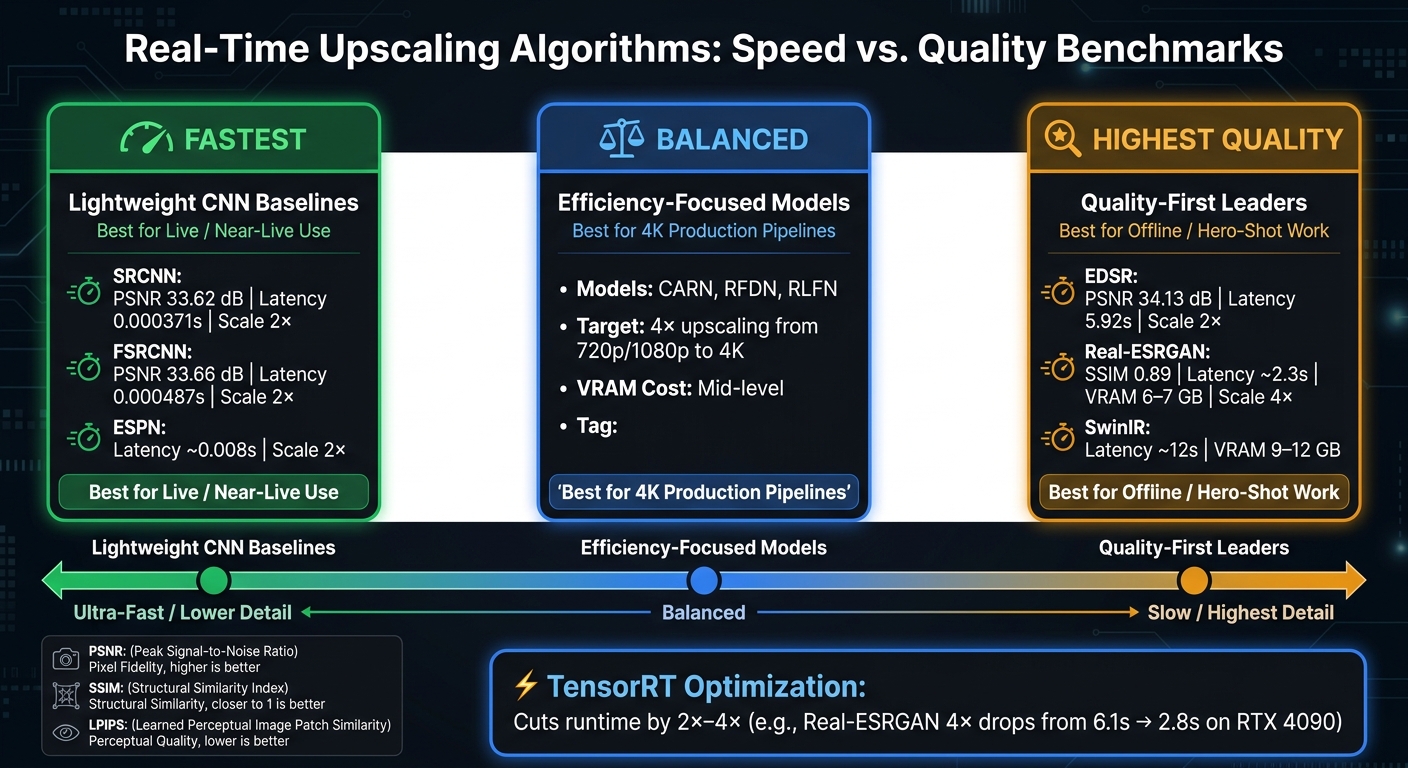
Real-Time Upscaling Algorithm Benchmarks: Speed vs. Quality Comparison
Core Metrics: PSNR, SSIM, Latency, FPS, Parameters, and Compute
The main benchmark question is simple: can a model stay fast enough without falling apart on detail? Each metric answers a different part of that question.
PSNR measures pixel-level fidelity. Higher scores mean the output is closer to the reference image. SSIM looks at structural similarity, so it lines up a bit better with human perception than PSNR. That said, it still tends to reward smoother results more than sharper synthesized detail. LPIPS is a stronger perceptual metric for judged visual quality, especially with diffusion-based and GAN-based models.
On the deployment side, latency and FPS tell you whether a model can fit into an actual pipeline. Then there’s the hardware bill: parameters and VRAM. High-fidelity systems like SUPIR may need 12–24 GB, while lighter models can run with only a few gigabytes.
Benchmark Results Table by Model and Scale Factor
These numbers make the speed-versus-quality tradeoff easy to see. The table keeps the same three model roles used earlier: lightweight baselines, efficiency-focused models, and quality leaders.
| Model | Type | Scale | PSNR (dB) | SSIM | Latency | VRAM |
|---|---|---|---|---|---|---|
| SRCNN | CNN baseline | 2× | 33.62 | - | 0.000371 s | - |
| FSRCNN | CNN baseline | 2× | 33.66 | - | 0.000487 s | - |
| ESPCN | CNN baseline | 2× | - | - | 0.008 s | - |
| CARN | Efficient CNN | 4× | - | - | - | - |
| RFDN | Efficient CNN | 4× | - | - | - | - |
| RLFN | Efficient CNN | 4× | - | - | - | - |
| EDSR | CNN | 2× | 34.13 | - | 5.92 s | - |
| SwinIR | Transformer | 4× | - | - | ~12 s | 9–12 GB |
| Real-ESRGAN | GAN | 4× | - | 0.89 | ~2.3 s | 6–7 GB |
In the quality-leader group, Real-ESRGAN lands at about 2.3 seconds per frame on an RTX 4080 with SSIM 0.89. SwinIR is much slower at roughly 12 seconds per frame. On the baseline side, SRCNN and FSRCNN are the speed champs, while EDSR shows what higher fidelity can cost, taking 5.92 seconds for 2×.
The middle group - CARN, RFDN, and RLFN - sits right where many deployment teams want it. These models split the difference between raw speed and output quality, which makes them a strong fit for 4K upscaling from 720p or 1080p input.
Patterns Across Benchmark Studies
Across benchmark studies, the same pecking order keeps showing up. Lightweight CNNs are the fastest. Efficiency-focused models strike a better balance. Quality-first models take the biggest time hit.
Runtime still shifts based on hardware and backend setup. For example, TensorRT gives ESRGAN-based models a 2×–4× speedup, cutting Real-ESRGAN 4× processing time from 6.1 seconds to 2.8 seconds on an RTX 4090. Even so, the model ranking itself doesn’t budge much. The order stays steady across GPU backends and different dataset content.
Practical Takeaways and Conclusion
Choosing the Right Model for Strict Real-Time Use
Start with the latency budget. That’s the main filter.
The benchmark results boil down to three practical deployment paths. For live video or streaming, the fastest real-time models are 2x scale options that can go past 2 FPS on high-end hardware. If you're building an interactive app and the user is waiting for a result, midrange real-time models can handle 2x upscaling in the low single-digit seconds while still fitting the VRAM limits of mid-range GPUs.
For production work like batch jobs and commercial assets, Real-ESRGAN x4plus is still the go-to default. It posts a 9.2/10 quality score and takes about 6 seconds per image on standard high-end hardware. If image quality comes first and speed is less of a concern, SwinIR sets a higher bar, with a 9.7/10 score, but it needs 12.3 seconds for a 4x upscale.
Where NanoGPT Fits in an Image Workflow

If your workflow starts before upscaling, NanoGPT fits in at that earlier stage. It can handle source-image generation, prompt creation, and metadata, all with pay-as-you-go access and local storage.
Key Conclusions from the Benchmark Summary
The deployment rule is pretty simple:
- Use lightweight, low-latency models for real-time tasks.
- Use efficiency-focused models for balanced production work.
- Use quality-first models for offline jobs or hero-shot work.
There’s one more thing that matters: fair comparison. To compare models in a way that means anything, you need the same hardware, matched scale factors, and standardized datasets. From there, pick the fastest model that still fits your latency target and VRAM limit. And if you want extra speed, TensorRT can still cut runtime by 2x to 4x.
FAQs
Which upscaler is best for real-time use?
Real-ESRGAN is often the top pick for real-time use because it strikes a strong balance between speed, efficiency, and output quality on everyday hardware.
If low power use and real-time performance on modest devices matter most, lightweight pixel-shuffling models are usually the best fit. SUPIR and other diffusion-based methods can produce better detail, but they’re often too slow and too demanding for most real-time use.
Why can’t I compare benchmark results across different test setups?
Benchmark results aren't reliably comparable across different test setups. Performance can shift a lot based on the variables in each study, including:
- input image resolution
- source material type
- hardware configuration
- upscaling multiplier
There's another wrinkle too: different models are tuned for different categories. So a tool that looks strong in one test can fall behind in another. Same model, different setup, different outcome.
Should I trust PSNR and SSIM alone for image quality?
No. PSNR tracks math-based fidelity, and SSIM is closer to how people judge image quality, but neither tells the whole story.
With AI upscaling, a model can invent details that look sharp at first glance while also adding artifacts or messing up structure. That means an image can score well and still have problems.
So use these metrics as a guide, not the final word. Always pair them with visual checks, especially for textures, text, and faces.