Shipped in May: Private Mode, Batch API, Data Tools, and More
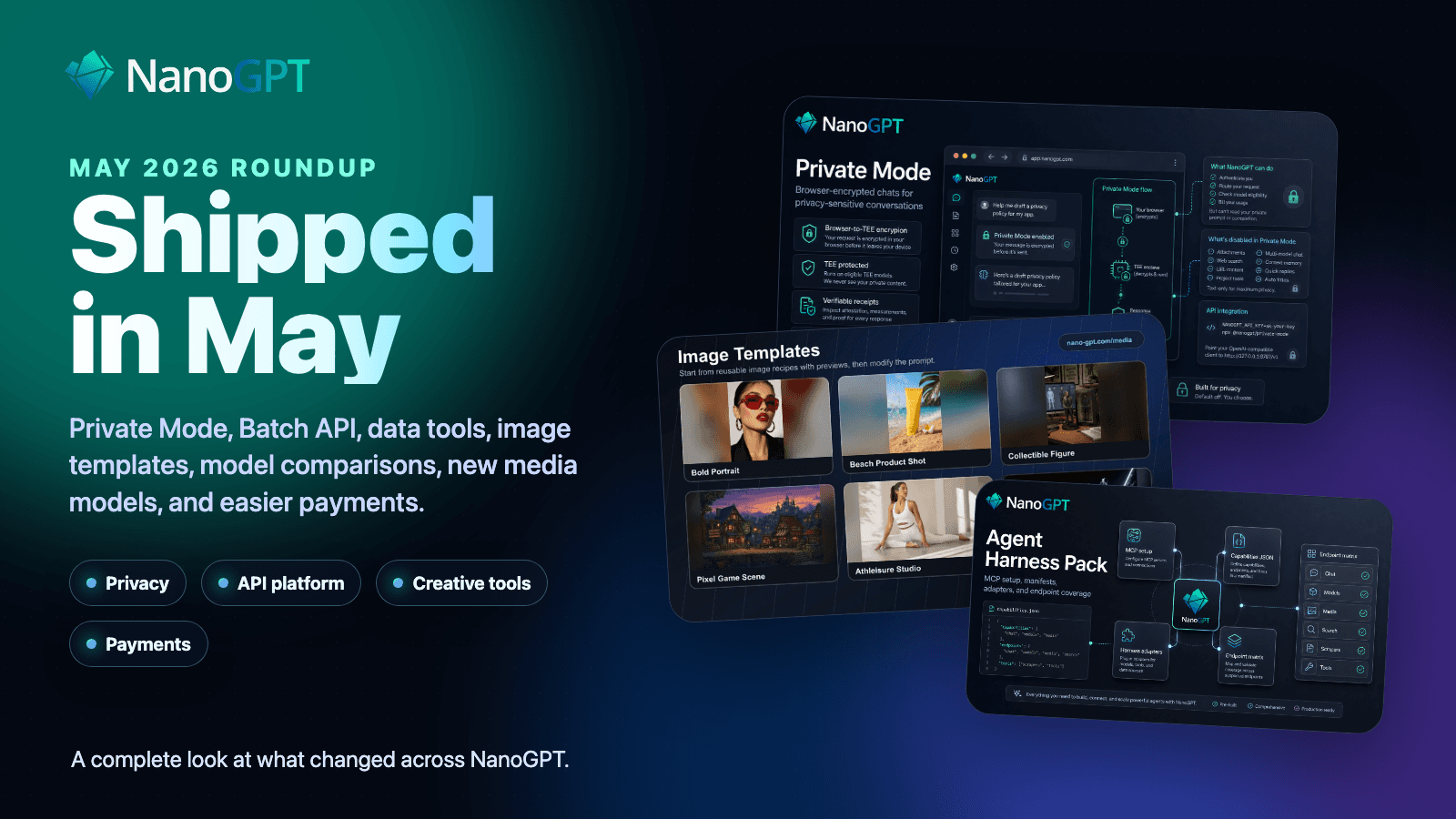
May was one of the busiest shipping cycles we have had on NanoGPT, and a few of the larger launches crossed the finish line in the first week of June.
We shipped a lot: privacy features, a much stronger API platform, batch jobs, new data tools, image templates, model comparison pages, better usage reporting, new payment options, faster routing, and a large wave of new text, image, video, and audio models.
There is too much here for one email or Discord announcement, so this post is the full version. If you only skim one thing, the short version is:
- Private Mode is now publicly available for supported TEE text models - the best possible privacy.
- Optional Personally Identifiable Information (PII) redaction is available for web and API usage.
- The Batch API now supports high-volume async chat completions for supported GPT, Claude, and Gemini models.
- The Data API and Applications pages gained a large set of scraping and research tools.
- Image Templates make it easier to start from reusable creative recipes.
- Model comparison pages now help you compare text, image, and video models side by side.
- API controls are much stronger: OpenAPI, SDKs, usage reporting, provider routing, API-key limits, and provider restrictions.
- Payments got easier with saved-card top-ups, accountless x402 payments, richer crypto deposit details, and more deposit options.
For an even more complete changelog, see the Updates page.
Privacy and local control
The biggest launch was Private Mode.
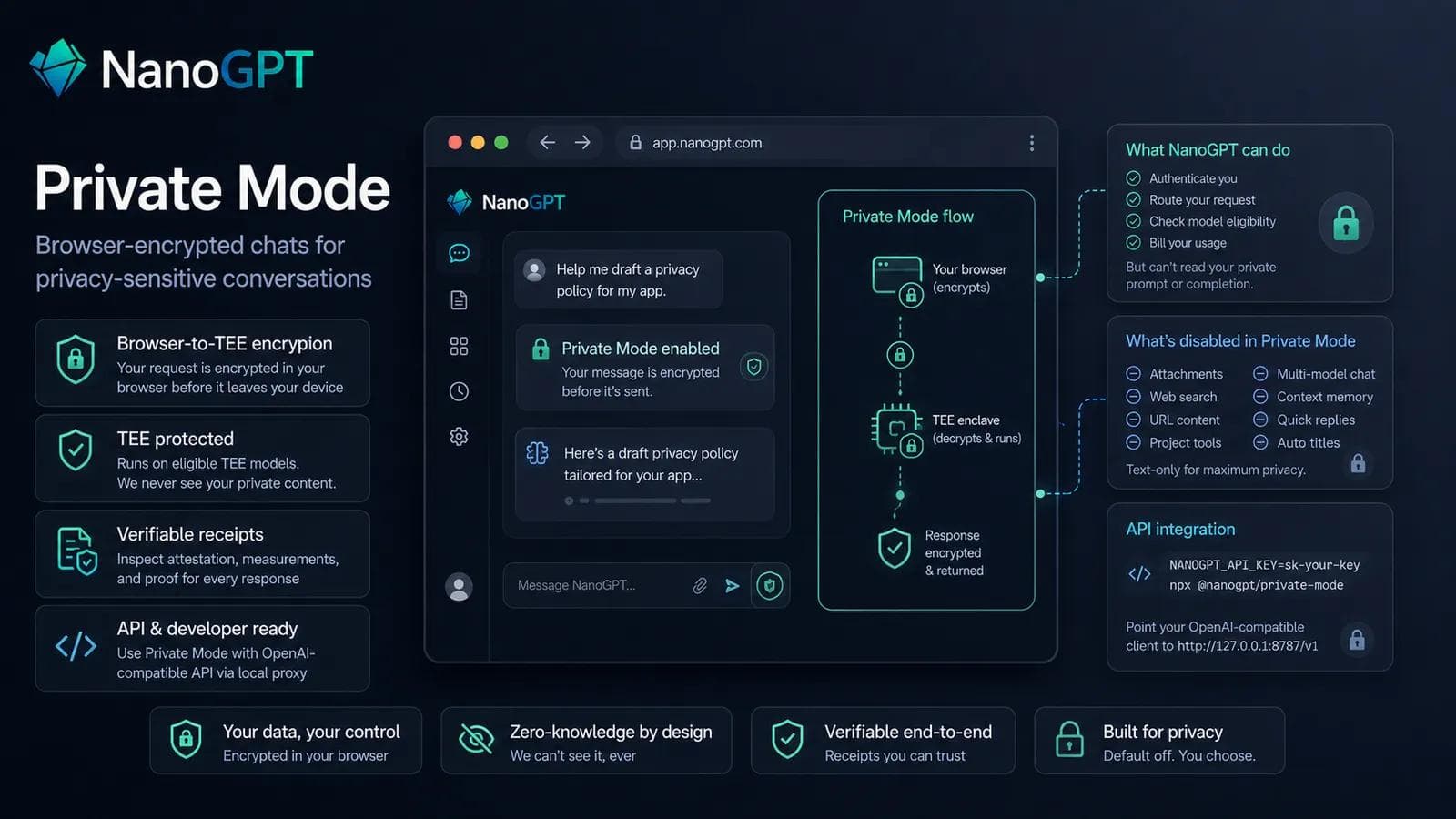
Private Mode is now publicly available for eligible TEE models in the NanoGPT web app. When you select a supported TEE/* model and enable Private Mode, your browser encrypts the chat request before NanoGPT receives it. NanoGPT can still authenticate, route, and bill the request, but it cannot read the encrypted prompt or completion body.
Completed Private Mode responses also include verification receipts. You can inspect the browser attestation result, TEE target, verifier step statuses, measurement fingerprints, encryption flags, and receipt hashes. Developers can also use Private Mode from OpenAI-compatible clients through the local proxy package:
NANOGPT_API_KEY=sk-your-key npx @nanogpt/private-modeFor the deeper technical version, read Browser-Encrypted Private Mode on NanoGPT.
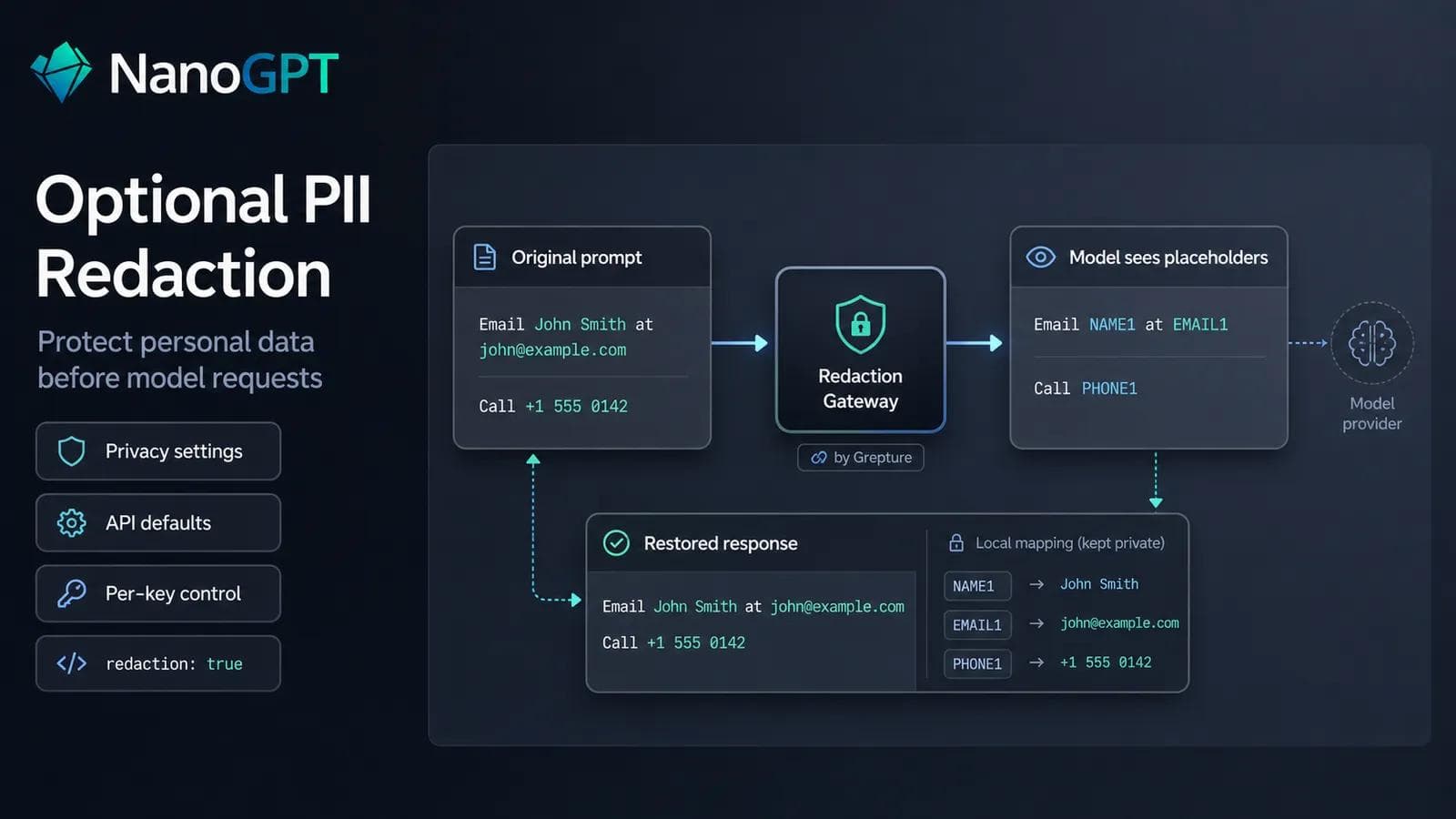
We also added optional PII redaction for chats and for the /v1/chat/completions, /v1/completions, and /v1/responses APIs. You can enable it in Privacy settings, configure API defaults, set it per API key, pass redaction: true, or append :redaction to a model name. It masks common personal data and likely secrets before prompts are sent onward. Read more in PII Redaction for AI Prompts.
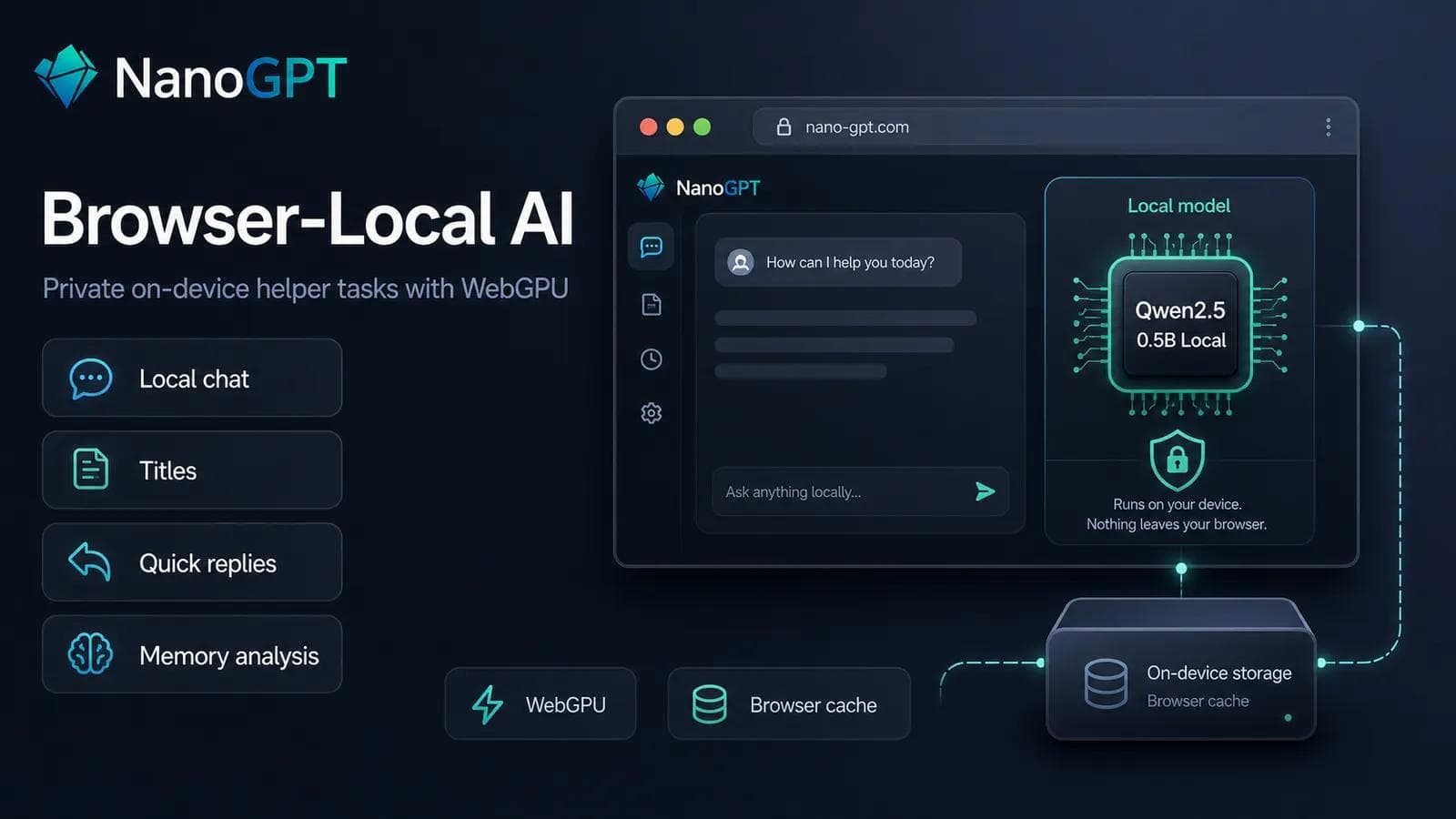
Another privacy and cost improvement is browser-local AI. On supported devices, NanoGPT can now run a small local Qwen model in your browser for text-only local chat, conversation titles, quick replies, Global Memory analysis, and local Auto model routing classification. This is free to use once installed because inference happens on your own device. More details are in Browser-Local AI on NanoGPT.
We also expanded private and TEE model availability, added new TEE routes such as Qwen3.6 27B TEE, improved TEE reasoning streams, and added more provider-side privacy options such as ZDR-capable routing where available.
A much stronger API platform
May turned NanoGPT into a more complete developer platform.
The headline here is the Batch API. NanoGPT now supports OpenAI-compatible batch jobs for high-volume asynchronous /v1/chat/completions workloads. You can upload JSONL files, create batches, poll or cancel jobs, and download the output file when the batch is ready. Batch jobs support supported GPT, Claude, and Gemini chat models, including text prompts and image inputs.
You can manage this through the API or from the new Batch API page.
We also published a public OpenAPI spec at nano-gpt.com/openapi.json, plus minimal TypeScript and Python SDK source for common workflows such as chat completions, model lists, media jobs, account/key inspection, and crypto deposit helpers.
Provider routing also became much more powerful. The API now supports a structured provider object on /v1/chat/completions and /v1/completions, in addition to the existing string form. This lets API clients control routing with fields like order, only, ignore, sort, max_price, allow_fallbacks, and require_parameters. Existing provider: "name" requests still work.
API keys got stronger self-service controls:
- rename keys
- set optional expiry
- add daily request caps
- add daily and monthly spend caps
- add daily input-token caps
- restrict allowed browser origins
- restrict allowed models
- restrict allowed providers
- inspect the active key through
GET /api/v1/api-keys/current
Usage reporting also improved. The new /api/v1/usage endpoint lets developers query API-key spend and token usage over a UTC date range, grouped by day, model, or both. The Usage page now also supports filtering by API key, and exports respect that filter.
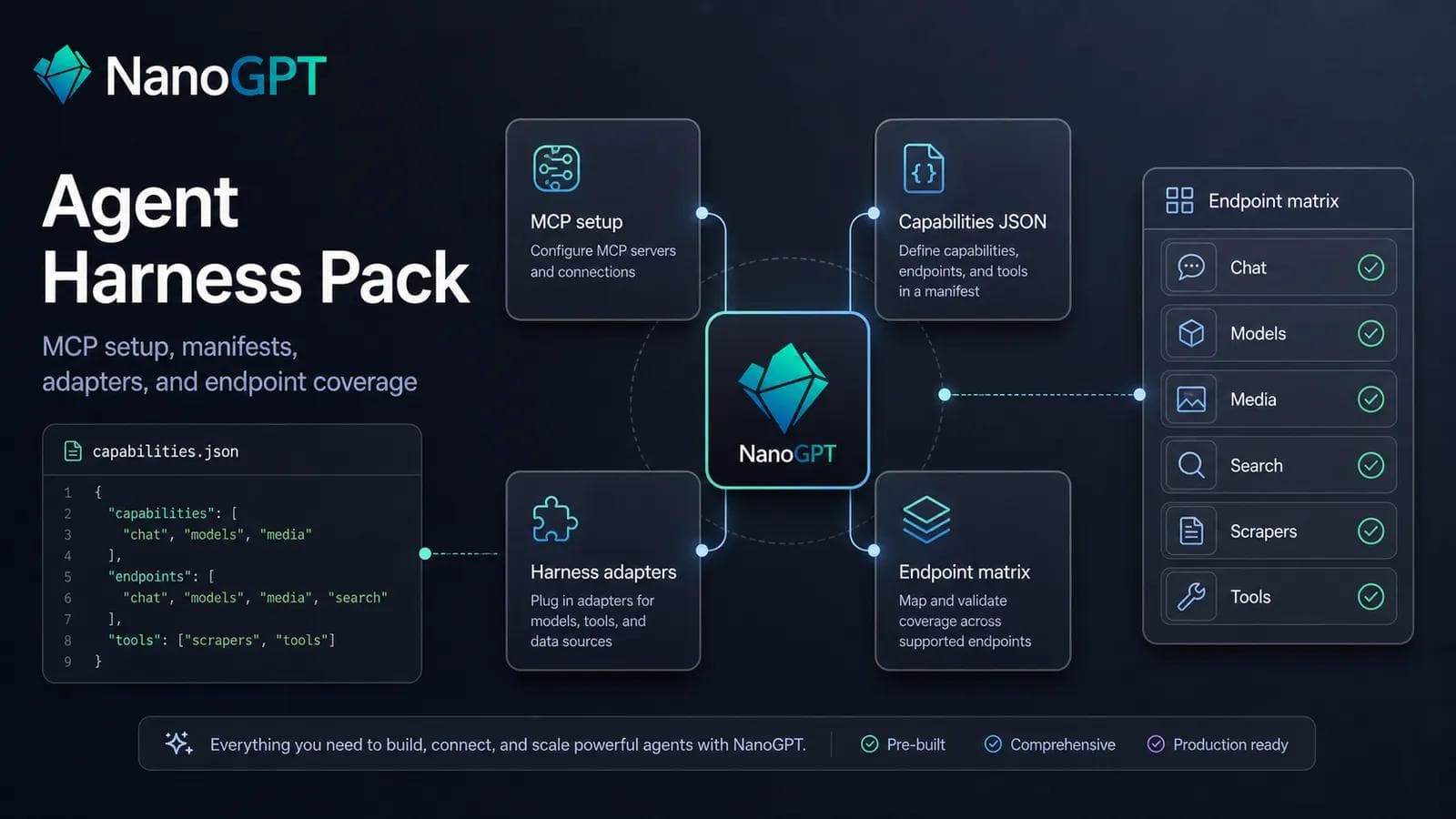
For agent builders, we added the NanoGPT Agent Harness Pack, a capabilities manifest, auth.md, and well-known auth discovery metadata. This gives agents and API clients a clearer way to discover NanoGPT authentication, capabilities, device-login flows, and available tools.
We also added a Content Moderation API for text and supported image inputs. Developers can call /api/v1/moderation-models to inspect available moderation capabilities, then /api/v1/moderations to classify user-generated content before storing, displaying, or sending it to other endpoints.
Data tools and Applications
The new Data API at /api/v1/data gives agents and applications one place to discover and call NanoGPT data tools. It supports both path-style calls, such as /api/v1/data/web/search, and body-style dispatch for agents that choose tools dynamically.
We also added or expanded a large set of Applications and data endpoints:
- Website Crawler, powered by Firecrawl
- Reddit Scraper
- TikTok Scraper
- Instagram Post Scraper
- Instagram Profile Scraper
- Instagram Reel Scraper
- Facebook Ads Library Scraper
- Facebook Posts Scraper
- LinkedIn Profile Scraper
- Google Maps and Google Maps Reviews scraping
- Hunter Email
- X Research
- more robust YouTube transcripts, including automatic fallback extraction
These are available through NanoGPT billing and through API endpoints for your own applications, bots, and agents.
Easier model discovery
NanoGPT has a very large model catalog, so we spent a lot of May making the catalog easier to understand.
Text models can now be compared from the Text Models page and model detail pages. You can select up to four models and open a side-by-side comparison with benchmark, capability, and pricing context.
Image and video models now have the same kind of comparison flow from the Image Models and Video Models pages, including capability, pricing, benchmark, and example-output context.
Model lists also gained a clearer scope control, so you can switch between visible models, subscription models, and all models. The /api/v1/models endpoint now supports sorting by favorites and most-used models.
We also added service tier badges to text model cards, richer source citation previews in chat, provider icons in model comparisons, and more usage detail for prompt cache, service tiers, and provider-specific billing adjustments.
Service tiers matter because some providers now let you choose how urgent a request is. Flex is for supported requests where lower cost matters more than immediate processing. Priority is for supported requests where faster or higher-priority processing matters more than price. You can see tier support on model cards before choosing a model, and API users can set service_tier to "flex" or "priority" on supported models.
Image generation and creative workflows
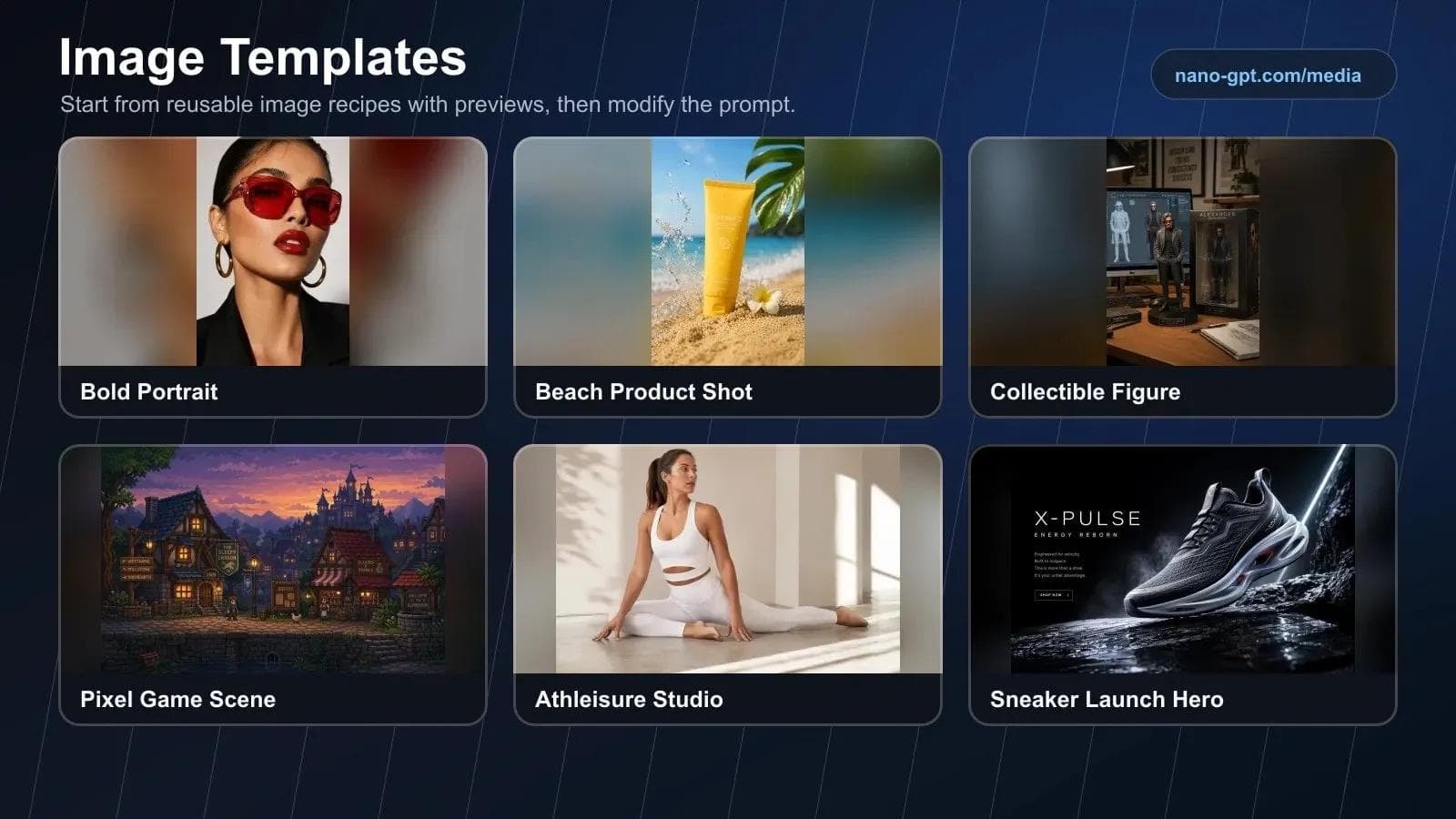
The most visible creative workflow change was Image Templates.
Image Templates let you browse reusable image recipes with preview examples, pick a starting point, adjust the subject and creative details, then generate a prompt for your current image model or the suggested model. Templates cover portraits, lifestyle shots, product photography, characters, cinematic scenes, and design ideas.
We also made GPT Image 2 the default image model for new image generations.
May and early June also brought a large wave of image and editing models:
- Ideogram 4.0, especially strong for typography and design-heavy images
- Reve 2 Create, Edit, and Remix
- Microsoft MAI-Image-2.5, including image editing
- Krea 2 Large and Medium
- FLUX Pro Virtual Try-On
- HiDream O1 Image
- Recraft V4.1, including vector outputs
- Clarity AI upscalers
- Grok Imagine Image Quality
- Cosmos 3 Super Image
We also improved image model examples, media previews, image settings controls, image upload handling, and provider failure messages.
Video, voice, and audio
Video generation expanded across several different use cases.
New and improved video models include:
- LTX-2.3 Quality, supporting text-to-video, image-to-video, audio-to-video, reference-video-to-video, HDR, LoRA inputs, aspect ratios, and synchronized audio
- Cosmos 3 Super Image-to-Video
- Grok Imagine Video 1.5
- SkyReels V4
- P-Video Animate
- PixVerse Motion Control Mimic
- Vidu Q3 Pro
- LongCat Avatar 1.5 and LongCat Avatar 1.5 Multi
- Clarity AI Crystal Video Upscaler
Audio also got a lot stronger:
- GPT Realtime 2 Voice for lower-latency spoken conversations
- Inworld Realtime TTS 2
- Gemini 3.1 Flash TTS Preview
- Microsoft MAI-Transcribe 1.5 and MAI-Voice-2
- Whisper Large V3 subtitle output formats, including SRT and VTT
- Mureka music models, upload audio, and vocal clone
- Sonilo text-to-music and video-to-music
- Stable Audio 3
- Mirelo SFX audio and video-to-audio tools
Payments and account funding
We made several funding flows easier.
If you already have a saved card, USD balance top-ups are now faster from the Balance page. You can recharge directly with the saved payment method instead of going through Stripe Checkout each time, while Stripe Checkout remains available as an alternative.
Nano deposits now credit as USD balance for new deposits, with a deposit bonus applied automatically. Existing native Nano balances still work first and keep the existing Nano discount behavior.
Crypto deposit details are now clearer on the Billing page when metadata is available, including paid amount, expected amount, settlement amount, effective USD rate, provider payment ID, transaction hash, and explorer links for supported on-chain transactions.
We also added or restored several deposit paths, including AVAX, XRP through THORChain, Zcash, native Solana SOL, Solana USDC, and Solana USDT.
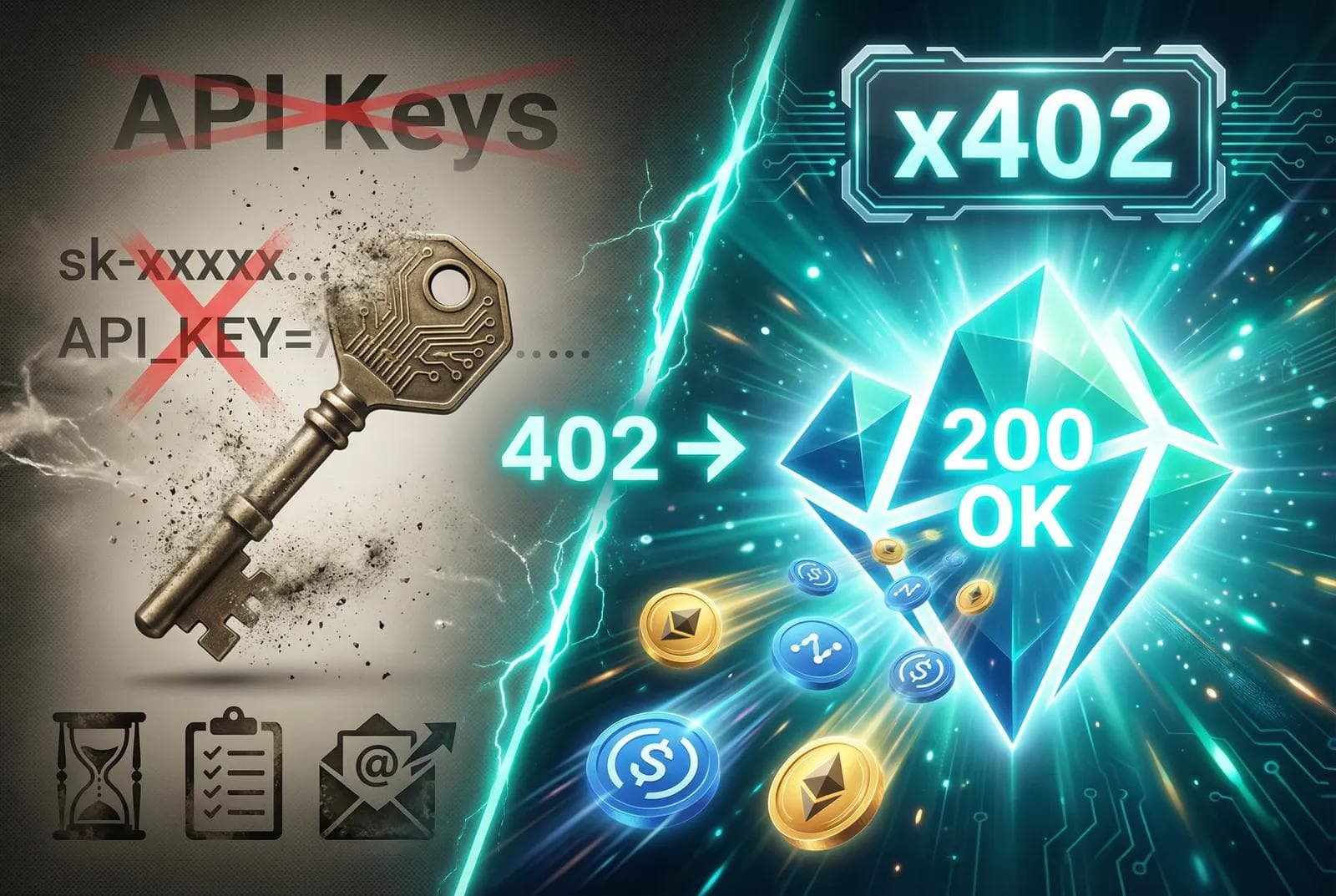
For developers, NanoGPT now publishes public documentation and a machine-readable endpoint matrix for accountless x402 API payments. You can inspect supported paid endpoints at GET /api/v1/x402/endpoints, then use supported Nano exact or Base USDC exact payment flows without relying on a NanoGPT account balance first.
Chat, workspace, sync, and sharing improvements
A lot of work went into making the everyday app smoother.
Workspace and project chats improved through project notes, better project conversation retrieval, project suggestions for attachment-heavy chats, source citation previews, project image attachment retrieval, project search status icons, and easier project actions from conversation headers.
Conversation search is faster with a local search index. Cloud sync startup, sync-all behavior, preset sync, profile image sync, folder sync, model preference sync, settings sync, and theme sync all received fixes or improvements.
Shared conversations also improved, including selective conversation sharing, collaborative shared conversations, and reasoning support in shared conversations.
We also improved Global Memory reliability, made the Global Memory limit configurable, improved local storage and IndexedDB recovery paths, and added clearer browser storage estimates.
Reliability, speed, and routing
May included a lot of work that is less flashy but important.
We reduced chat startup and pre-provider latency in several places, improved streaming typewriter performance, cached more session and auth checks, optimized sync and usage queries, and tightened billing prechecks.
Routing also became more resilient. We added provider routing preferences, adaptive routing improvements, cache-aware routing, and provider fallback fixes.
In practice, that means fewer failed requests, clearer errors when something does fail, better fallbacks, and better cost accounting.
New text models and coding models
We added a lot of text models in May. Some of the highlights:
- Claude Opus 4.8 and Claude Opus 4.8 Thinking
- MiniMax M3 and MiniMax M3 Thinking
- Mistral Code Agent Latest and Mistral Code Latest
- Qwen3.7 Max and Qwen3.7 Plus
- Nvidia Nemotron 3 Ultra 550B
- Nex N2 Pro
- Step 3.7 Flash Thinking
- Gemini 3.5 Flash
- Grok Build 0.1
- Cohere Command A+
- Coding Router, with low, medium, high, and max tiers
Several models also became cheaper or more subscription-friendly, including MiMo V2.5, MiMo V2.5 Pro, Kimi K2.6, DeepSeek V4 Pro Cheaper, and several CrofAI routes.
Podcast
Milan also joined Vlad for a conversation about NanoGPT, crypto payments, privacy, models, and where AI is going. You can listen to the full recording on X. If you are mainly interested in NanoGPT and not crypto, skip to around 42 minutes.
Summary
In May we've made NanoGPT:
- more private, through Private Mode, PII redaction, TEE routes, and browser-local AI
- more programmable, through Batch API, OpenAPI, SDKs, Data API, x402, and agent discovery
- easier to manage, through API-key controls, usage reporting, model comparisons, and provider routing
- stronger for creative work, through Image Templates and many new image, video, and audio tools
- more reliable, through latency, sync, billing, fallback, and provider-routing improvements
That is the direction we want NanoGPT to keep moving: access to many models and tools, but with better privacy controls, better billing transparency, better developer primitives, and less friction for everyday use.
Thanks for using NanoGPT. We'll keep improving.