Sign in with NanoGPT: OAuth PKCE for AI Apps
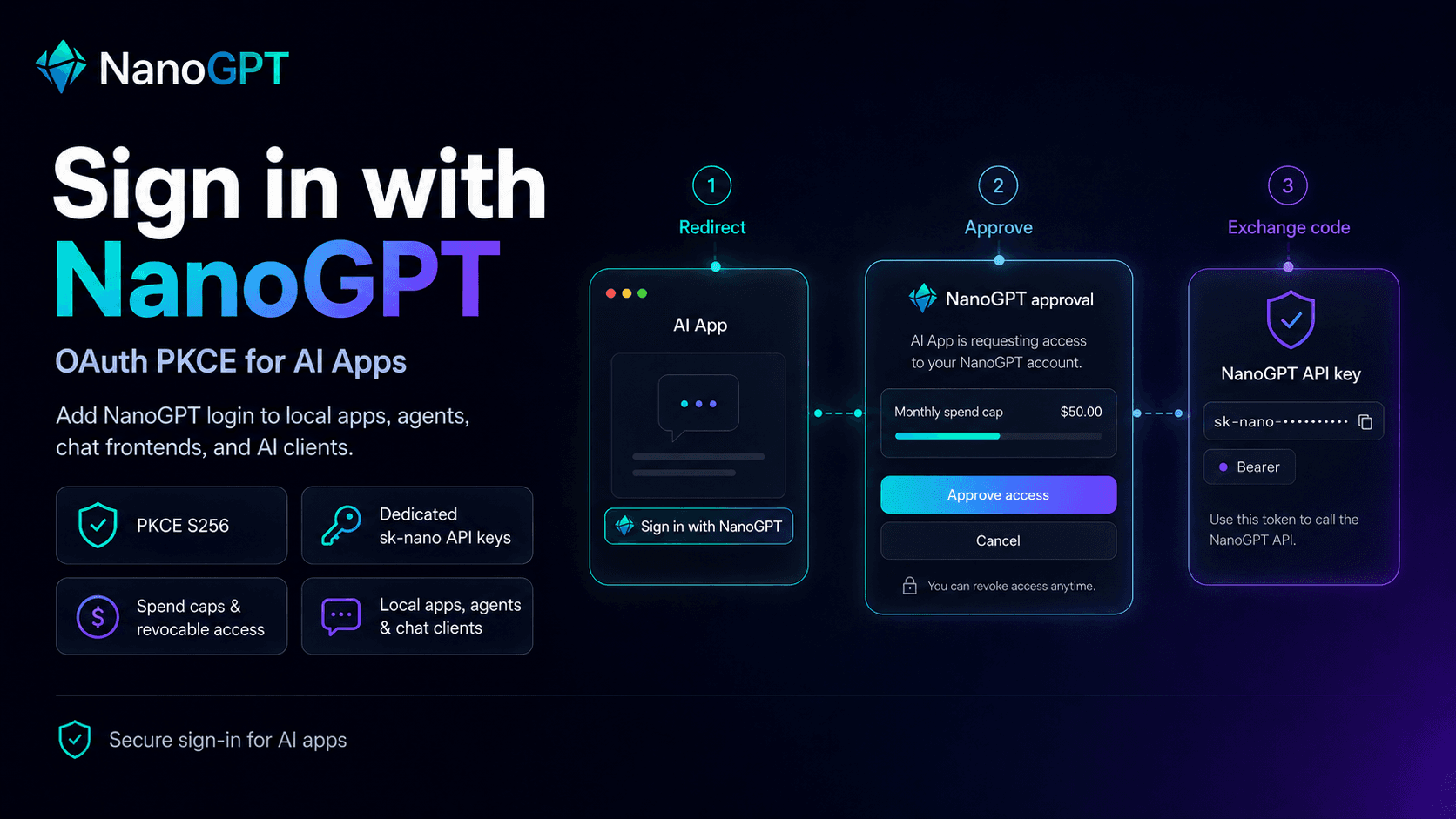
NanoGPT now supports Sign in with NanoGPT for third-party apps.
That means an app can redirect a user to NanoGPT, ask them to approve access, and receive a dedicated NanoGPT API key without making the user manually create, copy, and paste one.
This is built for the tools people already use around OpenAI-compatible APIs: local apps, browser chat frontends, coding agents, SillyTavern-style clients, and other API clients that need browser-based sign-in.
What the app receives
After approval, the app receives a dedicated sk-nano-... API key. It can use that key with the standard NanoGPT API:
Authorization: Bearer sk-nano-...Base URL:
https://nano-gpt.com/api/v1The key is specific to the app and user. Users can revoke or limit it from their NanoGPT API key settings.
Recommended path for local apps
For local apps and clients that want the shortest integration path, use NanoGPT's browser key handoff flow.
Generate a PKCE verifier and S256 challenge, start a localhost callback server, then send the user to:
https://nano-gpt.com/auth?callback_url=http%3A%2F%2F127.0.0.1%3A8787%2Fcallback&code_challenge=...&code_challenge_method=S256&scope=api.use%20models.read&state=...After the user approves, NanoGPT redirects to your callback URL:
http://127.0.0.1:8787/callback?code=...&state=...Exchange the code:
curl -X POST "https://nano-gpt.com/api/v1/auth/keys" \
  -H "Content-Type: application/json" \
  -d '{
    "grant_type": "authorization_code",
    "code": "...",
    "code_verifier": "..."
  }'
Response:
{
  "key": "sk-nano-...",
  "access_token": "sk-nano-...",
  "token_type": "Bearer",
  "scope": "models.read api.use",
  "user_id": "..."
}
Full local example: examples/oauth-local-app.
Standard OAuth PKCE path
NanoGPT also exposes a standard authorization-code + PKCE flow:
- Authorization server metadata:
https://nano-gpt.com/.well-known/oauth-authorization-server - Dynamic client registration:
POST https://nano-gpt.com/oauth/register - Authorization endpoint:
GET https://nano-gpt.com/oauth/authorize - Token endpoint:
POST https://nano-gpt.com/oauth/token
Register a public PKCE client:
curl -X POST "https://nano-gpt.com/oauth/register" \
  -H "Content-Type: application/json" \
  -d '{
    "client_name": "My Local App",
    "redirect_uris": ["http://127.0.0.1:8787/callback"],
    "grant_types": ["authorization_code"],
    "response_types": ["code"],
    "token_endpoint_auth_method": "none"
  }'
Then build an authorization URL with:
response_type=codeclient_idredirect_uriscope=api.use models.readstatecode_challengecode_challenge_method=S256
Exchange the returned code at /oauth/token:
curl -X POST "https://nano-gpt.com/oauth/token" \
  -H "Content-Type: application/x-www-form-urlencoded" \
  --data-urlencode "grant_type=authorization_code" \
  --data-urlencode "client_id=ngpt_..." \
  --data-urlencode "redirect_uri=http://127.0.0.1:8787/callback" \
  --data-urlencode "code=..." \
  --data-urlencode "code_verifier=..."
Response:
{
  "access_token": "sk-nano-...",
  "token_type": "Bearer",
  "scope": "models.read api.use"
}
Security details
NanoGPT requires PKCE S256. The plain PKCE method is not supported.
Redirect URIs are strict:
- HTTPS redirect URIs are allowed.
- Loopback HTTP redirect URIs are allowed for local apps when they include an explicit port, such as
http://127.0.0.1:8787/callback. - Redirect URIs must match exactly.
- Wildcards, fragments, and credentials in redirect URIs are rejected.
The approval screen tells users that the app can spend from their NanoGPT balance. Users can set a daily, weekly, or monthly spend cap during approval.
App-created key handoff
Authenticated apps can also create one-time authorization codes for downstream local apps:
curl -X POST "https://nano-gpt.com/api/v1/auth/keys/code" \
  -H "Authorization: Bearer sk-nano-..." \
  -H "Content-Type: application/json" \
  -d '{
    "redirect_uri": "http://127.0.0.1:8787/callback",
    "code_challenge": "...",
    "code_challenge_method": "S256",
    "key_label": "Local coding agent",
    "limit": 20,
    "usage_limit_type": "monthly"
  }'
This creates a one-time code that can be exchanged at /api/v1/auth/keys. It is useful when a trusted local orchestrator already has a NanoGPT key and needs to hand a scoped, labeled, limited key to a child app.
What to build next
If your app can open a browser and listen on a callback URL, NanoGPT should be a small integration. Generate an S256 PKCE challenge, point users to https://nano-gpt.com/auth, then exchange the returned code at https://nano-gpt.com/api/v1/auth/keys.
For generic OAuth clients, use the metadata endpoint and the standard /oauth/register, /oauth/authorize, and /oauth/token endpoints.
Either way, store the returned key securely and make it clear to users that the app can spend from their NanoGPT balance until they revoke or limit it.