
Top Tools for Resolving Dependency Conflicts in AI Models

Dependency conflicts in AI projects can break your environment, delay deployment, and cause hidden issues like GPU failures. These problems often stem from mismatched versions of libraries, system-level components like CUDA, or transitive dependencies. Here's how to tackle them effectively:
Key Takeaways:
- Use Tools for Precision: Tools like
pip-tools,Conda, andMambahelp manage dependencies and system-level requirements. For faster resolution, tryuvor AI-assisted tools likePix. - Reproducibility Matters: Lockfiles (
poetry.lock,conda-lock) ensure consistent environments. Always commit these to version control. - Handle GPU Dependencies: Use Conda or Mamba for CUDA and cuDNN management, as
pipcan't handle system-level drivers. - AI Solutions for Complex Issues: Tools like
Omnipkgallow multiple library versions to coexist, solving deep conflicts. - NanoGPT Simplifies AI Models: Access 996 models via a single API, avoiding dependency issues across providers.
Quick Comparison of Tools:
| Tool | Best For |
|---|---|
pip-tools | Pinning exact versions for Python projects |
uv | Faster dependency syncing for large environments |
Conda/Mamba | Managing GPU and system-level dependencies |
Pix | Debugging errors with AI-powered suggestions |
Omnipkg | Running conflicting library versions side by side |
NanoGPT | Unified access to AI models without library conflicts |
Dependency management is a continuous effort. Choose the right tools, version your environments, and test updates carefully to keep your AI projects stable and conflict-free.
Common Challenges in Resolving Dependency Conflicts
Dependency conflicts in AI projects can arise from various factors, including system upgrades, hardware dependencies, and initial configurations. Understanding these challenges is key to tackling them effectively.
Framework and Library Compatibility
AI frameworks often rely on system-level dependencies like CUDA, cuDNN, and GPU drivers, which standard package managers don’t handle. For instance, upgrading PyTorch might require a different version of the CUDA toolkit than what’s currently installed on your system. This mismatch can cause problems even if Python package dependencies appear to resolve correctly. Issues like ABI (Application Binary Interface) incompatibilities can result in errors such as ImportError or segmentation faults during imports.
Another common pitfall is mixing packages from different Conda channels (e.g., defaults and conda-forge). Since these packages may be built against different C libraries, combining them can lead to conflicts.
Transitive Dependency Conflicts
Most dependency issues don’t come from the packages you explicitly install but from the transitive dependencies required by those packages. These conflicts become particularly tricky when multiple packages impose overlapping constraints. For example, PyTorch 2.0 might need numpy>=1.21.0,<1.27, while TensorFlow 2.13 could demand numpy>=1.22.0,<1.24. Adding another library with a constraint like numpy>=1.24 can make the environment unsolvable.
Installing packages one at a time only worsens the problem, as it isolates each package’s requirements instead of seeking a globally compatible solution.
"ML projects fail more often from dependency conflicts than from model performance issues." - ML Journey
Reproducibility and Security Risks
Reproducibility and security are major concerns when upgrading or downgrading AI models. A requirements.txt file might document what you intended to install, but it doesn’t guarantee the exact versions running in your environment. Without a lockfile, reinstalling the same project weeks later can introduce updated transitive dependencies, leading to silent changes that cause numerical inconsistencies or broken builds.
Security risks are just as alarming. In 2024, a company lost 1.1 TB of data due to a malicious file disguised as a legitimate AI tool. With dependency chains spanning hundreds of packages, the risk of supply chain attacks is substantial. Alarmingly, only 25% of organizations describe their AI toolchain as "highly unified".
"The core failure is that these approaches treat dependency management as a point-in-time technical task, when the actual risk is continuous, distributed, and crosses team boundaries." - Ishita Verma, Senior Machine Learning Engineer, Netflix
| Risk Category | Issues | Resolutions |
|---|---|---|
| Reproducibility | Inconsistent results across machines; broken builds | Use lockfiles (e.g., poetry.lock, conda-lock) |
| Security | Supply chain attacks via unvetted dependencies | Use curated internal registries and maintain an AI Bill of Materials (AIBOM) |
| Compliance | Difficulty tracing environments for regulations | Treat environments as versioned artifacts stored alongside models |
| Production Stability | Silent updates breaking deployed models | Implement continuous vulnerability monitoring and staged upgrade pipelines |
sbb-itb-903b5f2
Top Tools for Detecting and Resolving Dependency Conflicts
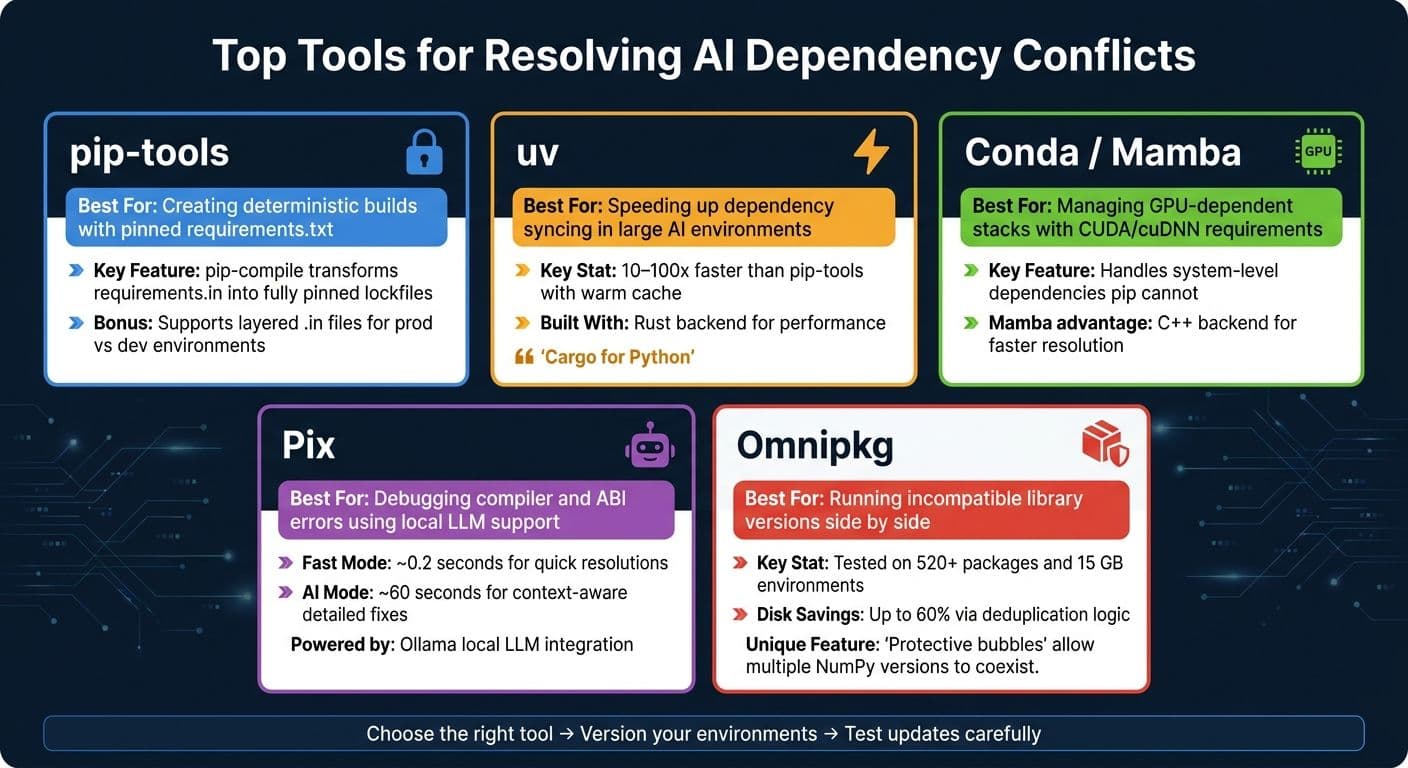
Top Tools for Resolving AI Dependency Conflicts: Quick Comparison Guide
When managing AI projects, dependency conflicts can derail progress if not handled properly. Thankfully, there are tools designed to tackle these issues head-on, from managing pinned builds to leveraging AI for troubleshooting. Here's a breakdown of some of the best tools available in the Python ecosystem and beyond.
Pip and Pip Tools
If you're working on Python-based AI projects, pip-tools is a reliable starting point. Its main feature, pip-compile, transforms high-level files like requirements.in or pyproject.toml into a fully pinned requirements.txt. This ensures builds are predictable and consistent. Pair it with pip-sync to maintain your virtual environment exactly as specified in the lockfile, whether you're installing, upgrading, or removing dependencies.
Need to update a single dependency? Run pip-compile --upgrade-package <package> to avoid rebuilding the entire environment. For larger projects, consider using layered .in files - for example, a base requirements.in for production and a dev-requirements.in for development needs.
If speed is a concern, check out uv, a Rust-based replacement for pip-tools. It operates 10–100x faster with a warm cache and provides clearer error messages for resolving conflicts. This can be a game-changer when debugging dependency issues.
"uv represents an intermediary goal in our pursuit of a 'Cargo for Python'" - Astral
For AI projects that rely heavily on GPU components, Conda and Mamba are worth exploring.
Conda and Mamba
When working with GPU-intensive workflows, Conda offers an advantage by managing both Python packages and system-level dependencies like CUDA and cuDNN. This is especially important since pip-based tools can't handle these lower-level requirements, which can lead to silent failures during upgrades (e.g., PyTorch breaking due to a mismatched CUDA version).
For faster performance, Mamba serves as a drop-in replacement for Conda. With its C++ backend, it resolves even large environment specifications much quicker. Plus, tools like uv can detect active Conda environments using the CONDA_PREFIX variable, allowing seamless integration between the two ecosystems.
When traditional tools struggle with cryptic errors, AI-powered solutions can step in to provide clarity.
AI-Assisted Dependency Conflict Tools
Sometimes, error logs are filled with confusing messages about GCC failures, missing headers, or ABI issues. In these cases, traditional resolvers often fall short. AI-assisted tools like Pix and Omnipkg can help.
Pix is a command-line tool that connects to a local large language model (LLM) via Ollama. It analyzes error outputs and suggests targeted fixes. It offers two modes: a Fast Mode for quick resolutions (around 0.2 seconds) and an AI Mode for more detailed, context-aware solutions (takes about 60 seconds).
Omnipkg, on the other hand, takes a unique approach. Instead of trying to find a single compatible version for conflicting dependencies, it creates "protective bubbles" that allow multiple versions of the same library to coexist. For example, it can handle two different builds of NumPy in the same environment. Tested on setups with over 520 packages and 15 GB of data, it also boasts disk space savings of up to 60% through its deduplication logic.
"One environment. Infinite versions. Zero conflicts." - omnipkg
These tools complement traditional methods, ensuring even the most complex AI environments remain conflict-free.
Quick Reference for Tools
Here's a handy guide to match tools with common scenarios:
| Tool | Best For |
|---|---|
| pip-tools | Creating deterministic builds with pinned requirements.txt |
| uv | Speeding up syncing in large AI environments |
| Conda / Mamba | Managing GPU-dependent stacks with CUDA/cuDNN requirements |
| Pix | Debugging compiler and ABI errors using local LLM support |
| Omnipkg | Running incompatible library versions side by side |
Using NanoGPT to Simplify Dependency Management
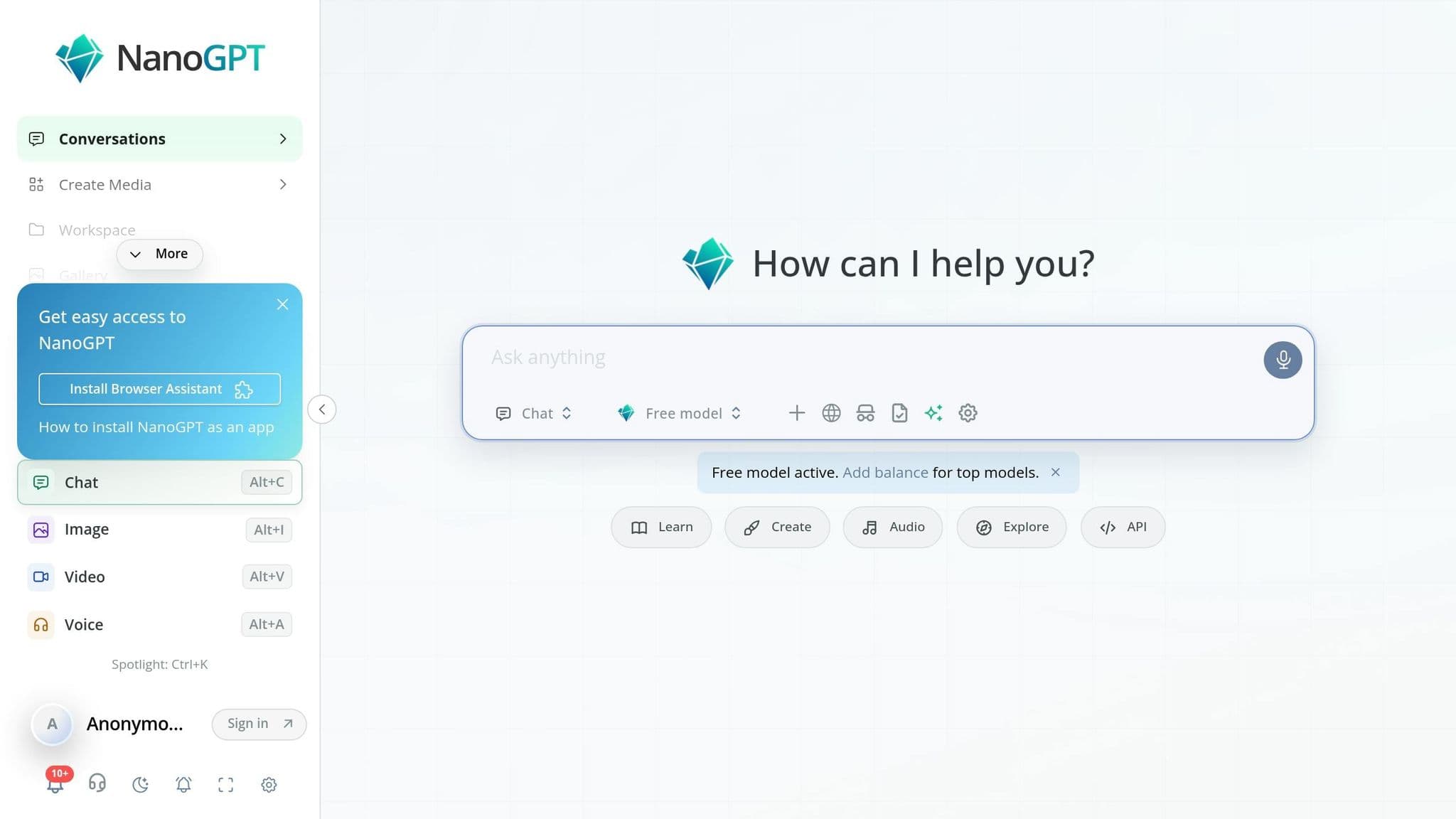
Managing dependencies across multiple AI providers can be a headache, especially when their SDKs conflict. NanoGPT offers a solution by giving access to 996 models through a single OpenAI-compatible API endpoint. This unified interface simplifies dependency management across a wide range of AI models.
Unified Access to AI Models
NanoGPT eliminates the need to install separate libraries for each AI provider. Instead, you can direct your existing OpenAI client to https://nano-gpt.com/api/v1 and use one API key to access a vast library: 603 text models, 178 image models, and 118 video models. Switching between models is as simple as changing the model ID in your code. This one-stop approach removes the hassle of juggling multiple packages or setting up virtual environments.
Want faster results or lower costs? You can append :fast for quicker completions or :cheap for cost-effective processing, with the platform handling provider-level routing automatically.
Local Privacy and Usage Flexibility
NanoGPT prioritizes security by storing data locally on your device and offering Trusted Execution Environment (TEE) attestation for verified secure GPU inference. This ensures that sensitive code and proprietary models remain protected. By handling dependencies locally, it avoids conflicts during system-level integrations.
The platform’s pay-as-you-go pricing is another advantage. There are no subscription commitments - entry-level models like Amazon Nova Micro 1.0 cost just $0.04 per 1M input tokens, while advanced reasoning models like Aion 1.0 are priced at $4.00 per 1M input tokens. This flexibility supports efficient dependency management without long-term costs.
Practical Use Cases for Dependency Management
NanoGPT’s Model Context Protocol (MCP) makes dependency management even easier. When integrated with coding assistants like Claude Code or Cursor, it can generate migration guides, create lockfiles, or mine live documentation directly on your local machine. It also enables prompt caching, cutting costs by up to 90% on cached input tokens. The MCP server runs locally, securely storing your API keys and keeping your workflow self-contained.
"NanoGPT automatically applies implicit caching on providers/models that support it... so most requests do not need caching flags." - NanoGPT Documentation
Best Practices for Dependency Conflict Resolution
To keep your AI environment running smoothly, follow these practical methods for handling dependency conflicts effectively.
Environment Snapshotting and Lockfiles
Think of your machine learning (ML) environment as a versioned artifact. This means saving the exact state of all your packages - including every transitive dependency - alongside your model in a registry. This approach ensures anyone on your team can recreate the environment precisely.
Commit your lockfiles (like poetry.lock, conda-env.yaml, or a requirements.txt with pinned versions) to version control. Use clean installation commands such as npm ci, poetry install, or pip install -r requirements.txt in your CI/CD pipeline. This ensures that the build environment mirrors the one you tested. For example, in 2025, a fintech company reduced deployment failures by 73% by strictly using lockfiles and npm ci in their CI/CD pipeline.
For managing indirect dependencies, rely on a constraints file (e.g., constraints.txt). Use it with commands like pip install -c constraints.txt to lock down versions of indirect dependencies without cluttering your main requirements file.
Once your environment is set, assess the risks of updates with a staged upgrade and downgrade process.
Staged Upgrade and Downgrade Pipelines
Not all updates are created equal. They carry different levels of risk, so it’s smart to categorize them:
| Update Type | Risk | Strategy |
|---|---|---|
| Security patches | Low | Apply immediately using tools like pip-audit or npm audit fix. |
| Minor/patch updates | Medium | Batch updates by category (e.g., tokenizers, data loaders) and test incrementally. |
| Major version updates | High | Handle as a migration. Use a dedicated branch and consult the full migration guide. |
Before starting any upgrade, make sure your main branch is stable and passing all tests. Attempting upgrades on a broken branch makes it harder to pinpoint whether new issues stem from the update or pre-existing problems. After completing the upgrade, manually review the lockfile to confirm there are no unintended major version updates in transitive dependencies.
Equally important for long-term stability is managing version constraints carefully.
Version Constraint Management
Good versioning practices help prevent silent failures and cascading issues. For critical frameworks like PyTorch or TensorFlow, pin exact versions (e.g., torch==2.3.1). This avoids unexpected problems caused by changes in newer versions. For less critical libraries, you can use a tilde range (e.g., ~2.4.1) to allow safe patch updates while blocking minor or major version changes.
Use tools like overrides (npm) or resolutions (Yarn) sparingly. These are useful for addressing specific vulnerabilities in nested packages, but overusing them can lead to a tangled web of version dependencies that’s tough to manage.
| Version Prefix | Range Allowed | Stability Level |
|---|---|---|
2.4.1 | Exact version only | Highest (Predictable) |
~2.4.1 | 2.4.x (Patch only) | Medium (Safe bug fixes) |
^2.4.1 | 2.x.x (Minor/Patch) | Lower (Risk of breaking) |
latest | Newest available | None (Avoid in production) |
One thing to watch out for: AI-generated dependency recommendations can be outdated or incorrect. Language models sometimes suggest versions that don’t exist or are incompatible. Always double-check with commands like npm view <package> peerDependencies or consult PyPI directly before installing any dependency suggested by AI.
Conclusion
Dependency conflicts are becoming more challenging to manage as AI technology stacks grow deeper. On average, modern applications now include over 1,200 transitive dependencies, and developers spend about 220 hours annually dealing with version-related issues.
To navigate this complexity, using the right tools is crucial. Whether it's pip-tools for dependency pinning, Conda for creating isolated environments, or automated auditing tools like Snyk or pip-audit, these solutions can mean the difference between a stable system and one that breaks with every update. As Vasu Ghanta, a Full-Stack & DevOps Developer, aptly said:
"Dependency hell isn't a problem you solve once - it's an ongoing discipline requiring proper tools, processes, and team culture."
For teams working directly with AI models, NanoGPT offers a streamlined way to reduce much of this complexity. It provides a single OpenAI-compatible API key that connects to nearly 1,000 models, including ChatGPT, Gemini, Deepseek, and Flux Pro. This eliminates the headache of managing conflicting libraries, CUDA versions, or model-specific dependencies. With NanoGPT, switching between models is as simple as updating a single string in your code - no need to reconfigure your environment. Plus, since NanoGPT stores data locally, your privacy is safeguarded.
Whether you're maintaining a Python environment or integrating AI capabilities into a broader pipeline, it's essential to treat your dependency setup as a critical part of your workflow. Version it, audit it, and use tools that minimize manual effort. By incorporating solutions like pip-tools, Conda, and NanoGPT, you can build a solid foundation for your AI projects and reduce the friction caused by dependency conflicts.
FAQs
How do I tell if a conflict is Python vs CUDA/driver related?
To figure out whether an issue stems from Python or your CUDA/driver setup, start by checking the compatibility of your environment. Use the nvidia-smi command to confirm your driver’s supported CUDA version, then compare it with the CUDA version required by your library.
Python-related problems often show up as errors like ImportError or AttributeError, which usually point to conflicting package versions. For diagnosing driver mismatches, missing environment variables, or dependency issues, tools like env-doctor can be incredibly useful.
What’s the best way to lock and reproduce an AI environment in CI?
To maintain a stable AI environment in your CI pipeline, it's crucial to pin all dependencies to fixed, unchanging versions. For Python projects, tools like pip-tools are invaluable. They create deterministic lock files, which you should commit to your version control system. Then, during CI, install directly using these lock files to ensure consistency.
For complete reproducibility, extend this practice to Docker images. Pin them using their SHA-256 digest, covering not just the base images but also any system libraries. This approach treats your entire environment as a versioned artifact, ensuring reliability across builds.
When should I use Omnipkg instead of pinning versions?
Omnipkg is a handy tool for running conflicting library or Python versions side by side within a single environment. Instead of relying on pinning, which locks you into one specific setup, Omnipkg creates isolated environments, allowing multiple versions to coexist seamlessly. It’s perfect for tasks like sub-millisecond version switching, automatic dependency self-healing, or testing across multiple Python interpreters - all without the hassle of using containers.