Nanoodle: share AI workflows powered by your users' NanoGPT balance
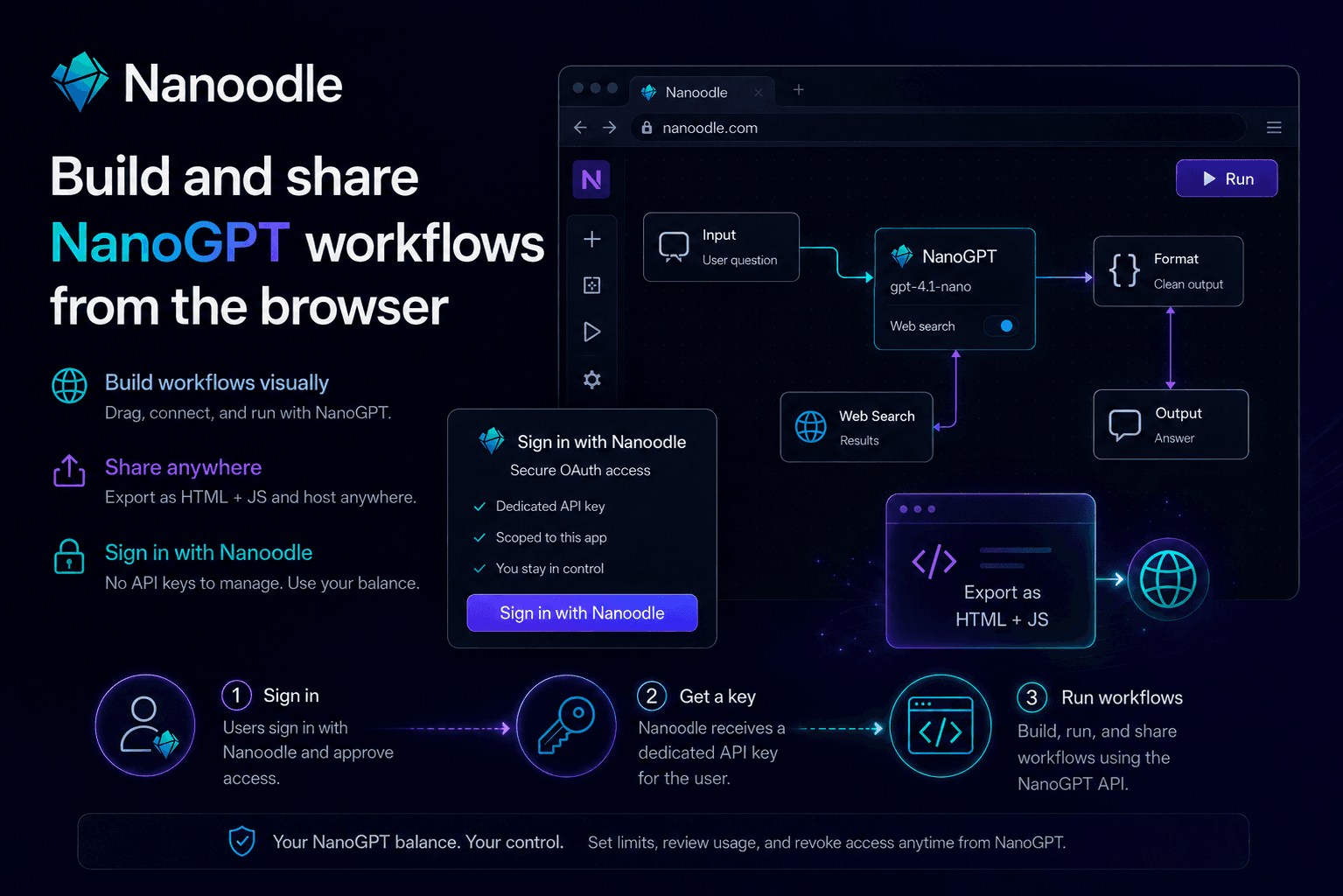
Share a Nanoodle workflow link, let users sign in with NanoGPT, and they can run it with their own NanoGPT balance.
Nanoodle makes that concrete. You build a workflow in the browser, run it with NanoGPT, then share it as a link. The person opening it does not need your API key, your backend, or your billing setup.
The surprising part is not that Nanoodle uses OAuth. It is that a shared workflow can run paid inference without the workflow creator operating an inference backend, storing keys, managing provider accounts, or building billing. The user signs in with NanoGPT, approves access, and the workflow runs against that user's NanoGPT balance.
Try a real workflow
Here is a Nanoodle workflow that prompts Ideogram. Open it, sign in with NanoGPT, and run it from the browser. The workflow uses the signed-in user's NanoGPT balance instead of a developer-owned key hidden on a server.
That is the shift: a workflow is not trapped inside the builder, and a shared link is not a toy demo that stops working the moment it needs paid inference. It can call NanoGPT because the user brings the account, the balance, and the approval.
Nanoodle can still export a workflow as static HTML when you want a standalone page. But the link alone is enough to show the core idea: one person builds the workflow, another person opens it, and NanoGPT handles the model access and balance.
What used to be hard
Before, sharing even a tiny AI tool meant deciding where secrets live, how requests are metered, and who pays the model bill.
With Sign in with NanoGPT, the shared workflow can request a dedicated NanoGPT key for the signed-in user. NanoGPT handles the models, routing, usage, and balance. The user keeps control from NanoGPT, including spending limits and revocation.
For developers, that means less infrastructure before an idea can be shared. For users, it means they can run someone else's workflow without handing over an API key or trusting that creator with billing.
Try it
Open nanoodle.com, sign in with NanoGPT, and build or run a workflow. To see the pattern immediately, try the Ideogram prompting workflow.
For implementation details, see our Sign in with NanoGPT OAuth guide.