
Qwen Image 3 Review: Text Rendering, Infographics, and Image Editing
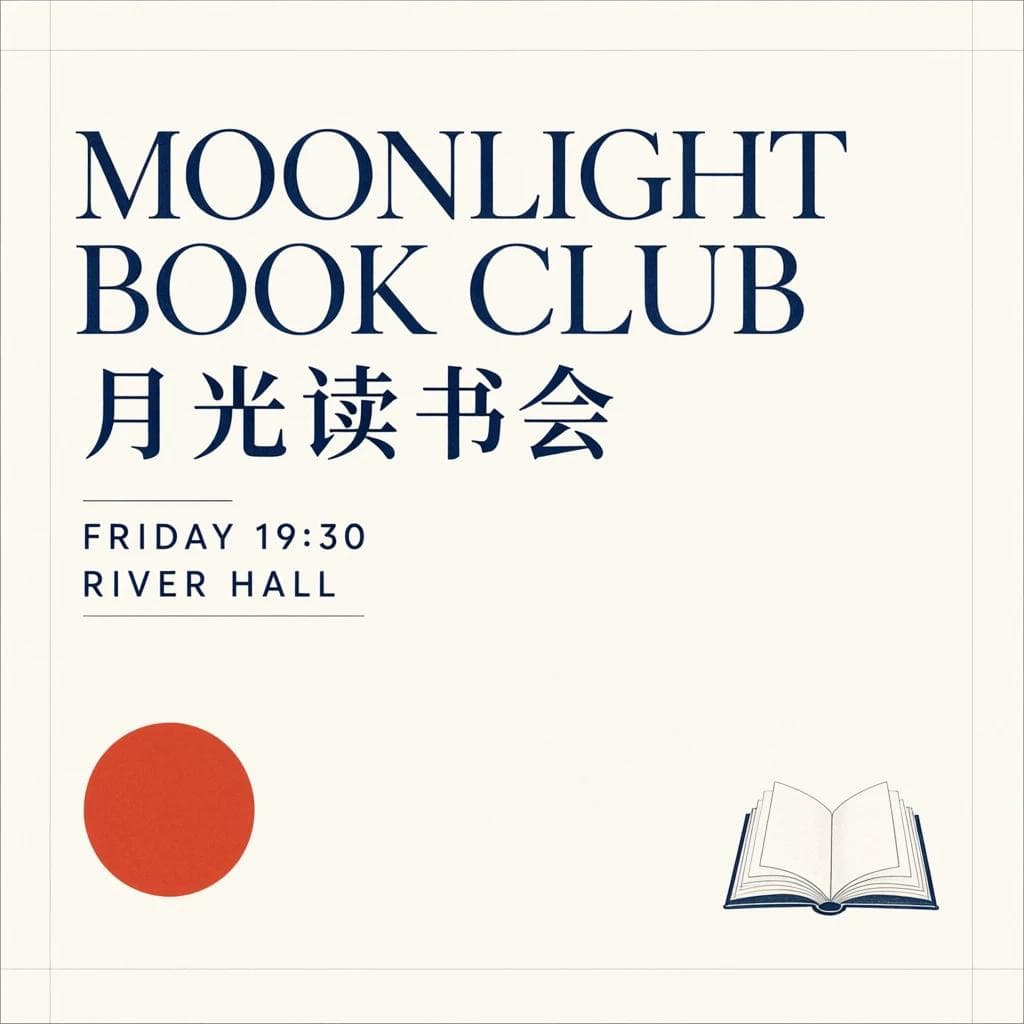
Qwen Image 3 spelled every line of a bilingual book-club poster correctly. Given a prompt for a denser six-panel infographic, it lost track of the numbering and mangled several captions. The two results show both the progress in image text and the limits of one hosted test.
The current release is officially called Qwen-Image-3.0, and NanoGPT lists it as Qwen Image 3. Alibaba launched the standard model first; Qwen Image 3 Pro was added later as a separate higher-quality option.
Qwen's announcement focuses on information-rich layouts, fine visual detail, and broad knowledge of languages, styles, and interfaces. It shows dense educational graphics, small text, nested software interfaces, realistic portraits, and substantial edits. The post does not provide a benchmark table, so we ran a small practical test instead.
How we tested it
We made four calls through NanoGPT on July 23, 2026:
- A square poster with exact English and Chinese text
- A six-part educational infographic with fixed labels and captions
- A photorealistic still life containing specified objects and a printed card
- An edit of that still life with two requested object changes
Each call generated one image at 1024 pixels on its longest side and reported a cost of $0.075. Prompt expansion was disabled for the exact-text and edit tests, then enabled for the photorealistic scene. We used fixed seeds so the requests can be repeated, although a hosted model or serving update may still change the result.
These are individual examples, not a benchmark. They are useful for seeing how the model behaves, but they do not establish a success rate across every prompt or language.
Bilingual poster text came out clean
The first prompt asked for a restrained literary-event poster containing four exact lines:
MOONLIGHT BOOK CLUB
月光读书会
FRIDAY 19:30
RIVER HALL
The result gets all four lines right. The Chinese title is correct, the time remains 19:30, and the model does not invent a sponsor, website, or extra event copy. It also follows the requested cream, navy, and vermilion palette without making the layout busy.
Large display text is much easier than a page of small copy, but this is still a useful result. Posters, covers, product cards, and social graphics often fail because one letter or number changes. This example was usable without repairing the typography.
The dense infographic exposed the limit
The next prompt requested a 2-by-3 grid with six numbered sections. Every panel had an exact label and one short caption.
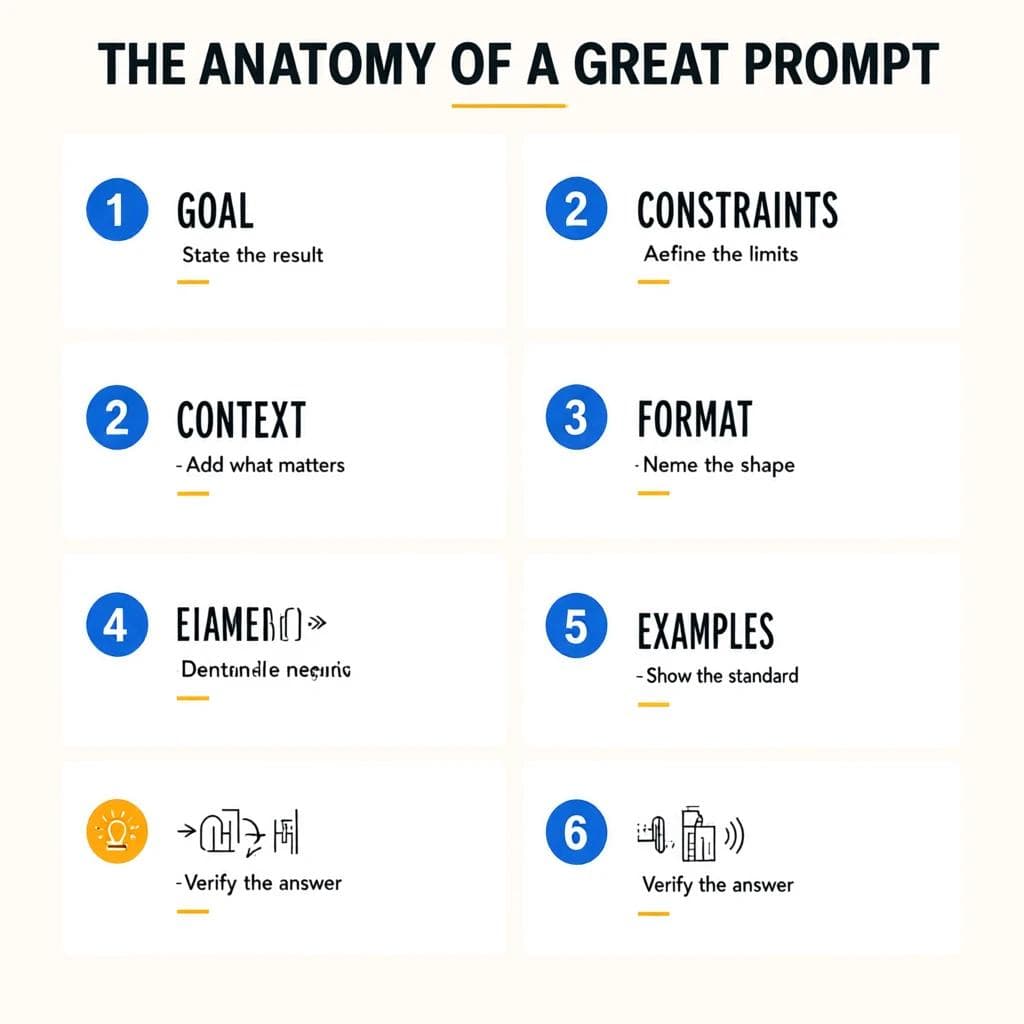
The title is correct, and several individual phrases survive. The overall structure does not:
- The image contains eight cells instead of six.
- The numbering runs
1, 2, 2, 3, 4, 5, followed by an unnumbered cell and6. - The caption under
CONSTRAINTSreads “Aefine the limits” instead of “Define the limits.” - The lower-left labels turn into malformed text and symbols.
- The model repeats “Verify the answer” instead of preserving the requested section names.
This matters because Qwen's launch page highlights an elaborate 3-by-3 educational graphic generated in one pass. The official example used a prompt of roughly 3,700 tokens. NanoGPT's current Qwen Image 3 route limits prompts to 800 characters. Those are different units, but the hosted instruction budget is plainly much smaller, so our test does not reproduce Qwen's setup.
The result tests NanoGPT's current hosted route under that shorter prompt limit, not the full instruction length shown by Qwen. Within those conditions, the model handled a clear headline but did not behave like a dependable layout or typesetting engine.
Use it to draft an infographic's visual direction. Rebuild critical labels, values, diagrams, and citations in a design tool before publishing.
Photorealistic detail was convincing
For the third test, we requested a red ceramic teapot, green linen notebook, brass lamp, eucalyptus, and a card printed with “AFTERNOON TEA.”
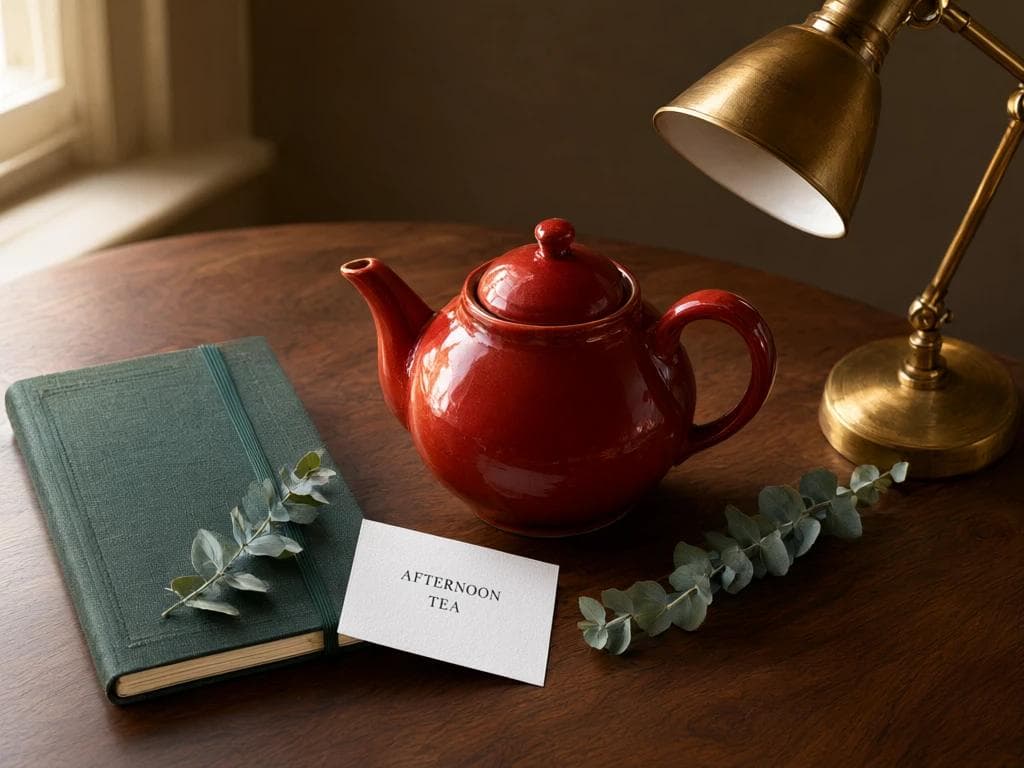
The object list is complete, the card contains the correct words across two centered lines, and materials are easy to distinguish. The ceramic glaze, notebook cloth, brass, paper, leaves, and wood all have separate textures rather than one uniform synthetic finish.
There are small choices we did not specify, such as placing one eucalyptus sprig over the notebook, but they support the composition rather than contradicting it. This was the strongest of the four results.
The edit preserved the scene but missed the count
We then sent the still life back as a reference image and asked Qwen Image 3 to:
- Change the red teapot to glossy cobalt blue
- Replace the notebook with a white bowl containing exactly three lemons
- Preserve the camera, lighting, desk, lamp, eucalyptus, and card text
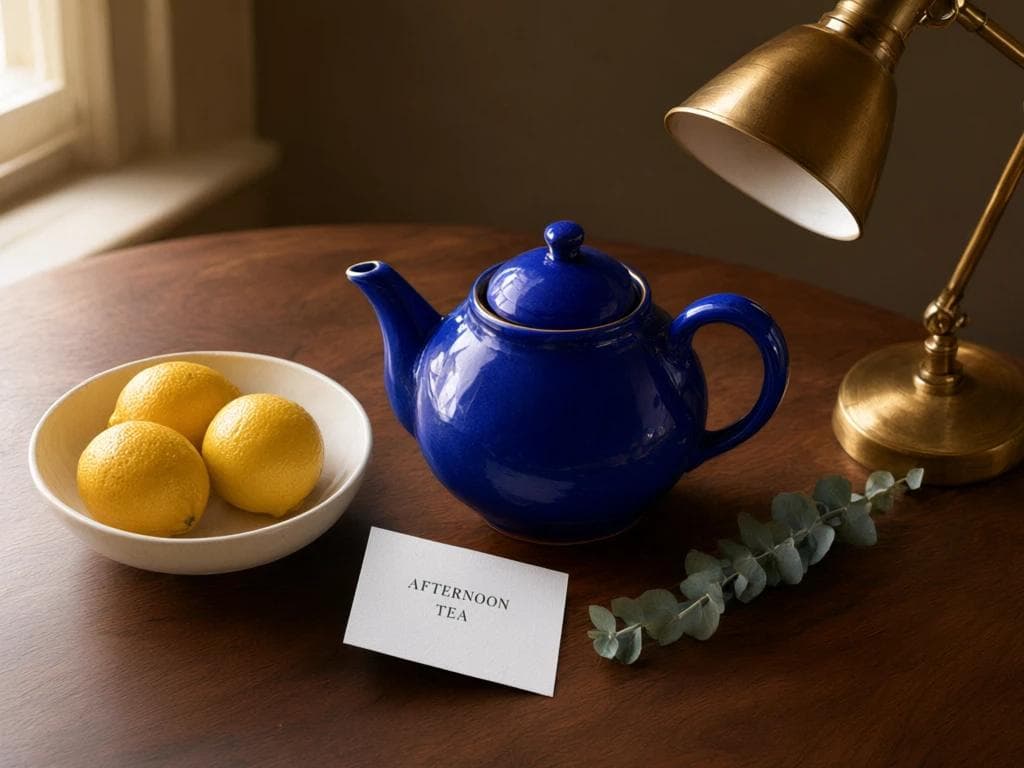
The edit changes the intended objects while keeping the scene recognizable. The lamp, desk, warm light, eucalyptus, card placement, and “AFTERNOON TEA” text survive. The teapot's shape is close to the original and its color changes cleanly.
It misses one explicit instruction: the bowl contains four lemons, not three. The framing and object positions also shift slightly. For ordinary creative editing, that may be acceptable. For catalog work or any image where object counts and exact geometry matter, review every result rather than assuming unchanged details stayed fixed.
What Qwen Image 3 adds over the previous generation
Qwen describes the third generation as moving beyond attractive images toward information-rich, usable visual material. Its launch examples emphasize:
- Long, detailed instructions and crowded compositions
- Legible small text, formulas, and multiple writing systems
- Familiar software interfaces and knowledge-heavy diagrams
- Fine skin, paper, fabric, metal, and brush textures
- Editing with text annotations, restoration, and structural changes
Our four examples are consistent with Qwen's claims about prominent text, material detail, and broad object-level editing. They do not establish how frequently the model succeeds, and they do not support treating every generated diagram or dense page as factually and typographically finished.
The launch page also says Qwen Image 3 can render 12 languages and more than 100 visual styles. We tested English and Chinese only, so this article cannot confirm the wider multilingual claim.
Using Qwen Image 3 on NanoGPT
Qwen Image 3 handles generation and editing in the same model flow. Uploading reference images switches it into edit mode.
The current NanoGPT integration supports:
- One to four output images per request
- Up to three standard JPEG, PNG, or WebP reference images
- 1K and 2K output with square, portrait, and landscape aspect ratios
- Automatic prompt expansion, which can be disabled when exact instructions matter
- Fixed seeds for reproducible generation
Text prompts are currently limited to 800 characters.
API users can select qwen-image-3 through NanoGPT's OpenAI-compatible image generation endpoint. The same model ID handles edits when reference images are included.
Where it fits
The model is worth testing for posters with a modest amount of copy, product scenes, editorial artwork, visual mockups, and edits where the main subject and composition should remain recognizable. Its ability to work from as many as three reference images also makes it useful for combining a subject, style, and layout reference in one request.
Our dense infographic failed in visible ways, and the edit missed a count of three even though the rest of the instruction was clear. Qwen's launch gallery also shows charts, formulas, and academic layouts, but we did not test those here. Run separate checks before relying on them for factual or publication-ready material.
